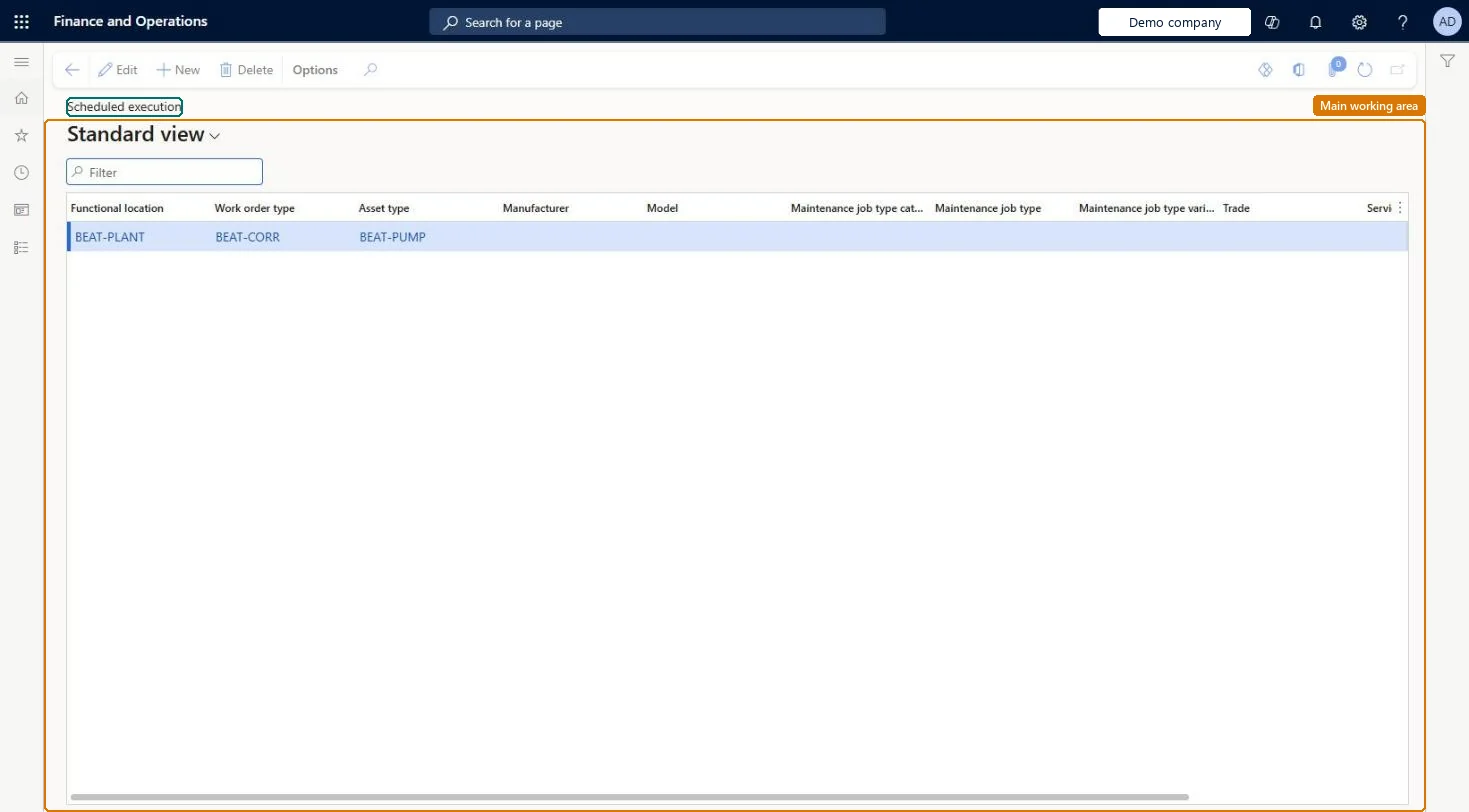
Setup step on the Scheduled execution page · Asset management
Set up Scheduled execution
Use this page to give planners more or less flexibility in when maintenance work is done, with generic lines or lines for a specific work order type, asset type, or job type.
SETUP GUIDEHow to set it up8 sections. Choose a role to highlight what matters to you.
Everyone
1What it is and why
What it is
A setup page where you link work order service levels to a time interval in which work orders should be completed.
What you do here
Use this page to give planners more or less flexibility in when maintenance work is done, with generic lines or lines for a specific work order type, asset type, or job type.
Example
For example, a worker who finishes a job early can move on to a nearby job planned for the current week rather than the current day.
The page in Dynamics 365. page title tab to open what to set or check
About the examples: Examples and screenshots in this guide use BEAT, a demo company in a Dynamics 365 test environment. Use your own company's codes and values instead of copying them.
Setup steps on this page
Set up Scheduled execution
Use this page to give planners more or less flexibility in when maintenance work is done, with generic lines or lines for a specific work order type, asset type, or job type.
Steps from Microsoft
Go to Asset management > Setup > Work orders > Scheduled execution.
Select New.
Select values in the Functional location, Work order type, Asset type, Manufacturer, Model, Maintenance job type category, Maintenance job type, Maintenance job type variant, and Trade fields as required.
In the Service level field, select a work order service level, or leave it blank for the most generic line.
In the Scheduled execution field, select the time interval.
Start with one generic line with Service level blank, then add specific lines by work order type, asset type or job type where planners need more or less flexibilityLearn says a line with a blank service level is the most generic and lets all work orders without a service level be scheduled in an interval.
Only creating lines for specific service levels, so work orders without a service level have no scheduled execution interval.
Solution architect
5Design impact
Can it be undone
Reversible: Lines are setup used when work orders are planned; they can be added, changed or deleted. Learn doesn't say whether already scheduled work orders are recalculated. Microsoft Learn
Technical architect
6Technical
Menu item
EntAssetScheduledExecutionChecked in Dynamics 365
Form
EntAssetScheduledExecutionChecked in Dynamics 365
Table
EntAssetScheduledExecutionShown as “SCHEDULED EXECUTIONS” in Record infoKey field: WorkOrderType_WorkOrderTypeId, ObjectType_ObjectTypeID, Product_ProductID, Model_ModelID, JobGroup_JobGroupID, JobType_JobTypeID, JobTrade_JobTradeID, JobVariant_JobVariantID, FunctionalLocation_FunctionalLocationIdChecked in Dynamics 365
Data entities
EntAssetMaintenanceScheduledExecutionEntityAsset management Scheduled executions Checked in Dynamics 365
To set it up or change itMaintenance manager EntAssetMaintenanceManagerTo use itMaintenance clerk EntAssetMaintenanceClerkGive people one of these roles. On this system, 2 roles can open this page.Checked in Dynamics 365