SETUP GUIDEHow to set it up8 sections. Choose a role to highlight what matters to you.
Everyone
1What it is and why
What it is
A report that lists all leases modified within a date range you specify.
What you do here
Use this report to see who adjusted each lease and the total liability adjusted, along with gain or loss and the ending liability balance.
Example
For example, for the BEAT audit file the controller lists every lease adjusted during the year with who adjusted it, the liability change and the gain or loss.
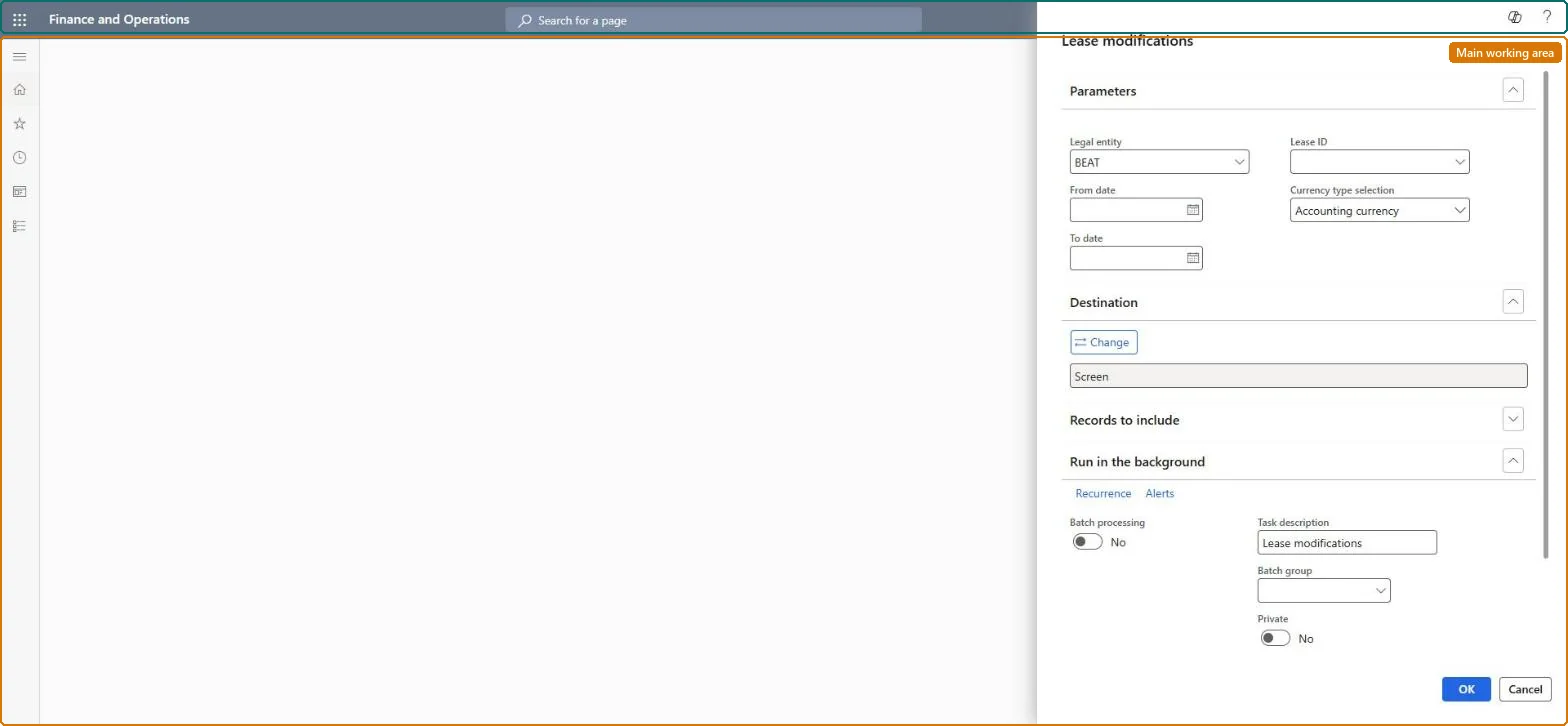
The page in Dynamics 365. page title tab to open what to set or check
About the examples: Examples and screenshots in this guide use BEAT, a demo company in a Dynamics 365 test environment. Use your own company's codes and values instead of copying them.
When to run it
When to run it
At period end or during an audit, to review which leases were modified and by whom.
How often
At each period end close, or on demand for an audit request.
What the output shows
One line per modified lease with Adjusted by, Adjustment date, Adjustments (credits positive), Gain (loss) amount, Retained earnings and Ending liability balance. A lease that you adjusted but don't see usually has an adjustment journal entry that isn't posted yet.
Produce the Lease modifications figures for the period you report.
Steps from Microsoft
Go to Asset leasing > Inquiries and reports > Lease reports > Lease modifications.
Enter the date range in which the adjustment journal entries were posted.
Filter on lease groups or legal entities if you only need part of the leases.
Review Adjusted by and Adjustment date for each modified lease, and compare Adjustments, Gain (loss) amount and Retained earnings with the posted adjustment entries.
Run it for the period's dates and review it with the approved adjustments.It lists each completed adjustment with the user, date, liability change, gain or loss and ending liability, which is the audit trail for remeasurements.
Asset leasing (Must be on)Multi-company purpose (Optional)
Licence or add-in
Asset leasing must be turned on in Feature management (feature Asset leasing). Microsoft Learn describes three Asset leasing roles: Maintain lease (add, edit and post leases), View lease (view leases and schedules and run reports) and Lease clerk (create new leases only). View lease users run it, as do Maintain lease users.
Runs for the legal entities you select. With the Multi-company purpose feature (version 10.0.44) the legal entities are picked from an organization hierarchy. Microsoft Learn
Can it be undone
Reversible: The report changes no data.
If you change it later
The report reads the posted lease schedules and changes nothing. Its figures change only when journals are posted, reversed or a lease is adjusted, so run it after the period's journals are posted. Microsoft Learn
Technical architect
6Technical
Menu item
AssetLeaseModifiedChecked in Dynamics 365
Form
SysOperationTemplateFormChecked in Dynamics 365
Roles to set it up and use it
To use itLease accountant AssetLeaseLeaseMaintainAccountant LedgerAccountantLease manager AssetLeaseLeaseViewAccounting manager LedgerAccountingManagerGive people one of these roles. On this system, 4 roles can run this page.Checked in Dynamics 365
Developer
7Developer
Open it by URL
https://<your-environment>/?mi=AssetLeaseModified
Data migration
Load order: The Lease modifications report has no data entity in Data management, so it can't be loaded from a file or a configuration template. A report stores no data; it reads the lease books and schedules, so migrate the leases instead.Microsoft Learn