SETUP GUIDEHow to set it up8 sections. Choose a role to highlight what matters to you.
Everyone
1What it is and why
What it is
A periodic dialog that processes leases that are ready for termination and posts their termination journal entries.
What you do here
Use this to post the termination journal entry for proposed leases; the lease book status becomes Terminated and the termination proposal status becomes Completed.
Example
For example, at month end a BEAT lease accountant runs it for all approved proposals with Termination status Not posted, so every agreed early termination posts in the same period.
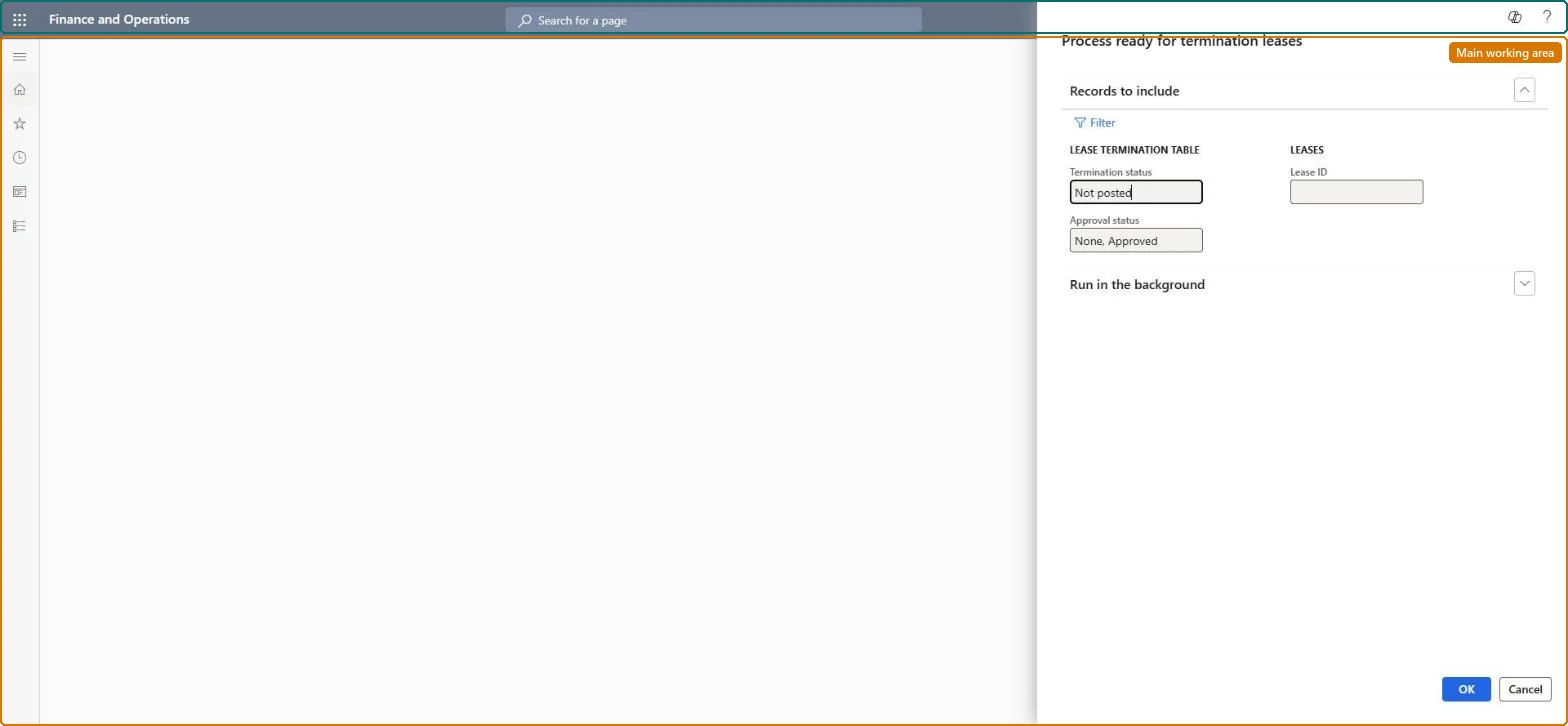
The page in Dynamics 365. page title tab to open what to set or check
About the examples: Examples and screenshots in this guide use BEAT, a demo company in a Dynamics 365 test environment. Use your own company's codes and values instead of copying them.
When to run it
When to run it
After termination proposals are created and reviewed (and approved, if approval is used), at the termination posting date.
How often
On demand, or at period end to post all termination proposals that are ready.
Batch settings
Run it in the background at period end when several leases are terminated at once.
What the output shows
Posted termination journal entries that write off the lease liability, ROU asset and accumulated depreciation and book the gain or loss. For leases linked to a fixed asset, the transactions go to the Fixed assets subledger. A lease that wasn't processed usually has a proposal that is not approved or is already posted.
Post the termination of every lease proposed and approved for termination in one run.
Steps from Microsoft
Go to Asset leasing > Periodic > Process ready for termination leases.
Keep the default selection of proposals with Termination status Not posted and Approval status None or Approved, and add a Lease ID if you only want to process some leases.
Review the termination lines on the Lease terminations page first, because processing posts the termination journal entry.
After the run, open the lease books: Lease status should be Terminated, Termination proposal status Completed, and the ROU asset and lease liability should be zero.
Keep the default filters (Termination status Not posted, Approval status None and Approved) and run it once at period end after reviewing the proposals.Each processed lease posts its termination entry and becomes Terminated, so running it once after review keeps all terminations of the period together.
Asset leasing must be turned on in Feature management (feature Asset leasing). Microsoft Learn describes three Asset leasing roles: Maintain lease (add, edit and post leases), View lease (view leases and schedules and run reports) and Lease clerk (create new leases only). Maintain lease users run it.
Per company: leases with their books, schedules and journals belong to the legal entity you are working in, and Lease ID numbers come from a number sequence set per company. Turn on Cross entity batch in Asset leasing parameters to create journals for other legal entities from the current one. Microsoft Learn
Can it be undone
Hard to reverse: Posted terminations can be reversed one by one with Reverse termination on Lease terminations.
If you change it later
Posts the termination journal entries and sets the leases to Terminated; no further journal entries are posted against them unless the termination is reversed. Microsoft Learn
Technical architect
6Technical
Menu item
AssetLeaseProcessTerminationChecked in Dynamics 365
Form
DialogChecked in Dynamics 365
Roles to set it up and use it
To use itLease accountant AssetLeaseLeaseMaintainAccountant LedgerAccountantGive people one of these roles. On this system, 2 roles can run this page.Checked in Dynamics 365
Load order: This job has no data entity in Data management, so it can't be loaded from a file or a configuration template. It posts termination proposals already in the system.Microsoft Learn
Checked in a working Dynamics 365 system, version 10.0.49: the menu item, form, table and security, the page.
To cite this step: AL-PER-060, Post ready-for-termination leases in batch. Beyond ERP Atlas Hub, 2026-11-11. https://www.beyonderp.cloud/atlas/step/AL-PER-060