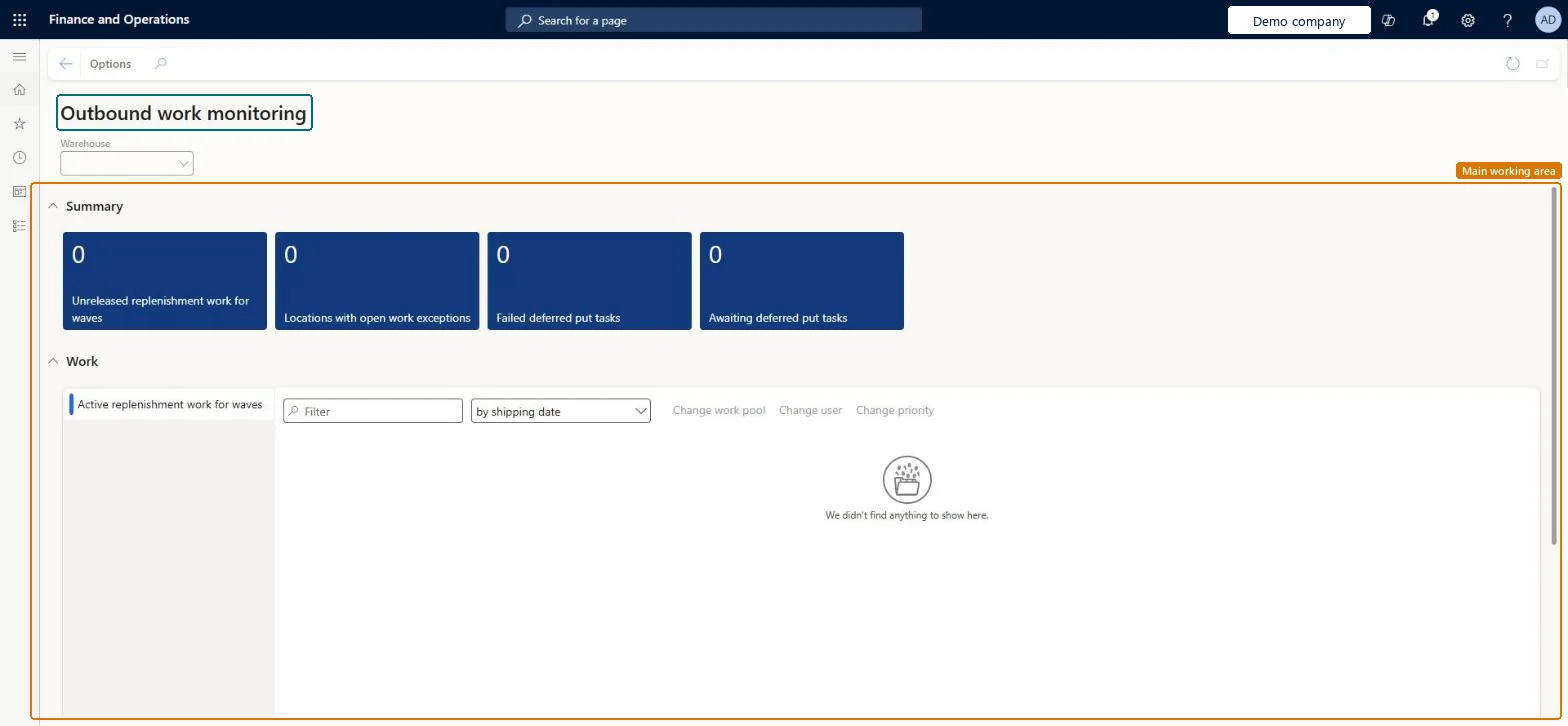
A workspace that shows outbound work that needs attention in a warehouse, including replenishment work for waves, locations with work exceptions and deferred put tasks.
PAGE GUIDEWhat the page does and how to use it6 sections. Choose a role to highlight what matters to you.
Everyone
1What it is and why
What it is
A workspace that shows outbound work that needs attention in a warehouse, including replenishment work for waves, locations with work exceptions and deferred put tasks.
What you do here
Use this workspace to monitor unreleased replenishment work, locations with open work exceptions and deferred put processing tasks.
The page in Dynamics 365. page title tab to open what to set or check
About the examples: Examples and screenshots in this guide use BEAT, a demo company in a Dynamics 365 test environment. Use your own company's codes and values instead of copying them.
How to use it
Go to Warehouse management > Workspaces > Outbound work monitoring.
Select a warehouse in the Warehouse field.
Review the tiles under Summary, such as Locations with open work exceptions, Failed deferred put tasks and Awaiting deferred put tasks.
In the Work section, open Active replenishment work for waves and use the Filter box and the sort selector to find work.
Select work in the list, and then use Change work pool, Change user or Change priority.
Source: Checked in Dynamics 365
Fields on the page
Field
What it means
Failed deferred put processing tasks
The number of put tasks that failed. A warehouse manager must reprocess or cancel them, because they are not reprocessed automatically.Microsoft Learn
Awaiting deferred put processing tasks
The number of put tasks that have been in the Awaiting status for more than 10 minutes.Microsoft Learn
Locations with open work exceptions
The number of locations that have open work exceptions. Select the tile to see the exceptions at each location.Microsoft Learn
Technical architect
4Technical
Menu item
WHSOutboundWorkMonitoringWorkspaceChecked in Dynamics 365
Form
WHSOutboundWorkMonitoringWorkspaceChecked in Dynamics 365
Who can open it
PrivilegesView outbound work monitoring workspace WHSOutboundWorkMonitoringWorkspaceViewDutiesMaintain warehouse planning WHSWarehousePlanningMaintain1 security roleWarehouse planner WHSWarehousePlannerChecked in Dynamics 365
Roles to set it up and use it
To use itWarehouse planner WHSWarehousePlannerGive people one of these roles. On this system, 1 role can open this page.Checked in Dynamics 365