About the examples: Examples and screenshots in this guide use BEAT, a demo company in a Dynamics 365 test environment. Use your own company's codes and values instead of copying them.
Steps from Microsoft
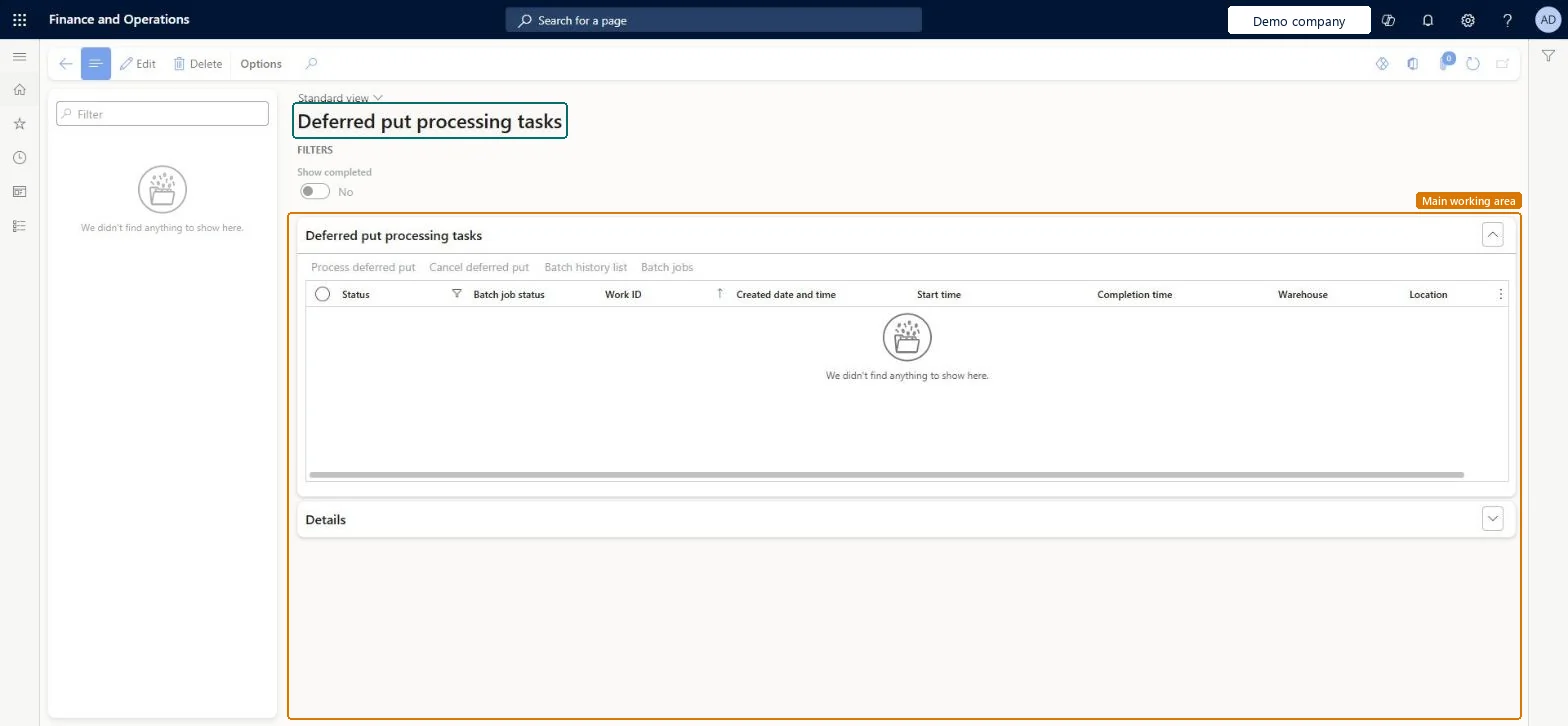
Go to Warehouse management > Work > Deferred put processing tasks.
Turn on Show completed if you also want to see completed tasks.
Select a task, and check its Status and Batch job status.
For a failed task, select Process deferred put to reprocess it, or select Cancel deferred put to cancel it.
Select Batch history list or Batch jobs to look at the related batch job.
Create a work processing policy with Work processing method Deferred for Sales orders and assign it in Warehouse management parameters or on the warehouse.
Pick a sales order on the mobile app and complete the put; check a task appears here as Awaiting and then Completed (the default view shows Completed).
Check the closed work date equals the task's created date/time.
For a Failed task, select Process deferred put and check it completes; on another, select Cancel deferred put and check the work is back on the mobile device with a put step.
Check the Outbound work monitoring workspace tiles for failed and awaiting tasks.
One-way: Warning: Cancel deferred put (only on Failed tasks) and deleting Completed tasks both delete the task record permanently. Cancel returns the work to the mobile device with only a put step, so the goods are not lost, but the task history is gone. Failed tasks are never reprocessed automatically. Microsoft Learn
If you change it later
Canceling a failed task deletes the task record. Microsoft Learn
Technical architect
5Technical
Menu item
WHSWorkDeferredPutProcessingTaskChecked in Dynamics 365
Form
WHSWorkDeferredPutProcessingTaskChecked in Dynamics 365
Table
WHSWorkDeferredPutProcessingTaskShown as “DEFERRED PUT OPERATION PROCESSING TASKS” in Record infoChecked in Dynamics 365
Who can open it
PrivilegesMaintain deferred put processing tasks WHSWorkDeferredPutProcessingTaskMaintainView deferred put processing tasks WHSWorkDeferredPutProcessingTaskViewDutiesMaintain warehouse planning WHSWarehousePlanningMaintainInquire into warehouse planning status WHSWarehousePlanningStatusInquire5 security rolesReceiving clerk InventReceivingClerkShipping clerk InventShippingClerkWarehouse planner WHSWarehousePlannerWarehouse manager WMSWarehouseManagerWarehouse worker WMSWarehouseWorkerChecked in Dynamics 365
Roles to set it up and use it
To set it up or change itWarehouse planner WHSWarehousePlannerTo use itWarehouse manager WMSWarehouseManagerWarehouse worker WMSWarehouseWorkerShipping clerk InventShippingClerkReceiving clerk InventReceivingClerkGive people one of these roles. On this system, 5 roles can open this page.Checked in Dynamics 365