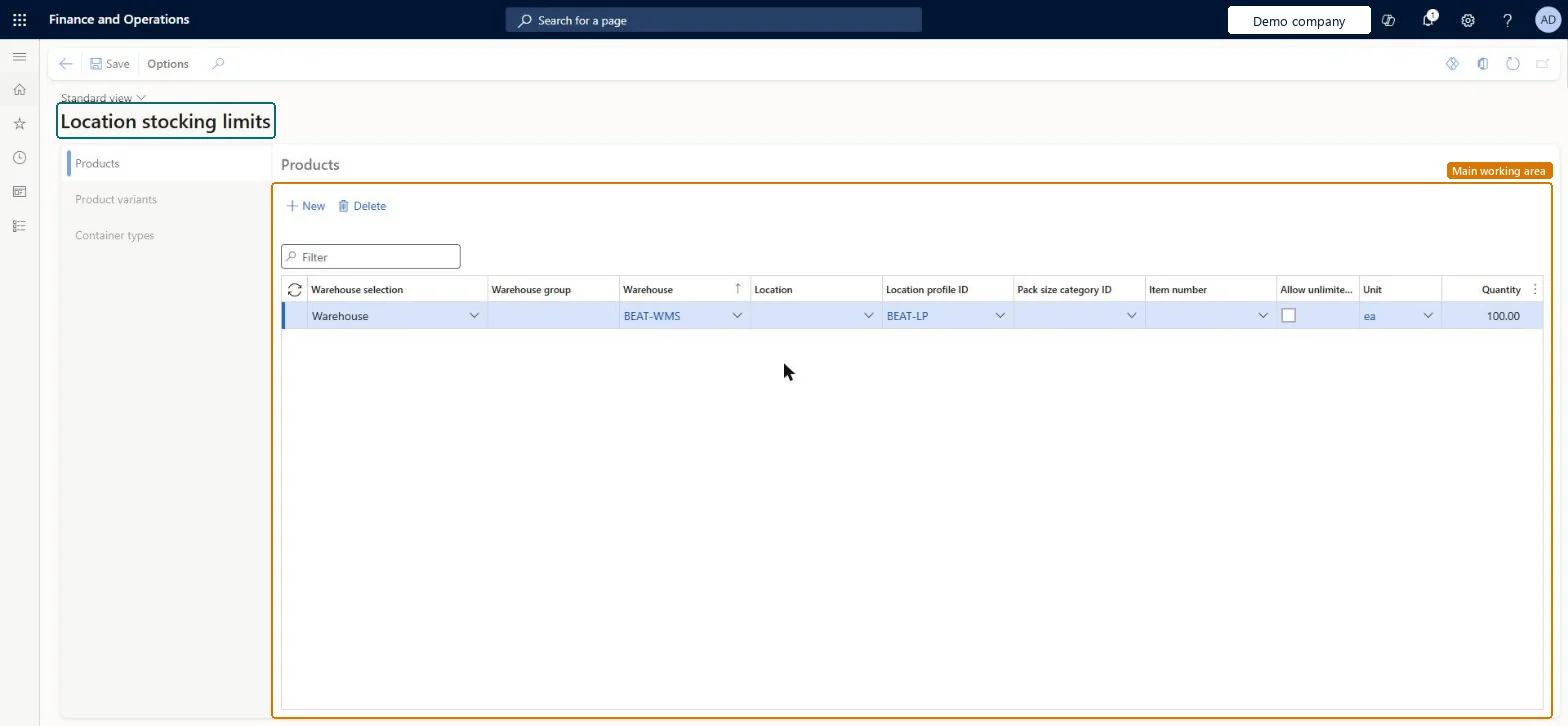
About the examples: Examples and screenshots in this guide use BEAT, a demo company in a Dynamics 365 test environment. Use your own company's codes and values instead of copying them.
Setup steps on this page
Set up Location stocking limits
Use this page to stop work being created that sends more inventory to a location than it can physically carry.
Steps from Microsoft
Go to Warehouse management > Setup > Warehouse > Location stocking limits.
On the Products tab, select New.
Enter the Warehouse and the Location profile ID that the limit applies to.
In the Pack size category ID field, enter the pack size category.
In the Quantity field, enter the maximum quantity.
Limits by location profile and pack size category, for example Quantity 1 and Unit PL for locations that hold one palletLearn gives this example for one-pallet locations; stocking limits stop work that sends more inventory to a location than it can carry.
Leaving out the unit conversion. If no conversion exists for the unit used, the stocking limit record is skipped. Also, the most detailed matching record wins, which can reduce remaining capacity unexpectedly.Test: Putaway respects stocking limit
Reversible: Limits can be changed at any time; open work already created keeps its put locations. Microsoft Learn
Technical architect
6Technical
Menu item
WHSLocationLimitChecked in Dynamics 365
Form
WHSLocationLimitChecked in Dynamics 365
Table
WHSLocationLimitShown as “LOCATION QUANTITY LIMITS FOR PRODUCTS” in Record infoChecked in Dynamics 365
Data entities
WHSWarehouseLocationContainerTypeLimitEntityWarehouse location container type limits Checked in Dynamics 365
Who can open it
PrivilegesMaintain location limits WHSLocationLimitMaintainView location limits WHSLocationLimitViewDutiesInquire into warehouse operation master WMSWarehouseOperationMasterInquireMaintain warehouse operation master WMSWarehouseOperationMasterMaintain6 security rolesField Service Integration User FieldServiceIntegrationUserProduction supervisor ProdProductionSupervisorProcess engineer RouteProcessEngineerProcess engineering manager RouteProcessEngineeringManagerWarehouse planner WHSWarehousePlannerWarehouse manager WMSWarehouseManagerChecked in Dynamics 365
Roles to set it up and use it
To set it up or change itWarehouse manager WMSWarehouseManagerProcess engineer RouteProcessEngineerTo use itWarehouse planner WHSWarehousePlannerProduction supervisor ProdProductionSupervisorProcess engineering manager RouteProcessEngineeringManagerField Service Integration User FieldServiceIntegrationUserGive people one of these roles. On this system, 6 roles can open this page.Checked in Dynamics 365
Developer
7Developer
Open it by URL
https://<your-environment>/?mi=WHSLocationLimit
Integrate with
WHSWarehouseLocationContainerTypeLimitEntity data entity Checked in Dynamics 365