BeyondERP.Newsletter
Menu

Setup page · Warehouse management

Pack size categories

A setup list where you define pack size categories, which group items that have similar physical packing sizes.

Used by
Field Service Integration User, Production supervisor, Process engineer and 3 more roles
Business process
Manage warehouse operations
Menu item
WHSPackSizeCategory
Main table
WHSPackSizeCategory
Data entity
WHSPackSizeCategoryEntity
Setup steps
1 on this page
Show what matters for
PAGE GUIDEWhat the page does and how to use it8 sections. Choose a role to highlight what matters to you.
Everyone

1What it is and why

What it isA setup list where you define pack size categories, which group items that have similar physical packing sizes.
What you do hereUse this page to create the pack size categories that location stocking limits can use to control capacity.
ExampleFor example, a pack size category can control the capacity at the picking locations within a specific zone of the warehouse.
Pack size categories page in Dynamics 365
The page in Dynamics 365. page title tab to open what to set or check
Functional consultant · Solution architect

2Where it fits

Business processManage warehouse operations
Menu pathWarehouse management › Setup › Warehouse › Pack size categories
Used next byLocation stocking limits Microsoft Learn
End user · Functional consultant

3How to do it

About the examples: Examples and screenshots in this guide use BEAT, a demo company in a Dynamics 365 test environment. Use your own company's codes and values instead of copying them.

Setup steps on this page

Set up Pack size categories

Use this page to create the pack size categories that location stocking limits can use to control capacity.

Steps from Microsoft

  1. Go to Warehouse management > Setup > Warehouse > Pack size categories.
  2. Select New.
  3. In the Pack size category ID field, enter an ID.
  4. In the Pack size category name field, enter a name.

Source: Microsoft Learn

Fields on the page

FieldWhat it meansTable column
Pack size category IDThe ID that you assign to released products so the category can be used in stocking limits.Microsoft Learn PackSizeCateogryId

Test checklist

  1. Create a pack size category.
  2. Assign it to a released product.
  3. Create a location stocking limit for the category.
  4. Receive the product and check putaway respects the limit.

Source: Microsoft Learn

Functional consultant

4Setup decisions

Setup stepRecommended value and whyDecision, common mistake and test
Set up Pack size categoriesCategories for items of similar physical packing size, assigned to every released product that stocking limits should coverLocation stocking limits combine warehouse, location profile and pack size category to cap how many items fit in a location.Not assigning a pack size category to the released product, so it isn't included in stocking limit calculations.
Solution architect

5Design impact

Shared or per companyPer company: each legal entity has its own records. Microsoft data model
Can it be undoneReversible: Categories can be added and reassigned to products at any time; later putaway work uses the new values. Microsoft Learn
Technical architect

6Technical

Menu itemWHSPackSizeCategory Checked in Dynamics 365
FormWHSPackSizeCategory Checked in Dynamics 365
TableWHSPackSizeCategoryShown as “PACK SIZE CATEGORIES” in Record infoKey field: PackSizeCateogryIdChecked in Dynamics 365
Data entitiesWHSPackSizeCategoryEntityWarehouse pack size categories Microsoft data model
Who can open itPrivilegesMaintain pack size categories WHSPackSizeCategoryMaintainView pack size categories WHSPackSizeCategoryViewDutiesInquire into warehouse operation master WMSWarehouseOperationMasterInquireMaintain warehouse operation master WMSWarehouseOperationMasterMaintain
6 security rolesField Service Integration User FieldServiceIntegrationUserProduction supervisor ProdProductionSupervisorProcess engineer RouteProcessEngineerProcess engineering manager RouteProcessEngineeringManagerWarehouse planner WHSWarehousePlannerWarehouse manager WMSWarehouseManager
Checked in Dynamics 365
Roles to set it up and use itTo set it up or change itWarehouse manager WMSWarehouseManagerProcess engineer RouteProcessEngineerTo use itWarehouse planner WHSWarehousePlannerProduction supervisor ProdProductionSupervisorProcess engineering manager RouteProcessEngineeringManagerField Service Integration User FieldServiceIntegrationUserGive people one of these roles. On this system, 6 roles can open this page.Checked in Dynamics 365
Developer

7Developer

Open it by URLhttps://<your-environment>/?mi=WHSPackSizeCategory
Integrate withWHSPackSizeCategoryEntity data entity Microsoft data model
Data migrationWHSPackSizeCategoryEntity (Warehouse pack size categories): loaded for each company, in Microsoft's default template 400 - Warehouse management.Load order: Microsoft's default template 400 - Warehouse management loads Warehouse pack size categories at execution unit 1, level 30, sequence 10. Lower levels load first, and entities at the same level load in sequence order.Load first: the default templates at lower levels (System setup to General ledger)Microsoft Learn
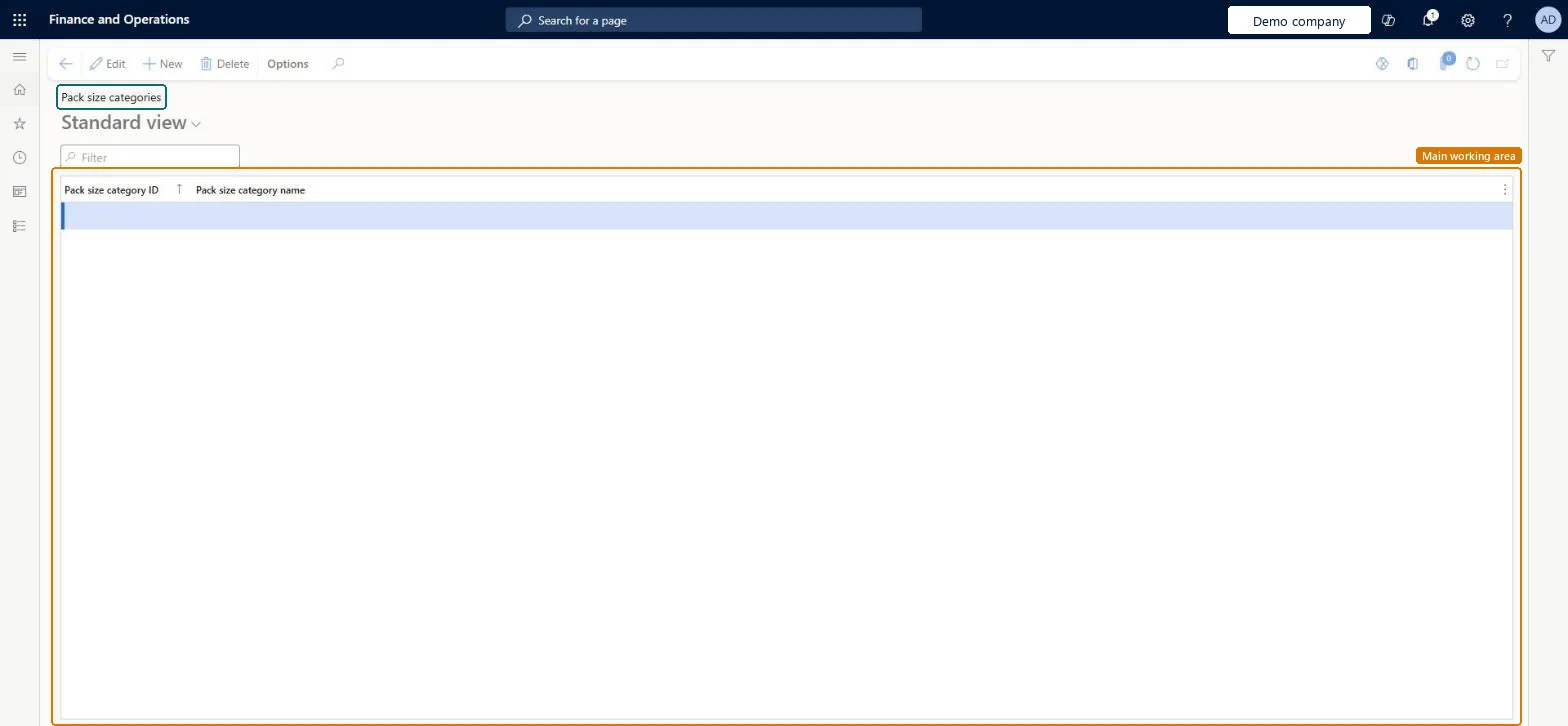
Table definitionWHSPackSizeCategory columns and relations Microsoft data model
Everyone

8Sources