BeyondERP.Newsletter
Menu

Job page · Warehouse management

Warehouse status change

A periodic task page that lists inventory statuses for a chosen site and warehouse, with a Change status to field and a Change status button.

Used by
Field Service Integration User, Materials manager, Quality control clerk and 4 more roles
Business process
Adjust inventory levels
Menu item
WHSWarehouseStatusChange
Main table
WHSInventStatus
Data entity
WHSInventoryStatusEntity
Show what matters for
PAGE GUIDEWhat the page does and how to use it7 sections. Choose a role to highlight what matters to you.
Everyone

1What it is and why

What it isA periodic task page that lists inventory statuses for a chosen site and warehouse, with a Change status to field and a Change status button.
What you do hereUse this task to change the inventory status of inventory held in a warehouse.
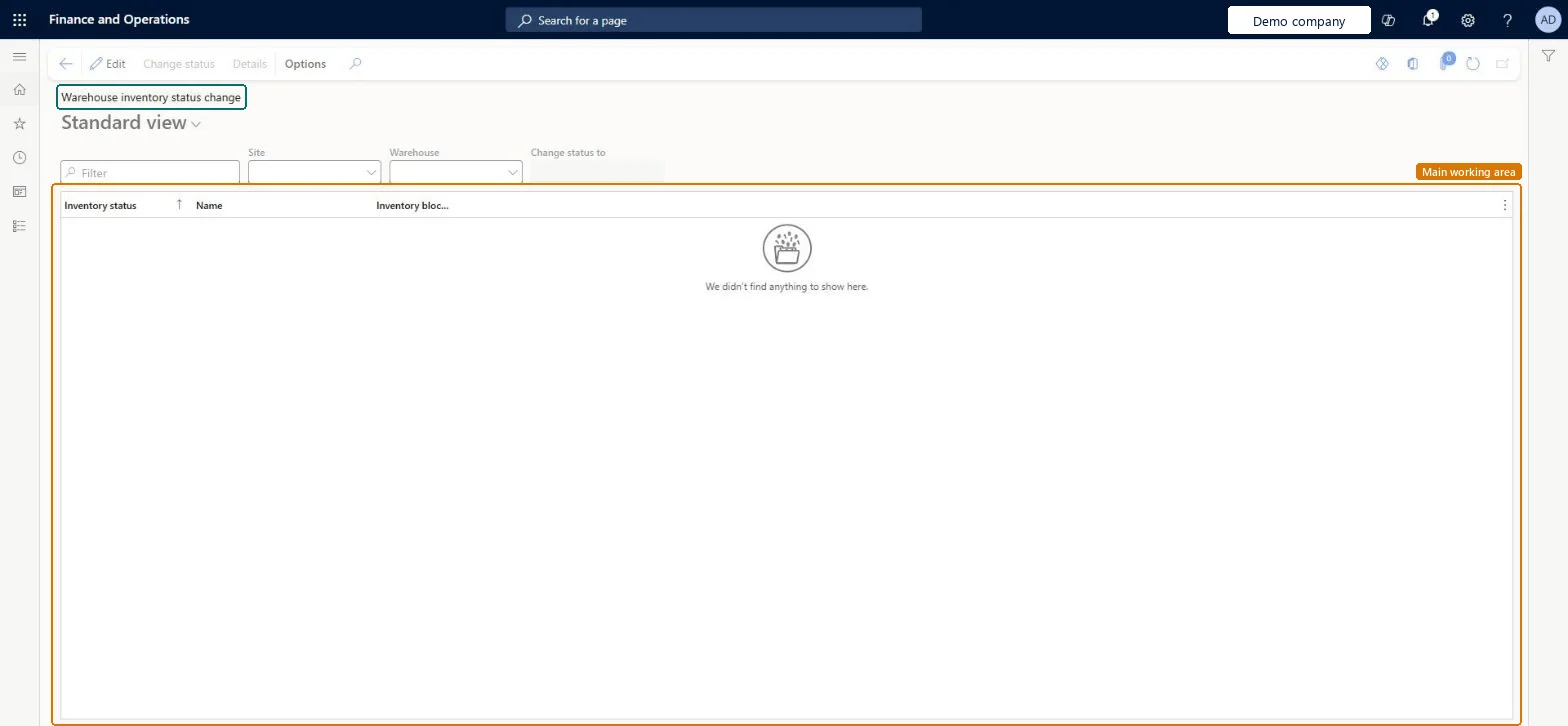
Warehouse status change page in Dynamics 365
The page in Dynamics 365. page title tab to open what to set or check
Functional consultant · Solution architect

2Where it fits

Business processMaintain inventory levels › Adjust inventory levels
Menu pathWarehouse management › Periodic tasks › Warehouse status change
Set up firstInventory statuses Microsoft Learn
Related pagesWarehouse management inventory status change Microsoft Learn
End user · Functional consultant

3How to do it

About the examples: Examples and screenshots in this guide use BEAT, a demo company in a Dynamics 365 test environment. Use your own company's codes and values instead of copying them.

When to run it

When to run itWhen all inventory with one status in a warehouse must get another status, for example after a whole warehouse is released from quarantine.
How oftenOn demand, when a warehouse-wide status change is needed.
What the output showsInventory in the warehouse moved from the selected status to the new status. Stock at locations with open work keeps the old status.

Source: Microsoft Learn

Steps from Microsoft

  1. Go to Warehouse management > Periodic tasks > Warehouse status change.
  2. Select a Site and a Warehouse; the page lists the inventory statuses held in that warehouse.
  3. Select the inventory status in the list that should change.
  4. Set Change status to to the new status, then select Change status on the Action Pane.
  5. Open On-hand by location to see the new status, and complete or cancel open work at any location where the status didn't change.

Source: Microsoft Learn

Test checklist

  1. On-hand shows the new status for the warehouse.
  2. Stock at locations with open work kept the old status.

Source: Microsoft Learn

Solution architect

4Design impact

Shared or per companyPer company: each legal entity has its own records. Microsoft data model
Can it be undoneYes: Change the status back on the same page. Microsoft Learn
If you change it laterYou cannot change the status of inventory at locations where open work exists. Complete or cancel the related work first. Microsoft Learn
Technical architect

5Technical

Menu itemWHSWarehouseStatusChange Checked in Dynamics 365
FormWHSWarehouseStatusChange Checked in Dynamics 365
TableWHSInventStatusShown as “INVENTORY STATUS” in Record infoKey field: InventStatusIdChecked in Dynamics 365
Data entitiesWHSInventoryStatusEntityInventory status Microsoft data model
Who can open itPrivilegesMaintain warehouse status changes WHSWarehouseStatusChangeMaintainView warehouse status change details WHSWarehouseStatusChangeViewDutiesMaintain inventory status changes WHSInventoryStatusChangesMaintainInquire into warehouse operation master WMSWarehouseOperationMasterInquire
7 security rolesField Service Integration User FieldServiceIntegrationUserMaterials manager InventMaterialsManagerQuality control clerk InventQualityControlClerkProduction supervisor ProdProductionSupervisorProcess engineering manager RouteProcessEngineeringManagerWarehouse planner WHSWarehousePlannerWarehouse manager WMSWarehouseManager
Checked in Dynamics 365
Roles to set it up and use itTo set it up or change itWarehouse manager WMSWarehouseManagerMaterials manager InventMaterialsManagerQuality control clerk InventQualityControlClerkTo use itWarehouse planner WHSWarehousePlannerProduction supervisor ProdProductionSupervisorProcess engineering manager RouteProcessEngineeringManagerField Service Integration User FieldServiceIntegrationUserGive people one of these roles. On this system, 7 roles can open this page.Checked in Dynamics 365
Actions on the page(Action Pane without tabs): Change status, DetailsChecked in Dynamics 365
Developer

6Developer

Open it by URLhttps://<your-environment>/?mi=WHSWarehouseStatusChange
Integrate withWHSInventoryStatusEntity data entity Microsoft data model
Table definitionWHSInventStatus columns and relations Microsoft data model
Everyone

7Sources