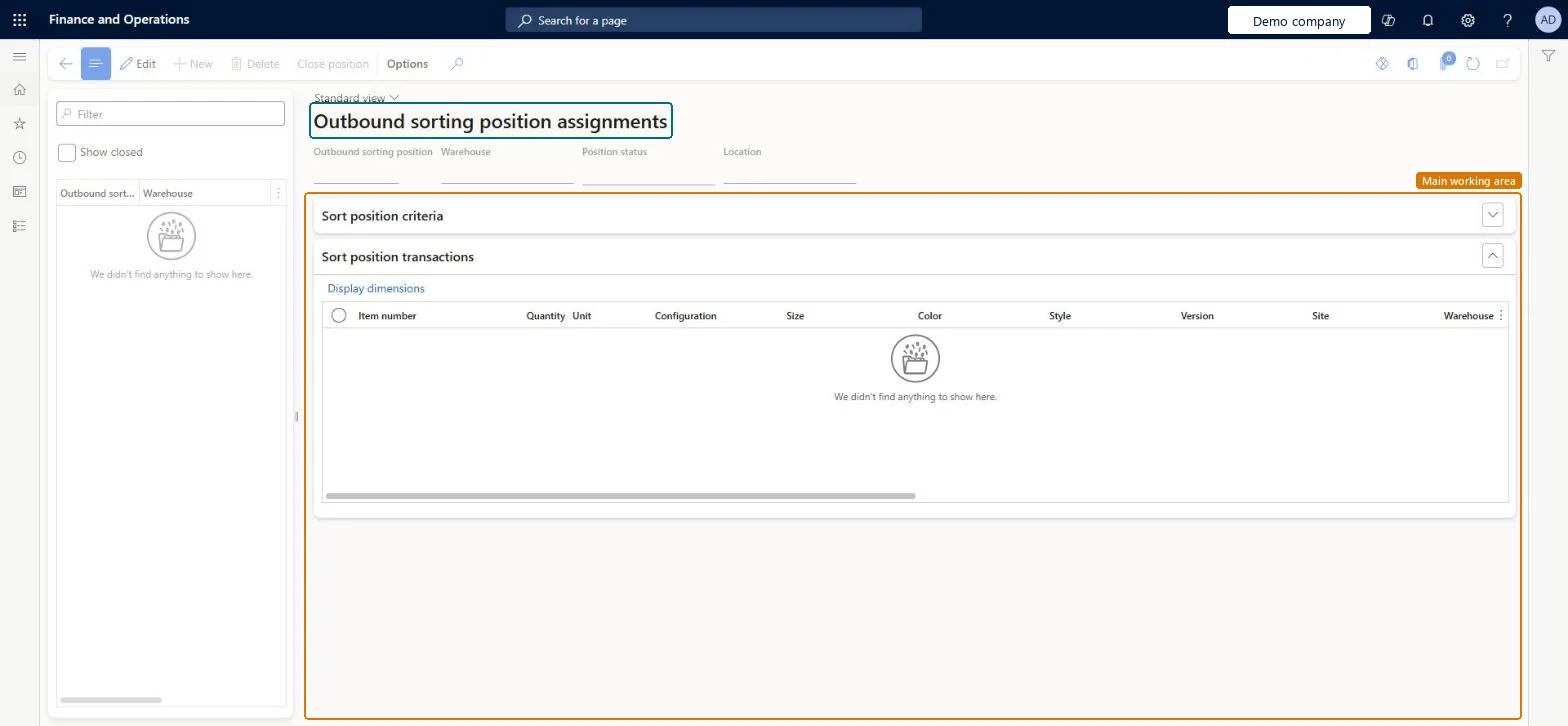
About the examples: Examples and screenshots in this guide use BEAT, a demo company in a Dynamics 365 test environment. Use your own company's codes and values instead of copying them.
Steps from Microsoft
Go to Warehouse management > Packing and containerization > Outbound sorting position assignments.
In the left column, select the outbound sorting position you want to close.
On the Action Pane, select Close position.
To see closed positions, select the Show closed check box.
Hard to reverse: Closing a position is the trigger for the next step. If the outbound sorting template has Create work on position close = Yes, work is created to move the stock to the final shipping location; if No, the stock is picked to the order immediately. Microsoft Learn
Technical architect
5Technical
Menu item
WHSOutboundSortPositionAssignmentsChecked in Dynamics 365
Form
WHSOutboundSortPositionAssignmentsChecked in Dynamics 365
Table
WHSOutboundSortPositionTransShown as “OUTBOUND SORTING POSITION TRANSACTION TABLE” in Record infoChecked in Dynamics 365
Who can open it
PrivilegesMaintain outbound sorting position assignments WHSOutboundSortPositionAssignmentsMaintainView outbound sorting position assignments WHSOutboundSortPositionAssignmentsViewDutiesInquire into warehouse operation progress WMSWarehouseOperationProgressInquireMaintain warehouse picking operations WMSWarehousePickingOperationMaintain7 security rolesMaterials manager InventMaterialsManagerQuality control clerk InventQualityControlClerkQuality control manager InventQualityControlManagerReceiving clerk InventReceivingClerkShipping clerk InventShippingClerkWarehouse manager WMSWarehouseManagerWarehouse worker WMSWarehouseWorkerChecked in Dynamics 365
Roles to set it up and use it
To set it up or change itShipping clerk InventShippingClerkWarehouse worker WMSWarehouseWorkerTo use itWarehouse manager WMSWarehouseManagerReceiving clerk InventReceivingClerkMaterials manager InventMaterialsManagerQuality control clerk InventQualityControlClerkQuality control manager InventQualityControlManagerGive people one of these roles. On this system, 7 roles can open this page.Checked in Dynamics 365
Actions on the page
(Action Pane without tabs): Close positionChecked in Dynamics 365