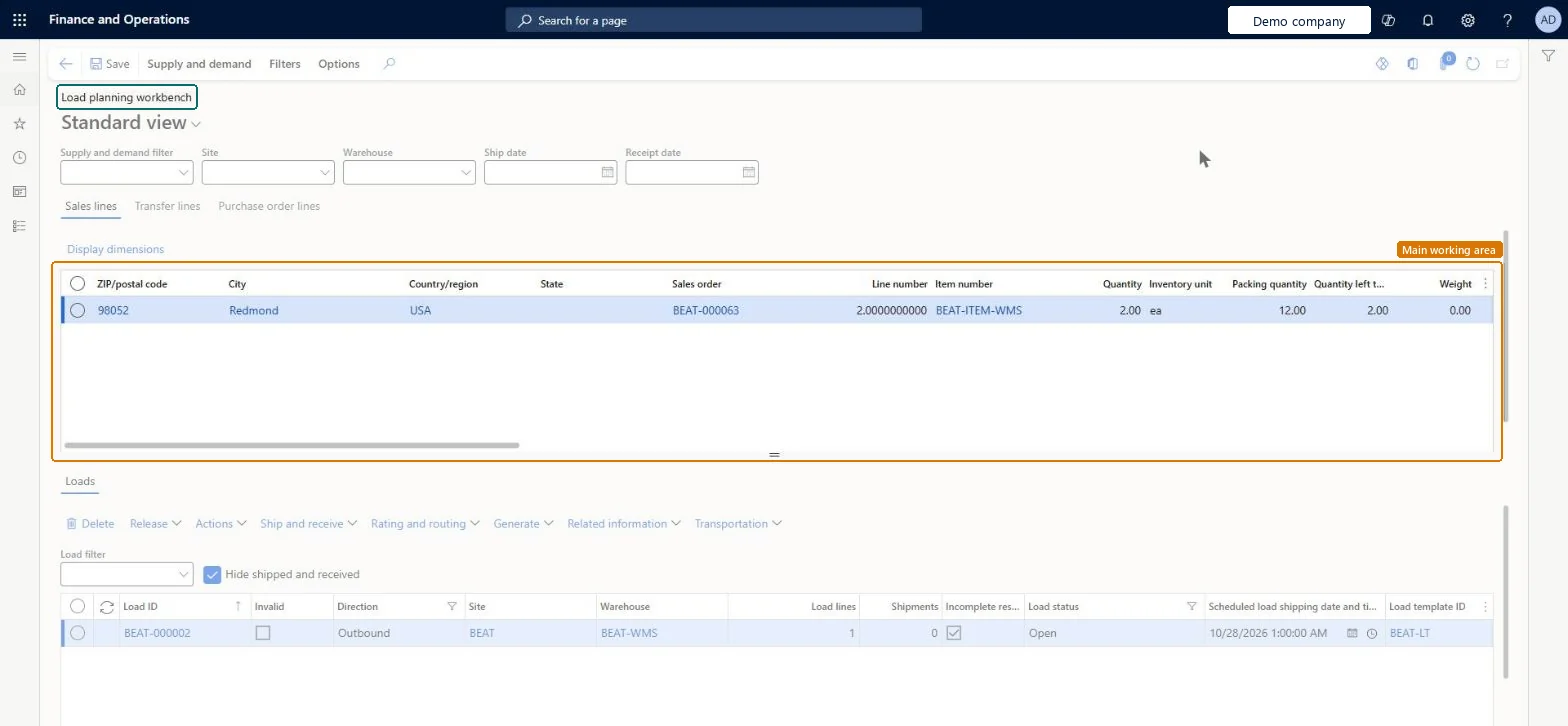
A workbench page where you plan loads from sales, transfer and purchase order lines. It has been deprecated since version 10.0.39 and is hidden in the app.
Deprecated in Supply Chain Management 10.0.39. Microsoft hid this page because of performance problems and plans to remove it one year after version 10.0.39. Until then it can be turned back on only through Microsoft Support. Use the Inbound load planning workbench and Outbound load planning workbench pages instead. Microsoft Learn
Logistics manager, Transportation coordinator, Warehouse planner and 1 more role
Business process
Inventory to deliver
Menu item
WHSLoadPlanningWorkbench
Main table
WHSInventTransSumDim
Data entity
WHSInboundLoadHeaderEntity
Show what matters for
PAGE GUIDEWhat the page does and how to use it7 sections. Choose a role to highlight what matters to you.
Everyone
1What it is and why
What it is
A workbench page where you plan loads from sales, transfer and purchase order lines. It has been deprecated since version 10.0.39 and is hidden in the app.
What you do here
Do not use it for new work: it is due to be removed one year after version 10.0.39. Use the Inbound load planning workbench or the Outbound load planning workbench, which give the same functions with better performance.
The page in Dynamics 365. page title tab to open what to set or check
About the examples: Examples and screenshots in this guide use BEAT, a demo company in a Dynamics 365 test environment. Use your own company's codes and values instead of copying them.
How to use it
Go to Warehouse management > Loads > Load planning workbench.
Set the Site, Warehouse and Ship date fields to narrow the order lines shown.
Select the Sales lines, Transfer lines or Purchase order lines tab.
Select the order lines to include in a load.
Use the Supply and demand tab on the Action Pane to add the lines to a load, and review the load in the Loads section.
Source: Checked in Dynamics 365
Test checklist
Check that Warehouse management > Loads > Inbound load planning workbench and Outbound load planning workbench open and show your purchase, sales and transfer lines.
Build one inbound load (Purchase order lines tab > Supply and demand > To new load) and one outbound load (Sales lines tab > To new load) on the new pages.
Check that users' menus and task guides point to the new workbenches, not to Load planning workbench.
Hard to reverse: Nothing on this page needs undoing, but the page itself is going away: Microsoft deprecated this page in 10.0.39. It is hidden and can only be enabled by contacting Microsoft Support, and it is scheduled for complete removal one year after 10.0.39. Loads built here are ordinary loads; any load work done here must move to the Inbound load planning workbench and Outbound load planning workbench, so don't build processes or training on this page. Microsoft Learn
Technical architect
5Technical
Menu item
WHSLoadPlanningWorkbenchChecked in Dynamics 365
Form
WHSLoadPlanningWorkbenchChecked in Dynamics 365
Table
WHSInventTransSumDimShown as “SUM OF QUANTITIES FOR AN INVENTORY DIMENSION” in Record infoChecked in Dynamics 365
To set it up or change itTransportation coordinator TMSTransportationCoordinatorTo use itWarehouse planner WHSWarehousePlannerWarehouse manager WMSWarehouseManagerLogistics manager TMSLogisticsManagerGive people one of these roles. On this system, 4 roles can open this page.Checked in Dynamics 365
Actions on the page
Supply and demand: Add, Related information, ConsolidateFilters: ManageChecked in Dynamics 365