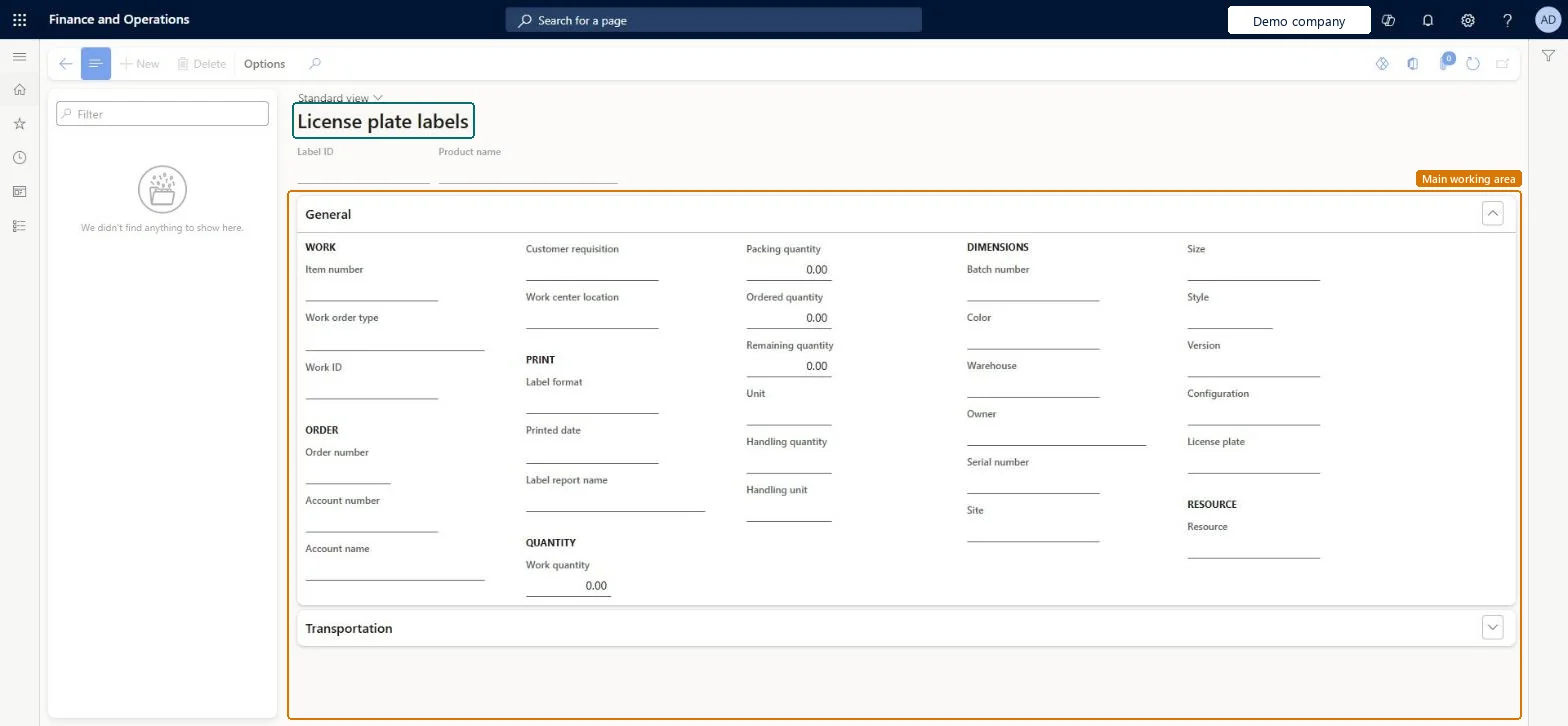
A details page that shows one record for each license plate label, with the item, order, quantity, inventory dimensions and print details of the label.
Receiving clerk, Shipping clerk, Waterspider and 3 more roles
Business process
Label received goods
Menu item
WHSLicensePlateLabel
Main table
WHSLicensePlateLabel
Show what matters for
PAGE GUIDEWhat the page does and how to use it7 sections. Choose a role to highlight what matters to you.
Everyone
1What it is and why
What it is
A details page that shows one record for each license plate label, with the item, order, quantity, inventory dimensions and print details of the label.
What you do here
Use this page to look up a license plate label and check what it was printed for.
The page in Dynamics 365. page title tab to open what to set or check
About the examples: Examples and screenshots in this guide use BEAT, a demo company in a Dynamics 365 test environment. Use your own company's codes and values instead of copying them.
How to use it
Go to Warehouse management > Inquiries and reports > License plate labels.
Type in the Filter box above the list on the left to find a label.
Select the label and review the Label ID and Product name at the top of the page.
Open the General and Transportation FastTabs to see the work, order, print, quantity and dimension details.
To set it up or change itShipping clerk InventShippingClerkWarehouse worker WMSWarehouseWorkerReceiving clerk InventReceivingClerkWaterspider LeanWaterspiderTo use itWarehouse planner WHSWarehousePlannerProduction supervisor ProdProductionSupervisorGive people one of these roles. On this system, 6 roles can open this page.Checked in Dynamics 365