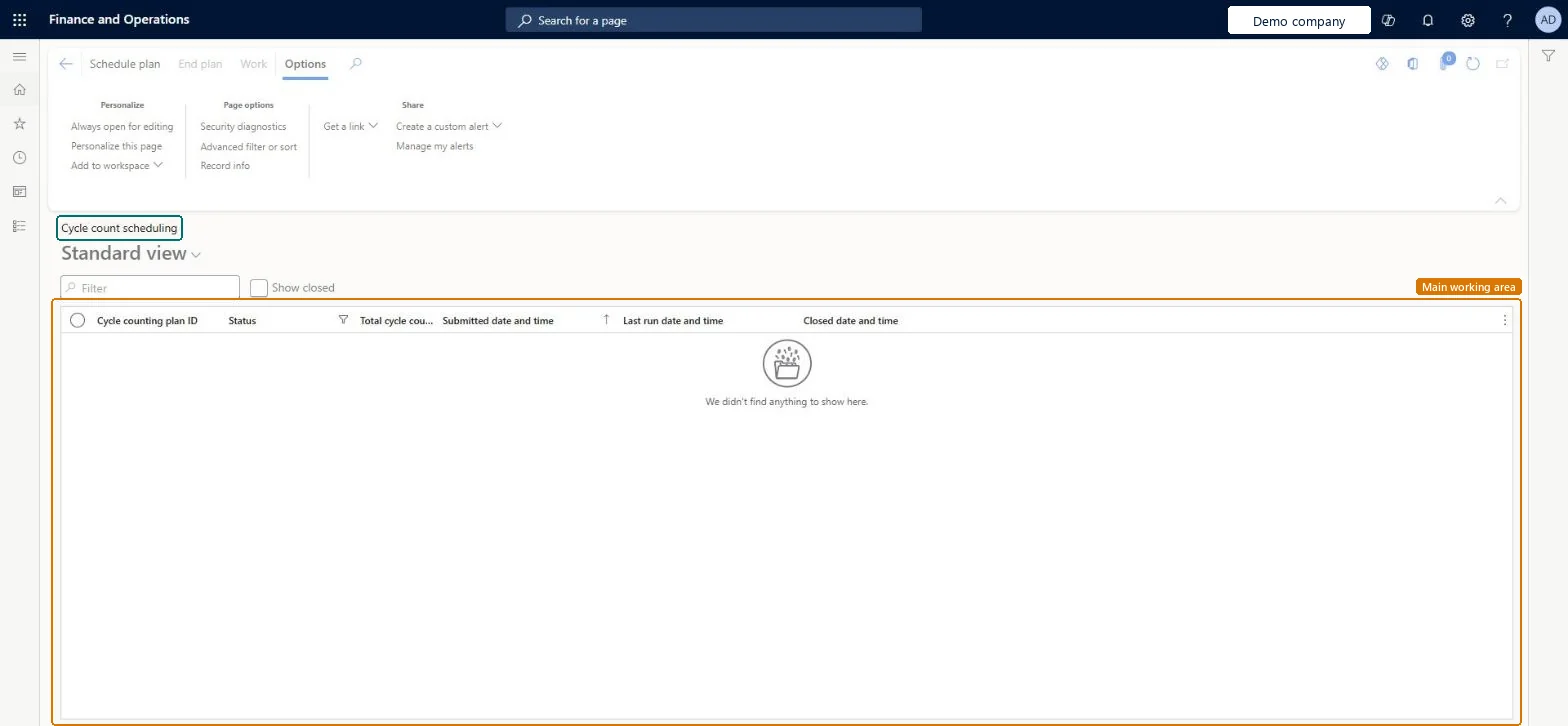
A list page that shows the cycle count plans that have been run, with the status, the total cycle counts and the submitted, last run and closed dates and times of each plan.
Field Service Integration User, Production supervisor, Process engineering manager and 2 more roles
Business process
Count inventory
Menu item
WHSCycleCountPlanListPage
Main table
WHSCycleCountPlanOverview
Show what matters for
PAGE GUIDEWhat the page does and how to use it6 sections. Choose a role to highlight what matters to you.
Everyone
1What it is and why
What it is
A list page that shows the cycle count plans that have been run, with the status, the total cycle counts and the submitted, last run and closed dates and times of each plan.
What you do here
Use this page to follow cycle count plans that create counting work, and to open the counting work that a plan created.
The page in Dynamics 365. page title tab to open what to set or check
About the examples: Examples and screenshots in this guide use BEAT, a demo company in a Dynamics 365 test environment. Use your own company's codes and values instead of copying them.
Steps from Microsoft
Go to Warehouse management > Cycle counting > Cycle count scheduling.
Select the Show closed check box if you also want to see closed plans.
Check the Status and Total cycle counts columns for the plan.
Select the plan, and then select Work on the Action Pane to view the counting work that was created.
WHSCycleCountPlanOverviewShown as “CYCLE COUNT PLAN OVERVIEW” in Record infoChecked in Dynamics 365
Who can open it
PrivilegesMaintain cycle counting plans by using a list page WHSCycleCountPlanListPageMaintainView cycle counting plans by using a list page WHSCycleCountPlanListPageViewDutiesMaintain warehouse planning WHSWarehousePlanningMaintainInquire into warehouse operation master WMSWarehouseOperationMasterInquire5 security rolesField Service Integration User FieldServiceIntegrationUserProduction supervisor ProdProductionSupervisorProcess engineering manager RouteProcessEngineeringManagerWarehouse planner WHSWarehousePlannerWarehouse manager WMSWarehouseManagerChecked in Dynamics 365
Roles to set it up and use it
To set it up or change itWarehouse planner WHSWarehousePlannerTo use itWarehouse manager WMSWarehouseManagerProduction supervisor ProdProductionSupervisorProcess engineering manager RouteProcessEngineeringManagerField Service Integration User FieldServiceIntegrationUserGive people one of these roles. On this system, 5 roles can open this page.Checked in Dynamics 365
Actions on the page
(Action Pane without tabs): Schedule plan, End plan, WorkChecked in Dynamics 365