About the examples: Examples and screenshots in this guide use BEAT, a demo company in a Dynamics 365 test environment. Use your own company's codes and values instead of copying them.
How to use it
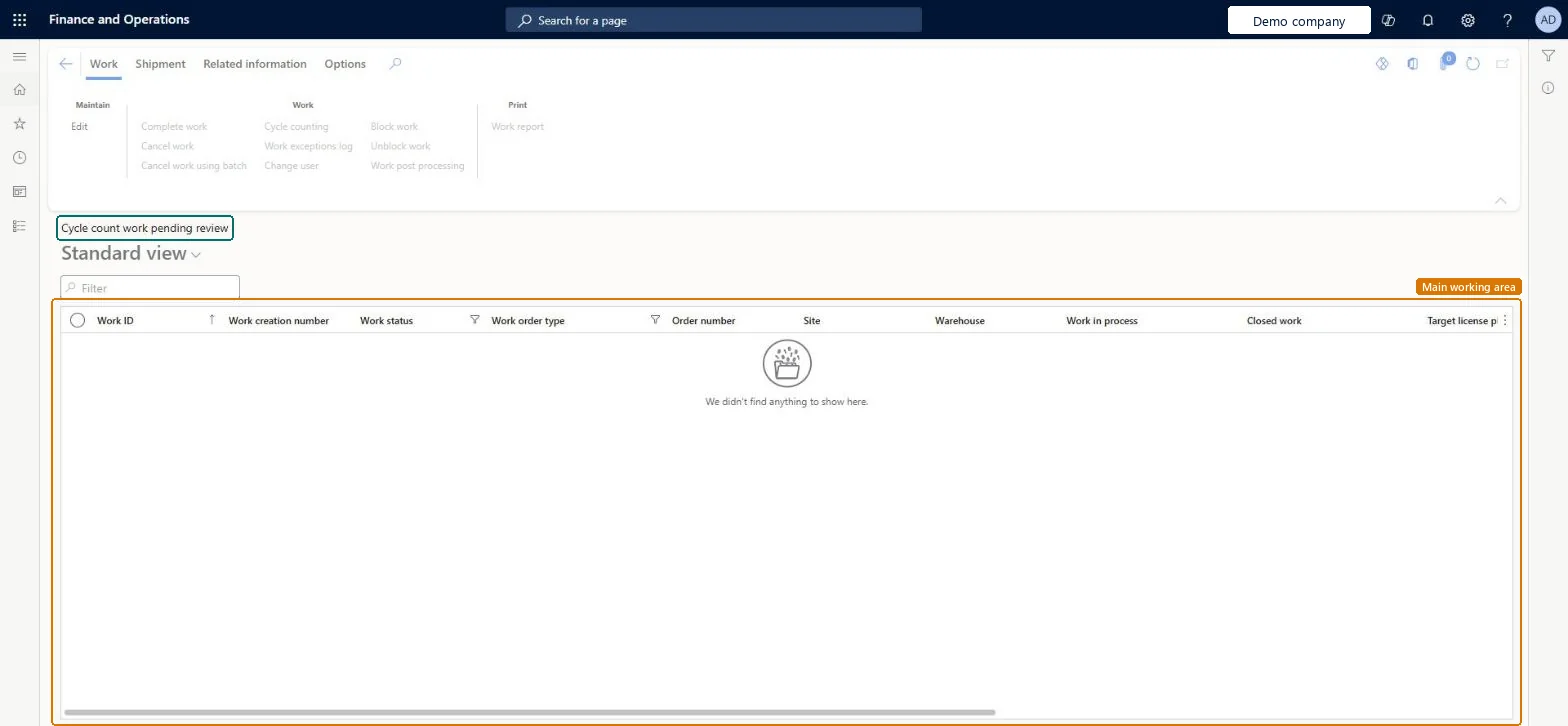
Go to Warehouse management > Cycle counting > Cycle count work pending review.
Type in the Filter box to narrow the list.
Select the filter icon on a column heading, such as Work status or Work order type, to narrow the list by that value.
Select a work record to work with it.
Use the Cycle counting button on the Work tab of the Action Pane for the selected work.
Source: Checked in Dynamics 365
Test checklist
Use a work user with Is a cycle count supervisor = No and limits of 0, and count a location with a difference.
Check the work appears here with Work status Pending review.
Open Cycle counting, change the reason code, and select Accept count.
Use Derived work to find the work created for the difference and check the on-hand by location.
Repeat with Reject count and confirm the work closes without an adjustment.
Hard to reverse: Accept count posts the difference through the standard counting journal and creates derived work. Reject count closes the work with no posting. Change the reason code before you accept, because it's copied onto the counting journal lines on approval. Microsoft Learn
Technical architect
5Technical
Menu item
WHSWorkTableListPagePendReviewCycleCountChecked in Dynamics 365
Form
WHSWorkTableListPageChecked in Dynamics 365
Table
WHSWorkTableShown as “WORK” in Record infoKey field: WorkIdChecked in Dynamics 365
PrivilegesMaintain pending review cycle counting work by using a list page WHSWorkTableListPagePendRevCyCouMaintainView pending review cycle count work by using a list page WHSWorkTableListPagePendRevCyCouViewDutiesMaintain warehouse planning WHSWarehousePlanningMaintainInquire into warehouse planning status WHSWarehousePlanningStatusInquire5 security rolesReceiving clerk InventReceivingClerkShipping clerk InventShippingClerkWarehouse planner WHSWarehousePlannerWarehouse manager WMSWarehouseManagerWarehouse worker WMSWarehouseWorkerChecked in Dynamics 365
Roles to set it up and use it
To set it up or change itWarehouse planner WHSWarehousePlannerTo use itWarehouse manager WMSWarehouseManagerWarehouse worker WMSWarehouseWorkerShipping clerk InventShippingClerkReceiving clerk InventReceivingClerkGive people one of these roles. On this system, 5 roles can open this page.Checked in Dynamics 365
Actions on the page
WorkShipment: ShipmentRelated information: Related informationChecked in Dynamics 365