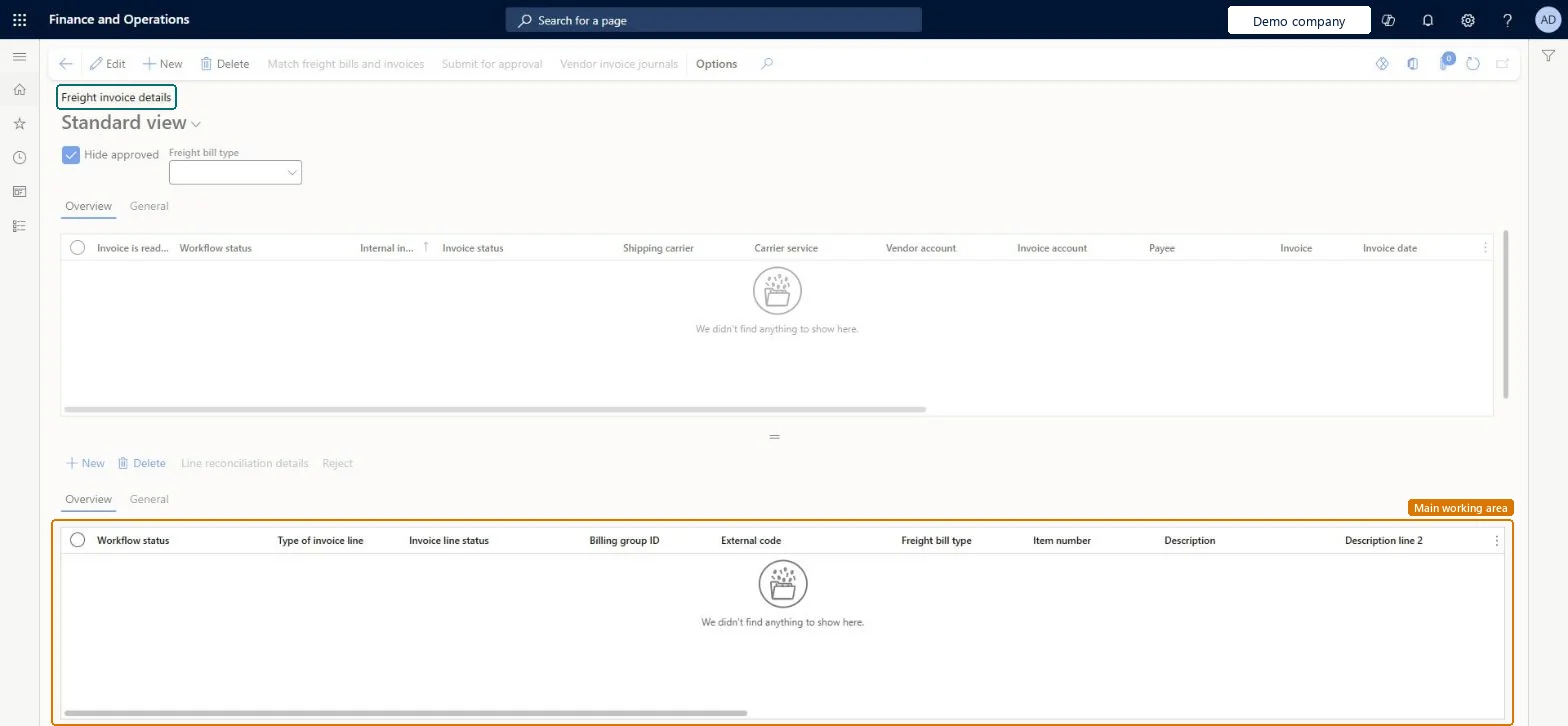
A list page that shows freight invoices from shipping carriers, with their workflow status, invoice status, carrier, carrier service, vendor account, invoice number and invoice date, together with the invoice lines of the selected invoice.
Process freight invoice in Dynamics 365 Supply Chain Management
Menu item
TMSInvoiceTable
Main table
TMSInvoiceTable
Data entity
TMSFreightInvoiceHeaderEntity
Show what matters for
PAGE GUIDEWhat the page does and how to use it7 sections. Choose a role to highlight what matters to you.
Everyone
1What it is and why
What it is
A list page that shows freight invoices from shipping carriers, with their workflow status, invoice status, carrier, carrier service, vendor account, invoice number and invoice date, together with the invoice lines of the selected invoice.
What you do here
Use this page to review carrier freight invoices, match them with freight bills and submit them for approval.
The page in Dynamics 365. page title tab to open what to set or check
About the examples: Examples and screenshots in this guide use BEAT, a demo company in a Dynamics 365 test environment. Use your own company's codes and values instead of copying them.
Steps from Microsoft
Go to Transportation management > Inquiries and reports > Freight invoice details.
Select the freight invoice that you want to reconcile.
Select Match freight bills and invoices.
In the Invoice details section, expand the Unmatched freight bill details section, mark the row and select Match.
Select Submit for approval.
Clear the Hide approved check box, select Vendor invoice journals and, in the Reference journal number field, select the link.
PrivilegesMaintain invoice tables TMSInvoiceTableMaintainView invoice table TMSInvoiceTableViewDutiesMaintain freight reconciliation master TMSFreightReconcileMaintainInquire into freight reconciliation status TMSFreightReconcileStatusInquireReview transportation management process performance TMSTransportationMgmtProcessPerfReview2 security rolesLogistics manager TMSLogisticsManagerTransportation coordinator TMSTransportationCoordinatorChecked in Dynamics 365
Roles to set it up and use it
To set it up or change itTransportation coordinator TMSTransportationCoordinatorTo use itLogistics manager TMSLogisticsManagerGive people one of these roles. On this system, 2 roles can open this page.Checked in Dynamics 365
Actions on the page
(Action Pane without tabs): Match freight bills and invoices, Submit for approval, Vendor invoice journalsChecked in Dynamics 365