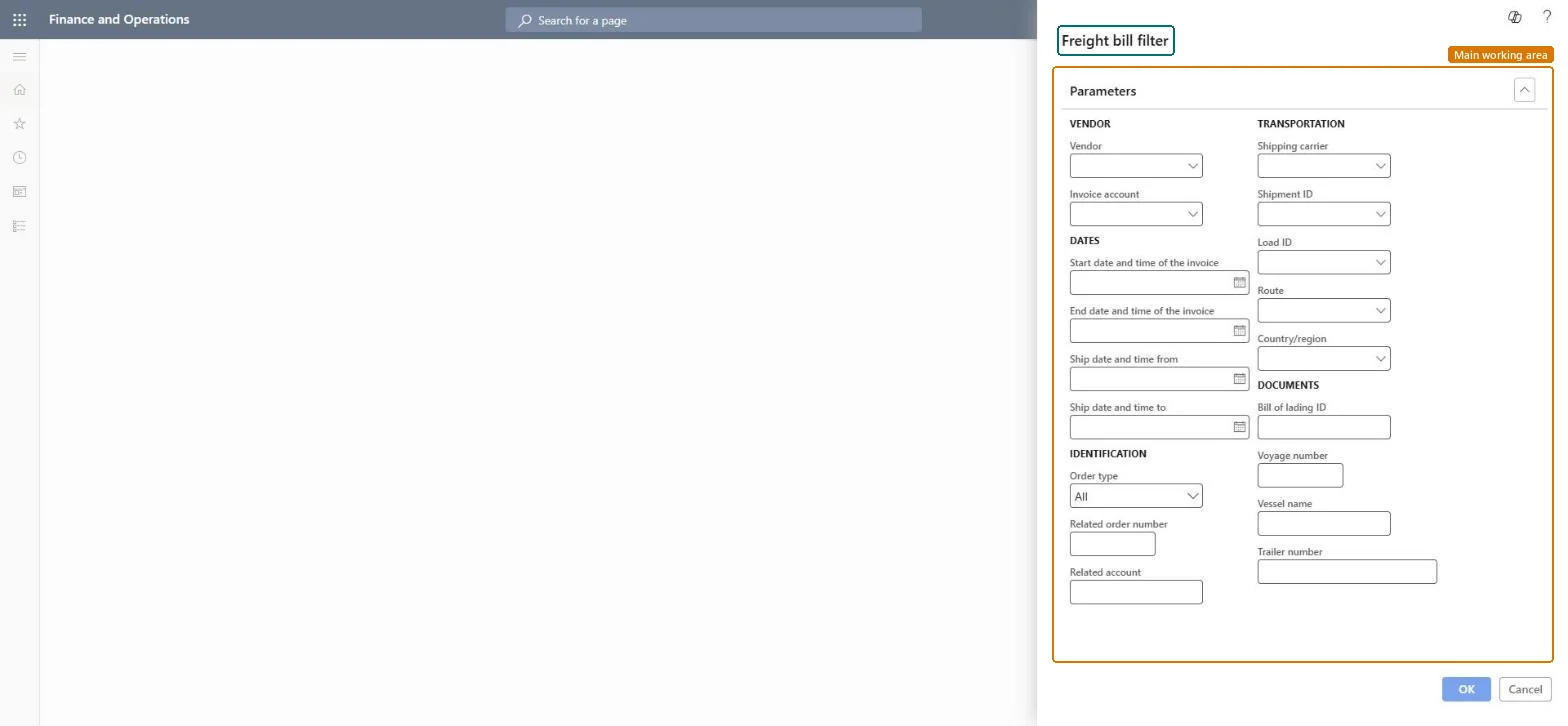
A dialog, titled Freight bill filter, where you set vendor, date, identification, transportation and document criteria to select the freight bills to match with carrier invoices.
Transportation managementFreight bills and invoices
TMSFreightBillFilter
Business process
Reconcile freight in Dynamics 365 Supply Chain Management
Menu item
TMSFreightBillFilter
Show what matters for
PAGE GUIDEWhat the page does and how to use it6 sections. Choose a role to highlight what matters to you.
Everyone
1What it is and why
What it is
A dialog, titled Freight bill filter, where you set vendor, date, identification, transportation and document criteria to select the freight bills to match with carrier invoices.
What you do here
Use this dialog to narrow down the freight bills that you match with carrier invoice lines during manual freight reconciliation.
The page in Dynamics 365. page title tab to open what to set or check
About the examples: Examples and screenshots in this guide use BEAT, a demo company in a Dynamics 365 test environment. Use your own company's codes and values instead of copying them.
How to use it
Go to Transportation management > Freight bills and invoices > Match freight bills and invoices.
Under VENDOR, select the Vendor and the Invoice account.
Under DATES, enter the Start date and time of the invoice, End date and time of the invoice, Ship date and time from and Ship date and time to as needed.
Under IDENTIFICATION, select the Order type and enter the Related order number and Related account as needed.
Under TRANSPORTATION and DOCUMENTS, enter the Shipping carrier, Shipment ID, Load ID, Route, Country/region, Bill of lading ID, Voyage number, Vessel name or Trailer number as needed.
Select OK.
Source: Checked in Dynamics 365
Technical architect
4Technical
Menu item
TMSFreightBillFilterChecked in Dynamics 365
Form
DialogChecked in Dynamics 365
Roles to set it up and use it
To set it up or change itTransportation coordinator TMSTransportationCoordinatorTo use itLogistics manager TMSLogisticsManagerGive people one of these roles. On this system, 2 roles can open this page.Checked in Dynamics 365