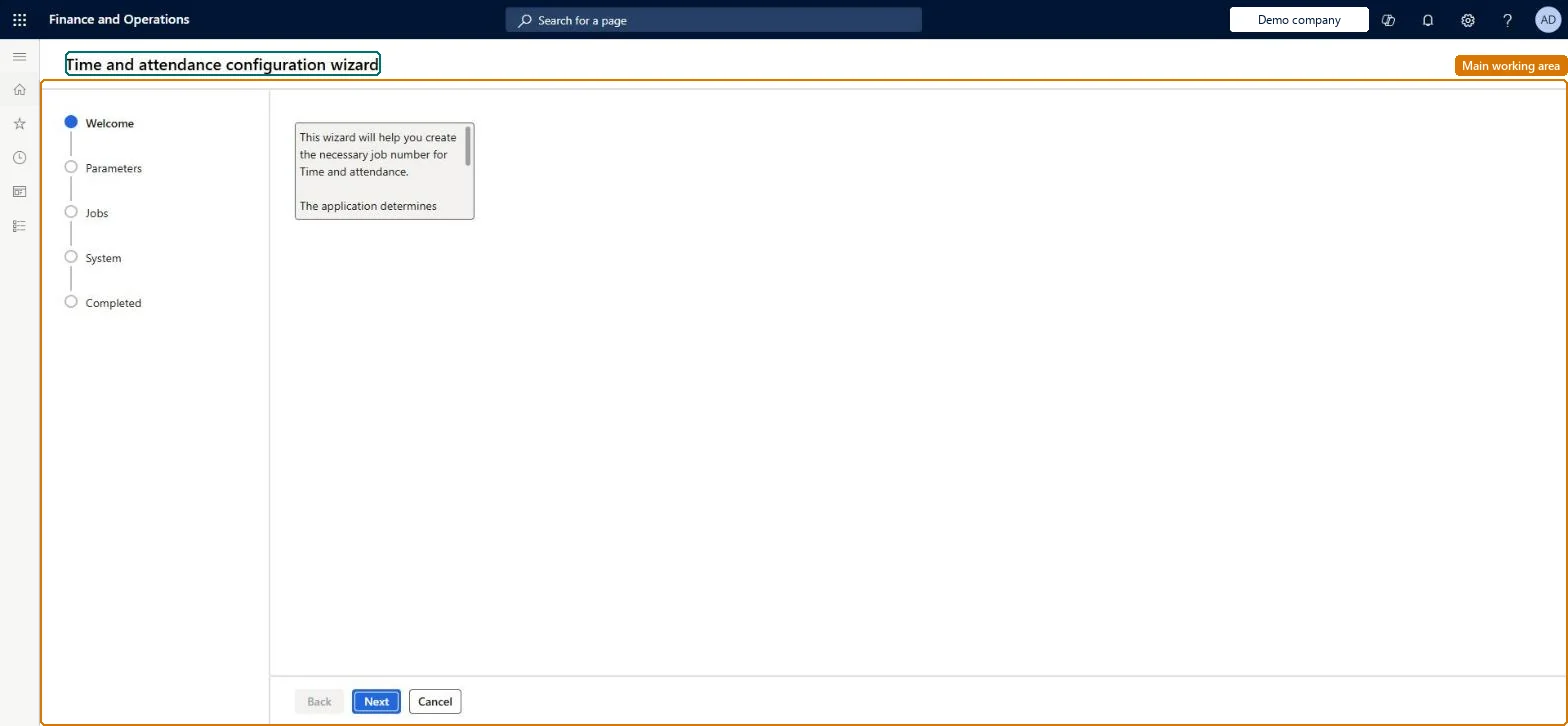
A wizard that creates the job identification numbers workers use to register on jobs and tasks in Time and attendance and manufacturing execution, proposing a setup based on the parameters.
PAGE GUIDEWhat the page does and how to use it8 sections. Choose a role to highlight what matters to you.
Everyone
1What it is and why
What it is
A wizard that creates the job identification numbers workers use to register on jobs and tasks in Time and attendance and manufacturing execution, proposing a setup based on the parameters.
What you do here
Use this wizard at the start of Time and attendance setup to generate the job numbers and system activities needed for registration.
Example
For example, in a new company you run the wizard after saving the parameters, so jobs and tasks get the job identification numbers that workers register on at the terminal.
The page in Dynamics 365. page title tab to open what to set or check
About the examples: Examples and screenshots in this guide use BEAT, a demo company in a Dynamics 365 test environment. Use your own company's codes and values instead of copying them.
Setup steps on this page
Set up Time and attendance configuration wizard
Use this wizard at the start of Time and attendance setup to generate the job numbers and system activities needed for registration.
How to use it
Go to Time and attendance > Setup > Wizards > Time and attendance configuration wizard.
Read the Welcome text and select Next.
Work through the Parameters, Jobs and System steps, selecting Next after each.
Finish on the Completed step, or select Cancel to leave the wizard.
Source: Checked in Dynamics 365
Fields on the page
Field
What it means
Assign Operations job numbers?
Assigns unique job numbers to operations jobs on production orders.Microsoft Learn
Creates missing system activities automatically when registrations are calculated.Microsoft Learn
Common errors and fixes
Message
What to do
Run basic setup guide for Production control
Do what the message asks: run the basic setup guide for Production control, and create the indirect activities for clock-in and clock-out records that the same message reports as missing; then run the job again. Checked in Dynamics 365
Test checklist
Run the wizard in a test company.
Check that jobs and activities carry job identification numbers.
Run Calculate All and check it doesn't stop on missing setup.
Run the wizard once after the parameters are saved, so the job identification numbers workers register on exist before registration starts.The wizard creates the job identification numbers used to register on jobs and tasks in Time and attendance and manufacturing execution.
Time and attendance roles come from the security read in the Technical section. On this system access comes from duties such as Payroll administrator, Production manager. The Microsoft Learn article for this page names no Feature management feature to turn on.
Per company: the wizard creates job identification numbers in the company it is run in. Checked in Dynamics 365
Can it be undone
Hard to reverse: Remove unwanted records by hand.
If you change it later
The wizard creates the job identification numbers that registrations use. Microsoft Learn
Technical architect
6Technical
Menu item
JmgAssignJobsWizardChecked in Dynamics 365
Form
JmgAssignJobsWizardChecked in Dynamics 365
Roles to set it up and use it
To set it up or change itPayroll administrator HcmPayrollAdministratorProduction manager ProdProductionManagerGive people one of these roles. On this system, 2 roles can open this page.Checked in Dynamics 365
Load order: The configuration wizard has no data entity in Data management, so it can't be loaded from a file or a configuration template. Run it in each new environment after the parameters are loaded.Checked in Dynamics 365