BeyondERP.Newsletter
Menu

Setup page · System administration

External roles

A setup page where you choose which security roles are available to external users, such as vendors, for each party role.

Used by
Information technology manager
Business process
Administer system features
Menu item
DirExternalRoles
Main table
DirExternalRole
Data entity
DirExternalRoleEntity
Setup steps
1 on this page
Show what matters for
PAGE GUIDEWhat the page does and how to use it8 sections. Choose a role to highlight what matters to you.
Everyone

1What it is and why

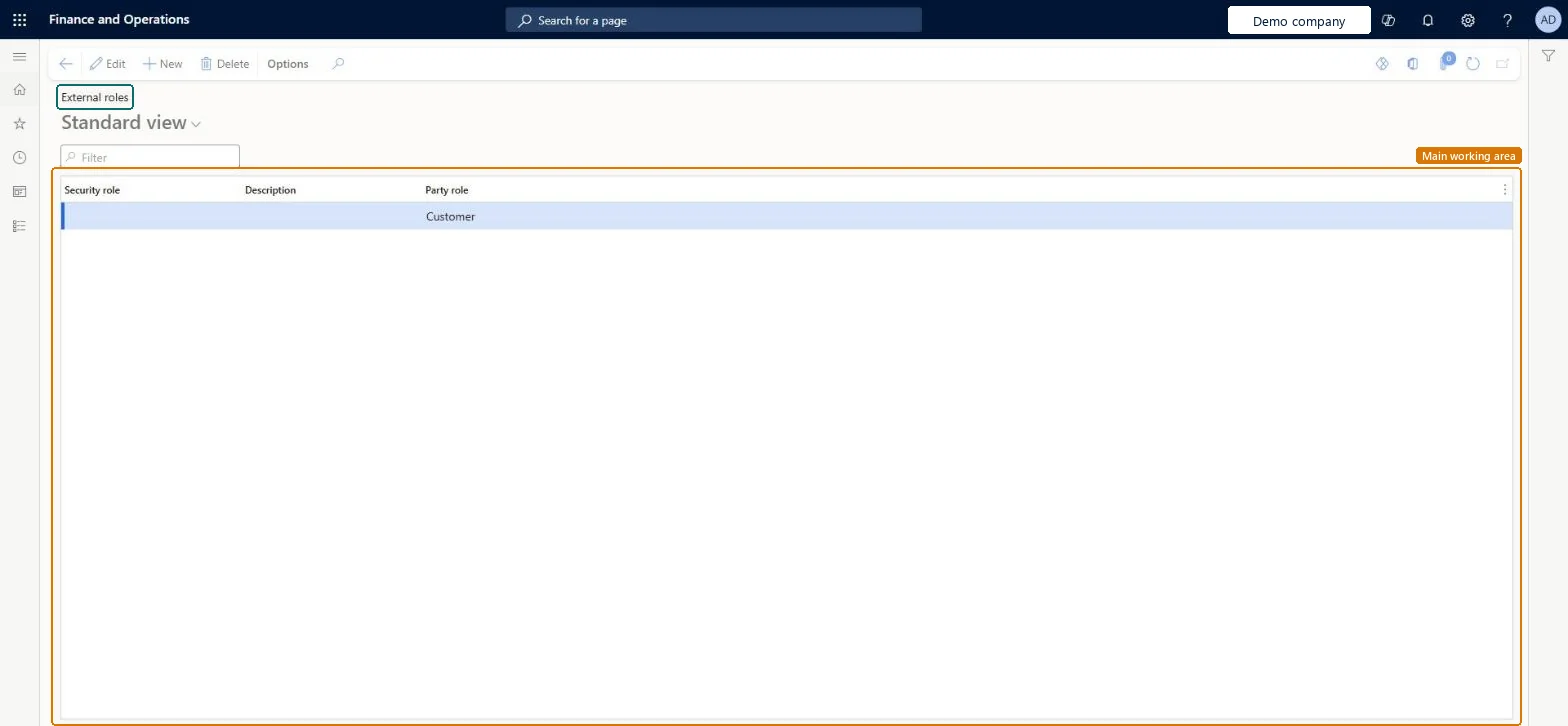
What it isA setup page where you choose which security roles are available to external users, such as vendors, for each party role.
What you do hereUse this page to control which roles can be requested for vendor and prospective vendor users, so they only get access they should have.
ExampleFor example, a company that sets up vendor contacts and users by hand makes only the Vendor (external) role available.
External roles page in Dynamics 365
The page in Dynamics 365. page title tab to open what to set or check
Functional consultant · Solution architect

2Where it fits

Business processAdminister system features
Menu pathSystem administration › Security › External roles
Set up firstSecurity configuration Microsoft Learn
Used next byUser workflows Microsoft Learn
Related pagesUser requests Microsoft Learn
End user · Functional consultant

3How to do it

About the examples: Examples and screenshots in this guide use BEAT, a demo company in a Dynamics 365 test environment. Use your own company's codes and values instead of copying them.

Step by step, with screenshots

Set up External roles1 screen

Use this page to control which roles can be requested for vendor and prospective vendor users, so they only get access they should have.

  1. Screen 1

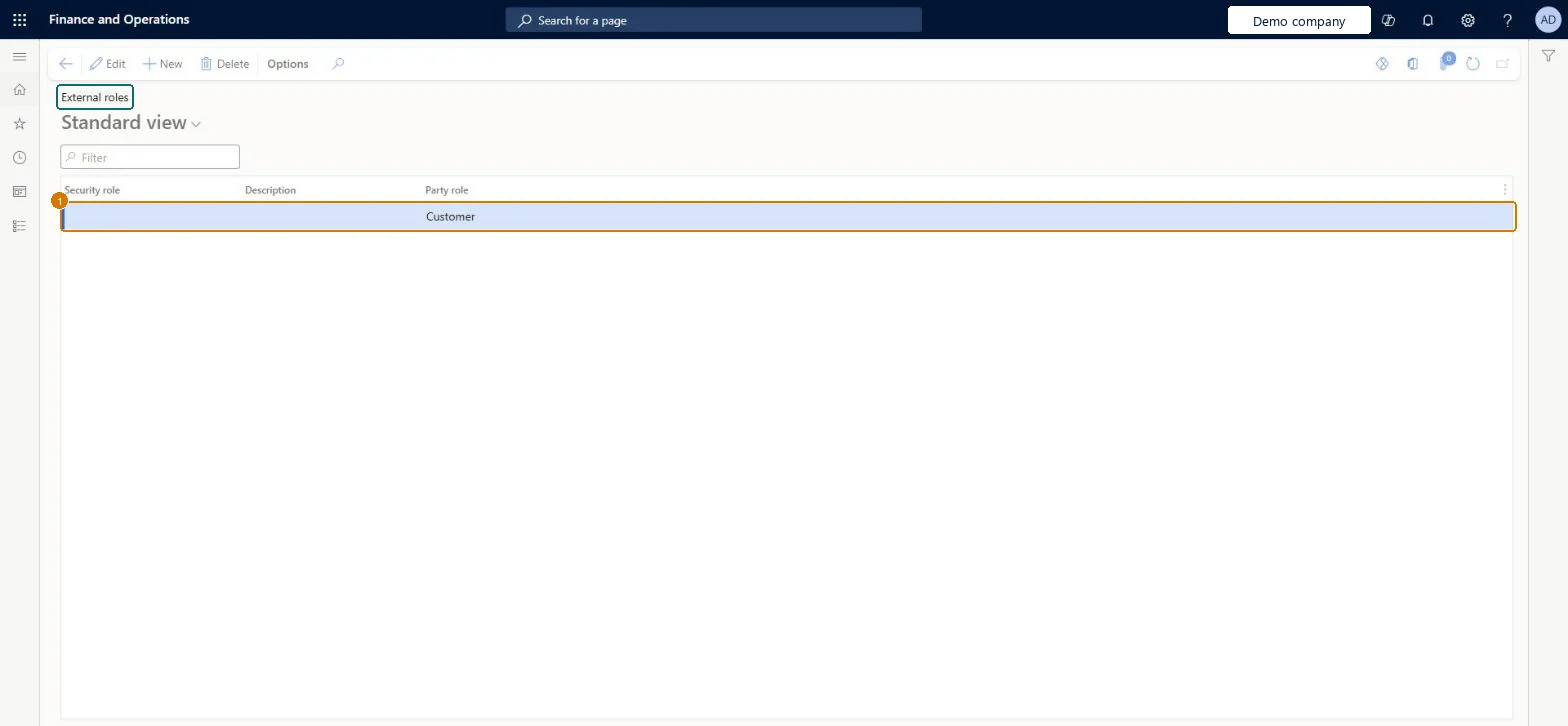
    Review the roles external users can request

    Go to System administration > Security > External roles

    1. Review the party role and the security role on each line
    2. Select New to add a line for another party role and choose the security role it may request
    Review the roles external users can request (zoomed on the outlined fields)
    Show the full screenReview the roles external users can request
    page title tab to open what to set or check

Steps from Microsoft

  1. Go to System administration > Security > External roles.
  2. Select New.
  3. Select a security role, such as Vendor admin (external) or Vendor (external).
  4. Select the party role, such as Vendor or Prospective vendor.

Source: Microsoft Learn

Fields on the page

FieldWhat it meansExample
Security roleThe role that can be requested for an external user.Microsoft Learn Vendor (external)
Party roleThe kind of external party the role is for.Microsoft Learn Vendor

Common errors and fixes

MessageWhat to do
The user must have access to at least one vendor.Check that the vendor request is Request approved and that the vendor user has the roles defined for the Vendor party role on External roles; assign them by hand if Vendor collaboration access was set to No at approval. Microsoft Learn
Access Denied: You do not have sufficient permissions to open the menu item VendProspectiveVendorRegistrationWizard. Please contact your system administrator.Assign the prospective vendor the System external user and Vendor prospective (external) roles. Microsoft Learn

Test checklist

  1. Add Vendor (external) for the Vendor party role and Vendor prospect (external) for the Prospective vendor party role.
  2. From a vendor contact, select Provision vendor user and check that only the listed roles can be selected.
  3. After the request is approved, check that the new user has the selected role and SystemExternalUser.
  4. Sign in as the vendor user and check that only vendor collaboration pages are available.

Source: Microsoft Learn

Functional consultant

4Setup decisions

Setup stepRecommended value and whyDecision, common mistake and test
Set up External rolesVendor (external) for the Vendor party role; add Vendor admin (external) only if vendors maintain their own contacts and user requests; Vendor prospect (external) for the Prospective vendor party roleThese are the roles Supply Chain Management provides for vendor collaboration and onboarding. Only roles listed here can be requested in a vendor user request, which keeps vendors to the access they need.Should vendors be able to request and manage their own collaboration users?Making broad roles available. Learn warns that if these permissions are set up wrongly, vendors might get access to information they shouldn't see.Test: Only listed roles can be requested

Feature management and licence

Licence or add-inOn this system the page opens for Information technology manager. No Feature management feature needs to be turned on for this page.

Microsoft Learn

Solution architect

5Design impact

Shared or per companyShared: the same records are used by every legal entity. Microsoft data model
Can it be undoneReversible: Add or remove roles for a party role at any time; the change affects which roles can be requested from then on. Microsoft Learn
If you change it laterIf the wrong roles are made available, vendors might get access to information they shouldn't see. Microsoft Learn
Technical architect

6Technical

Menu itemDirExternalRoles Checked in Dynamics 365
FormDirExternalRole Checked in Dynamics 365
TableDirExternalRoleShown as “External role” in Record infoKey field: EntityType, Role, Role_NameChecked in Dynamics 365
Data entitiesDirExternalRoleEntityExternal role Microsoft data model
Who can open itPrivilegesManage external roles DirExternalRoleMaintainDutiesMaintain external access ECPExternalAccessMaintain
1 security roleInformation technology manager SysServerITManager
Checked in Dynamics 365
Roles to set it up and use itTo set it up or change itInformation technology manager SysServerITManagerGive people one of these roles. On this system, 1 role can open this page.Checked in Dynamics 365
Actions on the pageOptions: Personalize, Page options, ShareChecked in Dynamics 365
Developer

7Developer

Open it by URLhttps://<your-environment>/?mi=DirExternalRoles
Integrate withDirExternalRoleEntity data entity Microsoft data model
Data migrationDirExternalRoleEntity (External role): shared by all companies; not in Microsoft's default templates.Load order: Load External role after the roles it names exist in the target, including custom roles from Security configuration.Load first: Security rolesChecked in Dynamics 365
Table definitionDirExternalRole columns and relations Microsoft data model
Everyone

8Sources