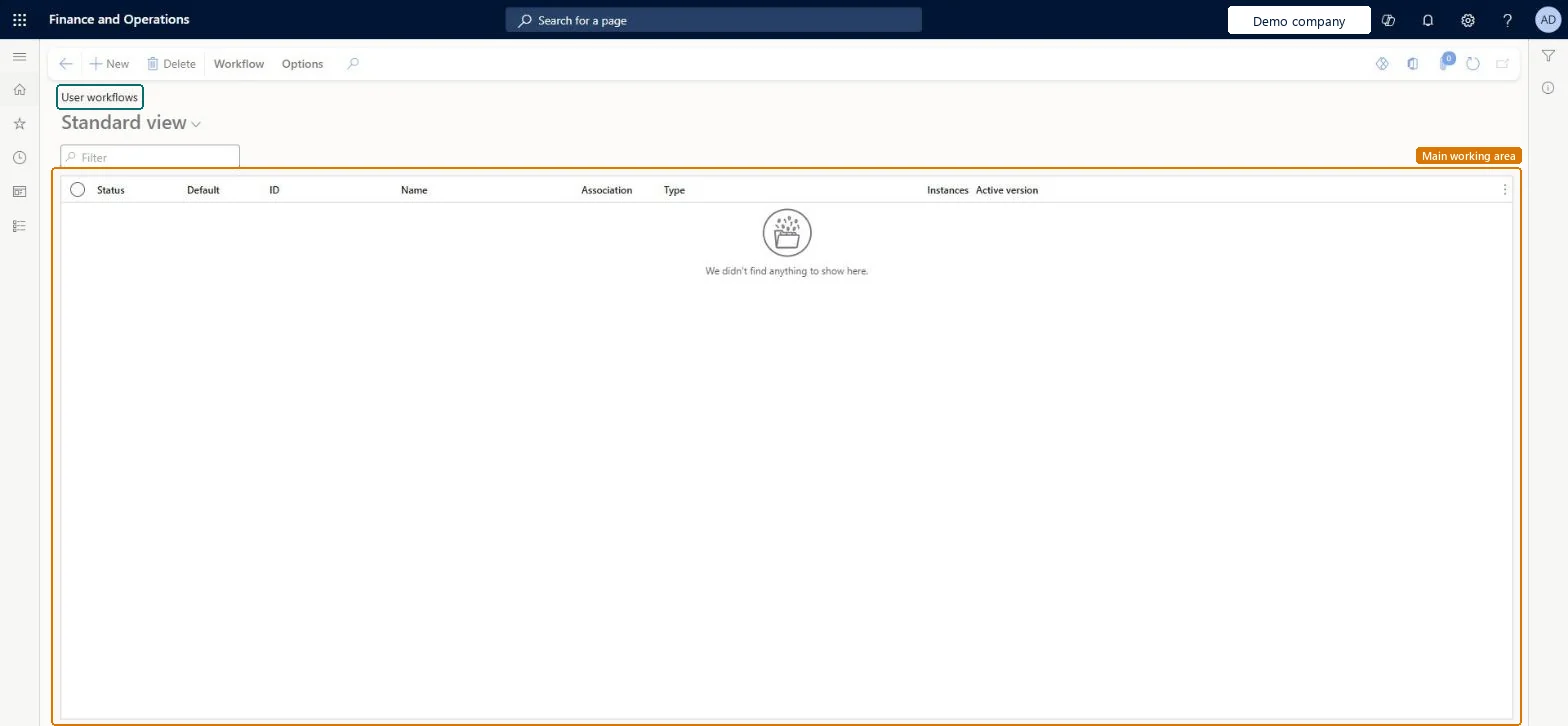
PAGE GUIDEWhat the page does and how to use it8 sections. Choose a role to highlight what matters to you.
Everyone
1What it is and why
What it is
A list page where you create the workflows that process user requests.
What you do here
Use this page to set up the approvals and tasks for requests to add a user, deactivate a user, or change a user's security roles.
Example
For example, a company creates a User Request Workflow (Platform) workflow with one branch that sets up new vendor users and another that changes the security roles of existing users.
The page in Dynamics 365. page title tab to open what to set or check
About the examples: Examples and screenshots in this guide use BEAT, a demo company in a Dynamics 365 test environment. Use your own company's codes and values instead of copying them.
Setup steps on this page
Set up User workflows
Use this page to set up the approvals and tasks for requests to add a user, deactivate a user, or change a user's security roles.
Steps from Microsoft
Go to System administration > Workflow > User workflows.
Create a workflow of the User Request Workflow (Platform) type.
Add a branching condition so new-user requests and role-change requests follow different branches.
In the new-user branch, add an approval task for the person who approves access.
Add the Automated provision user task to create the user.
Add a task that notifies the new user, for example with a welcome email.
No user request workflow is active, or it doesn't cover the request type. Activate a workflow that handles new users, deactivations and role changes. Microsoft Learn
Test checklist
Create a User request workflow (platform) workflow with approval, Entra ID and Automated provision user steps, and activate it.
Submit a Provision vendor user request for a vendor contact.
Complete each approval and task, and check that the user exists in Microsoft Entra ID.
Check on Users that the new user exists with the requested roles.
Submit a deactivate request and a role change request and check each is processed by a workflow.
Two or more workflows of the User request workflow (platform) type that cover all three request types (new user, deactivate user, change roles), with a branch at the start to separate new-user requests from role changesLearn states that you must create two or more workflows to process all three types of vendor collaboration user requests, and gives a branching example for provisioning and role changes.
How many user request workflows?Leaving the Microsoft Entra step out of the provisioning branch. Use the Send Azure B2B user invitation task, or Provision Microsoft Entra B2B user to export users automatically, before the Automated provision user task creates the user.Test: A vendor user request is provisioned
Feature management and licence
Licence or add-in
On this system the page opens for Information technology manager. No Feature management feature needs to be turned on for this page.
Shared: user request workflows serve the whole environment. Microsoft Learn
Can it be undone
Reversible: Edit the workflow and save a new version; you choose whether to activate it, and can activate it later. Microsoft Learn
If you change it later
A new version takes effect for documents submitted after you activate it; documents already in workflow keep the version they started with. Microsoft Learn
Technical architect
6Technical
Menu item
UserWorkFlowConfigurationUserChecked in Dynamics 365
Form
WorkflowTableListPageRnrChecked in Dynamics 365
Table
WorkflowTableShown as “Workflow configurations” in Record infoKey field: SequenceNumberChecked in Dynamics 365
Data entities
WorkflowVersionEntityWorkflow version (the workflow configurations (versions))
Who can open it
PrivilegesMaintain user management workflows UserWorkFlowConfigurationListDutiesMaintain workflow and alerts settings WorkflowAlertsSettingsMaintain1 security roleInformation technology manager SysServerITManagerChecked in Dynamics 365
Roles to set it up and use it
To set it up or change itInformation technology manager SysServerITManagerGive people one of these roles. On this system, 1 role can open this page.Checked in Dynamics 365
Actions on the page
Workflow: Manage, HierarchyOptionsChecked in Dynamics 365
WorkflowVersionEntity (Workflow version): shared, in Microsoft's default template 022 - Workflow. Change the owner of every record to Admin unless the workflow users are already imported. Use XML, because workflow expressions can be too long for Excel.Load order: Template 022 - Workflow loads System email template at level 22, sequence 10, Workflow version at sequence 20 and Workflow system parameters at sequence 30. Copy into legal entity doesn't support workflows; set them up by hand in that case.Load first: Users, System email templatesMicrosoft Learn