About the examples: Examples and screenshots in this guide use BEAT, a demo company in a Dynamics 365 test environment. Use your own company's codes and values instead of copying them.
Setup steps on this page
Set up Repair stages
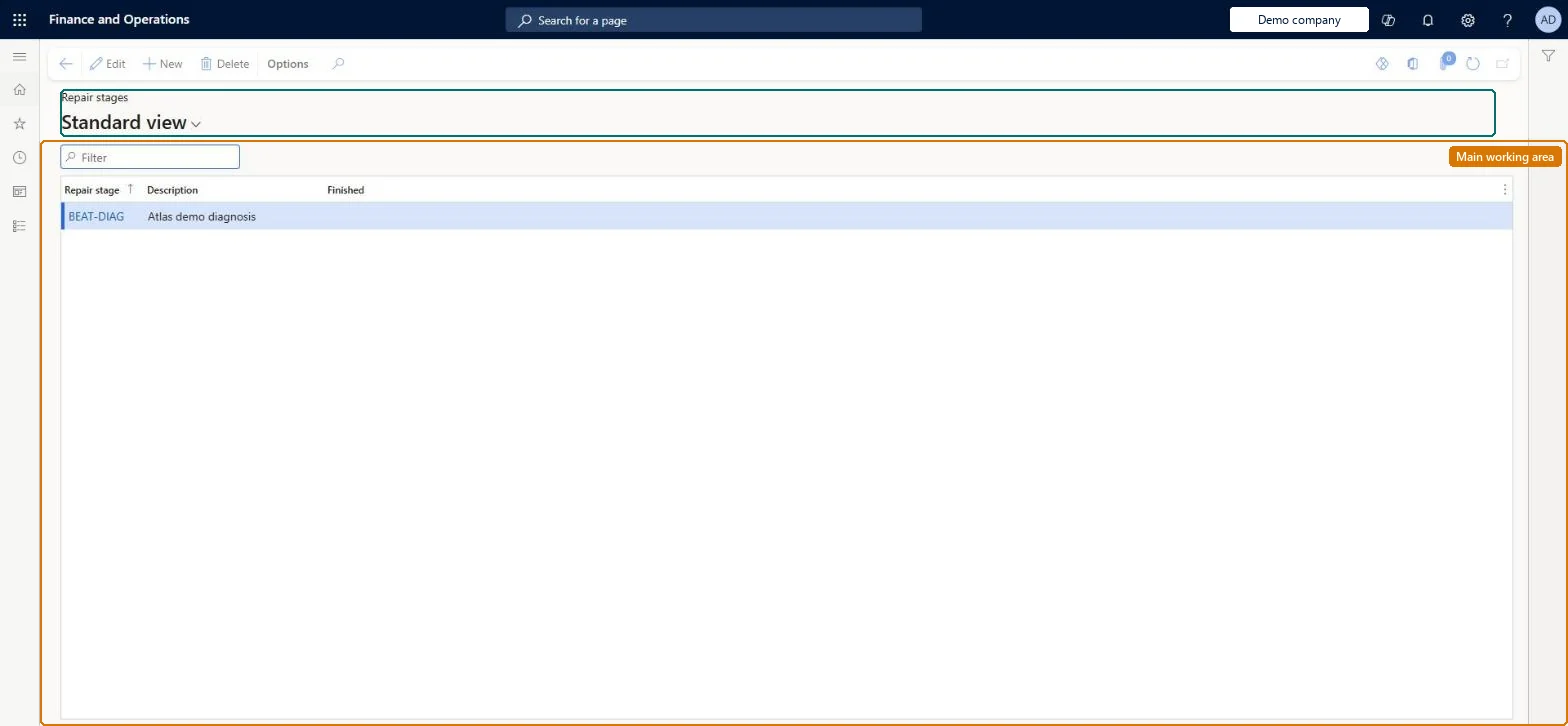
Use this page to define the stages technicians set on repair lines, and to mark which stage closes the line by recording the finish date and time.
How to use it
Go to Service management > Setup > Repair > Repair stages.
Use the Filter box to find a record.
Select New and enter the Repair stage code and its Description.
Select Edit to change a selected record, or Delete to remove it.
Select Finished for the stage that ends the repair.
Progress stages for the repair, with Finished selected only on the stage that closes the lineSelecting a stage with Finished closes the repair line and records the current date and time as its finish time.
Selecting Finished on an intermediate stage. Lines are then closed and stamped with a finish time before the repair is done.
Solution architect
5Design impact
Can it be undone
Reversible: Stages and the Finished flag can be changed. The flag acts when a technician selects the stage, which closes the repair line and records the finish date and time. Microsoft Learn
If you change it later
Setting the Finished flag on a stage means that selecting that stage on a repair line closes the line and stamps the current date and time as the finish time. Microsoft Learn
Technical architect
6Technical
Menu item
SMARepairStageChecked in Dynamics 365
Form
SMARepairStageChecked in Dynamics 365
Table
SMARepairStageShown as “REPAIR STAGES” in Record infoChecked in Dynamics 365
PrivilegesMaintain repair stages SMARepairStageMaintainView repair stages SMARepairStageViewDutiesEnable service order process SMAServiceOrderProcessEnableInquire into service order reference data SMAServiceOrderReferenceDataInquire2 security rolesService dispatcher SMADispatcherService delivery manager SMAServiceDeliveryManagerChecked in Dynamics 365
Roles to set it up and use it
To set it up or change itService delivery manager SMAServiceDeliveryManagerTo use itService dispatcher SMADispatcherGive people one of these roles. On this system, 2 roles can open this page.Checked in Dynamics 365