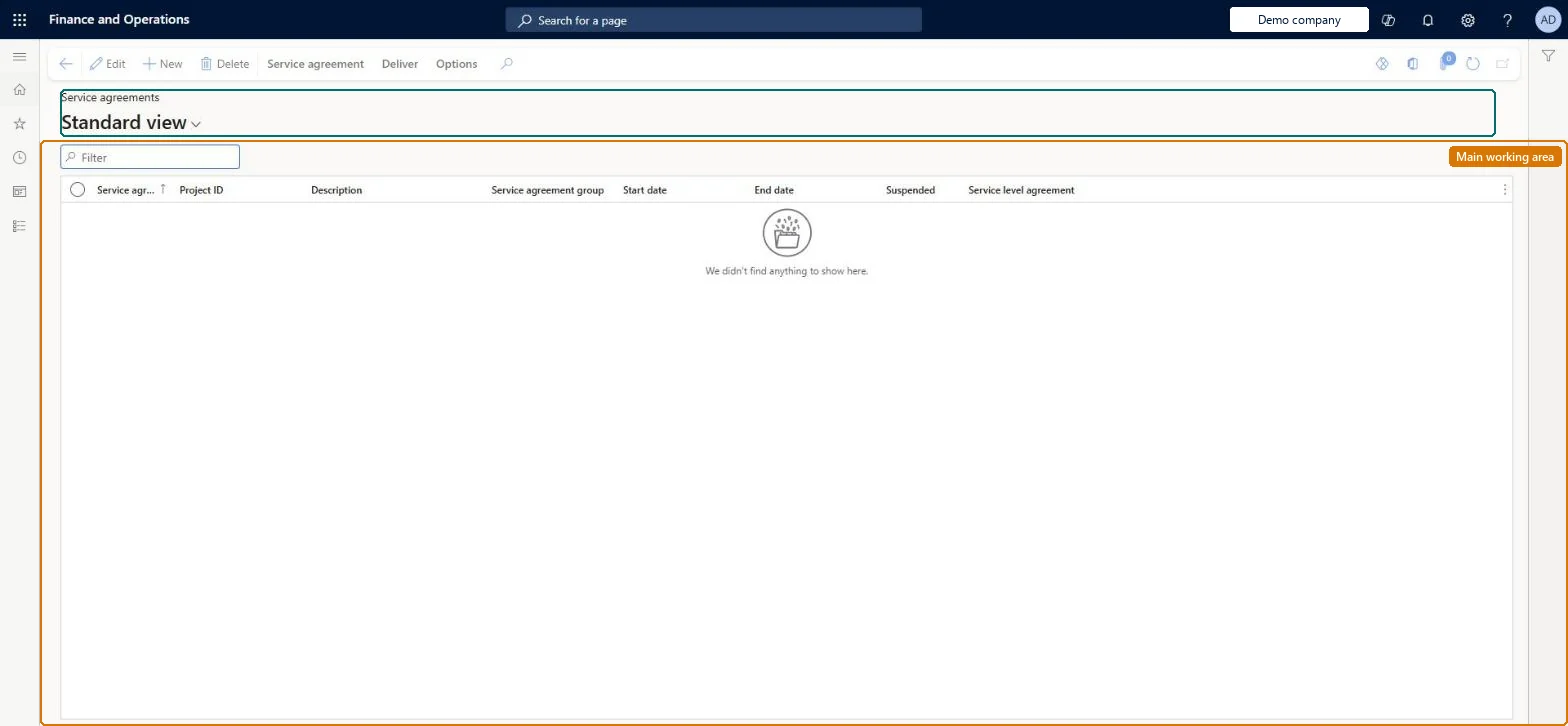
A list page that shows the service agreements that are defined as templates, whose lines can later be copied into other service agreements or into service orders.
Service dispatcher, Service delivery manager, Sales manager and 1 more role
Business process
Receive service requests
Menu item
SMAAgreementTableListPage_Template
Main table
SMAAgreementTable
Data entity
SMAServiceAgreementHeaderEntity
Show what matters for
PAGE GUIDEWhat the page does and how to use it8 sections. Choose a role to highlight what matters to you.
Everyone
1What it is and why
What it is
A list page that shows the service agreements that are defined as templates, whose lines can later be copied into other service agreements or into service orders.
What you do here
Use this page to maintain template agreements grouped under service template groups, so that repeated set-ups (for example identical equipment at several sites) can be copied instead of re-entered.
Example
For example, a customer has identical service elevators at five locations: you create one agreement as a template and copy its lines into the five site agreements.
The page in Dynamics 365. page title tab to open what to set or check
About the examples: Examples and screenshots in this guide use BEAT, a demo company in a Dynamics 365 test environment. Use your own company's codes and values instead of copying them.
Steps from Microsoft
Go to Service management > Service agreements > Service templates.
Create a service agreement that will act as the template.
Create the required lines on it.
Attach the service agreement to a service template group in the Service template group field.
Make sure no service orders are attached to the agreement, because an agreement with orders cannot be a template.
The group that makes the agreement a template and sorts templates in the tree view.Microsoft Learn
Service agreement
The identifier of the agreement that serves as the template.Microsoft Learn
AgreementId
Project ID
The project the template agreement is attached to.Microsoft Learn
ProjId
Test checklist
Create a new agreement with lines, attach it to a service template group and mark it as a template.
Try to mark an agreement that already has service orders as a template; check it is refused.
On another agreement copy lines from the template; check the template groups show as a tree and the lines with their object and task relations are copied.
Try to create planned service orders from the template; check none are generated.
New records on this page take their Service agreement from the SMAAgreementId reference; BEAT uses number sequence Serv_3. Checked in Dynamics 365
Solution architect
5Design impact
Can it be undone
Hard to reverse: An agreement can be defined as a template only while it has no service orders, and no service orders can be generated from a template. Build templates as dedicated agreements, not from live customer agreements. Microsoft Learn
If you change it later
Marking an agreement as a template stops service orders from being generated from it, and an agreement that already has service orders cannot be made a template. Microsoft Learn
Technical architect
6Technical
Menu item
SMAAgreementTableListPage_TemplateChecked in Dynamics 365
Form
SMAAgreementTableChecked in Dynamics 365
Table
SMAAgreementTableShown as “SERVICE AGREEMENTS” in Record infoKey field: AgreementIdChecked in Dynamics 365
PrivilegesMaintain service agreement details SMAAgreementDetailsMaintainView service agreement details SMAAgreementDetailsViewDutiesInquire into service agreement master SMAServiceAgreementMasterInquireMaintain service agreement master SMAServiceAgreementMasterMaintain4 security rolesService dispatcher SMADispatcherService delivery manager SMAServiceDeliveryManagerSales manager TradeSalesManagerSales representative TradeSalesRepresentativeChecked in Dynamics 365
Roles to set it up and use it
To set it up or change itService delivery manager SMAServiceDeliveryManagerTo use itService dispatcher SMADispatcherSales manager TradeSalesManagerSales representative TradeSalesRepresentativeGive people one of these roles. On this system, 4 roles can open this page.Checked in Dynamics 365
Actions on the page
Service agreement: New, Show, Copy, Cost prices, Sales prices, RelationsDeliver: Create, Service ordersChecked in Dynamics 365