Auditor, Collections agent, Collections manager and 7 more roles
Business process
Maintain contacts and accounts
Menu item
smmBusRelSalesDistrictGroup
Main table
smmBusRelSalesDistrictGroup
Data entity
smmSalesDistrictEntity
Setup steps
1 on this page
Show what matters for
PAGE GUIDEWhat the page does and how to use it8 sections. Choose a role to highlight what matters to you.
Everyone
1What it is and why
What it is
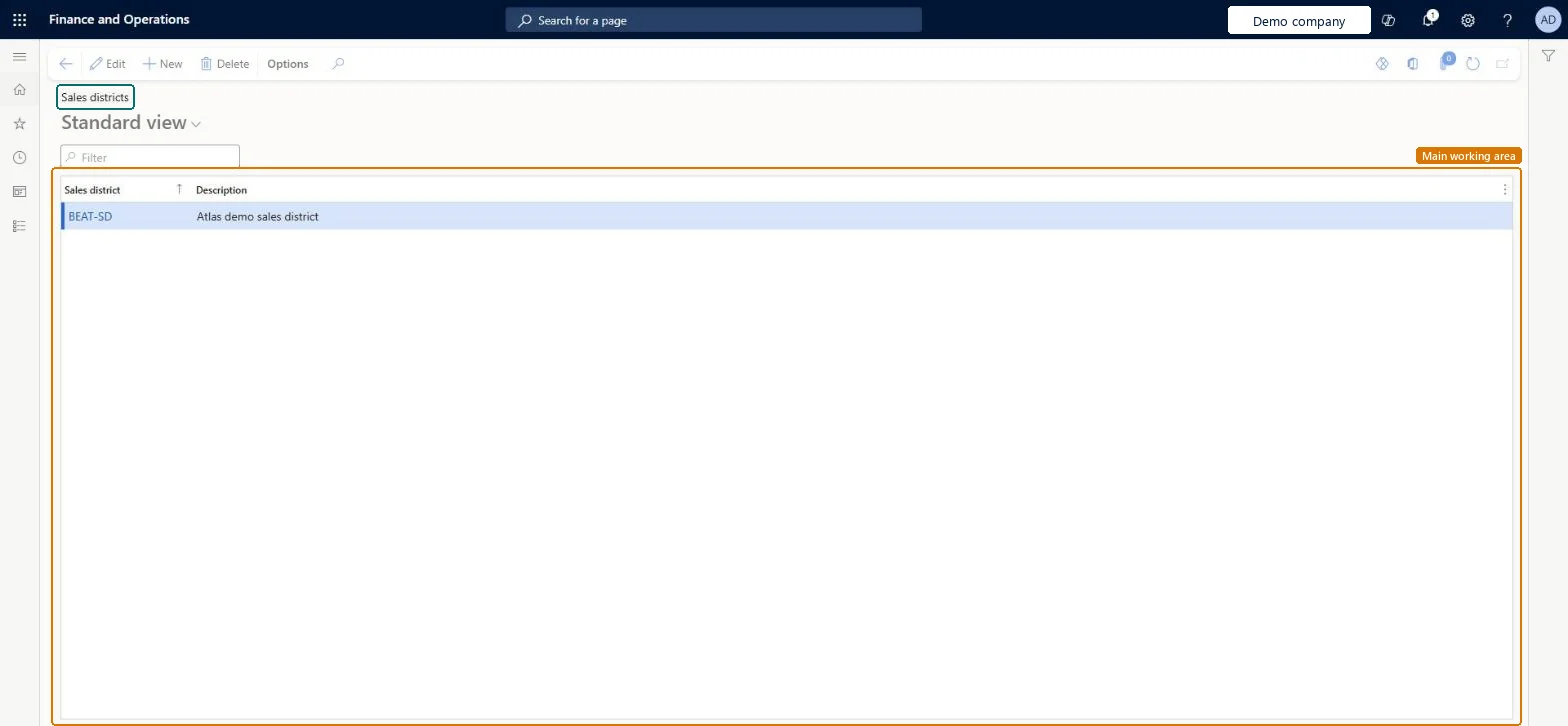
A setup page where you list the geographical areas, the sales districts, used for sales and sales statistics.
What you do here
Use this page to group sales and sales statistics by geographical area.
Example
BEAT splits its market into the sales districts NORTH, SOUTH and EXPORT. Customer CUST-000245 is in NORTH, and the sales statistics for May 2026 show 412,000.00 USD of sales in NORTH against 298,500.00 USD in SOUTH.
The page in Dynamics 365. page title tab to open what to set or check
About the examples: Examples and screenshots in this guide use BEAT, a demo company in a Dynamics 365 test environment. Use your own company's codes and values instead of copying them.
Step by step, with screenshots
Set up Sales districts1 screen
Use this page to group sales and sales statistics by geographical area.
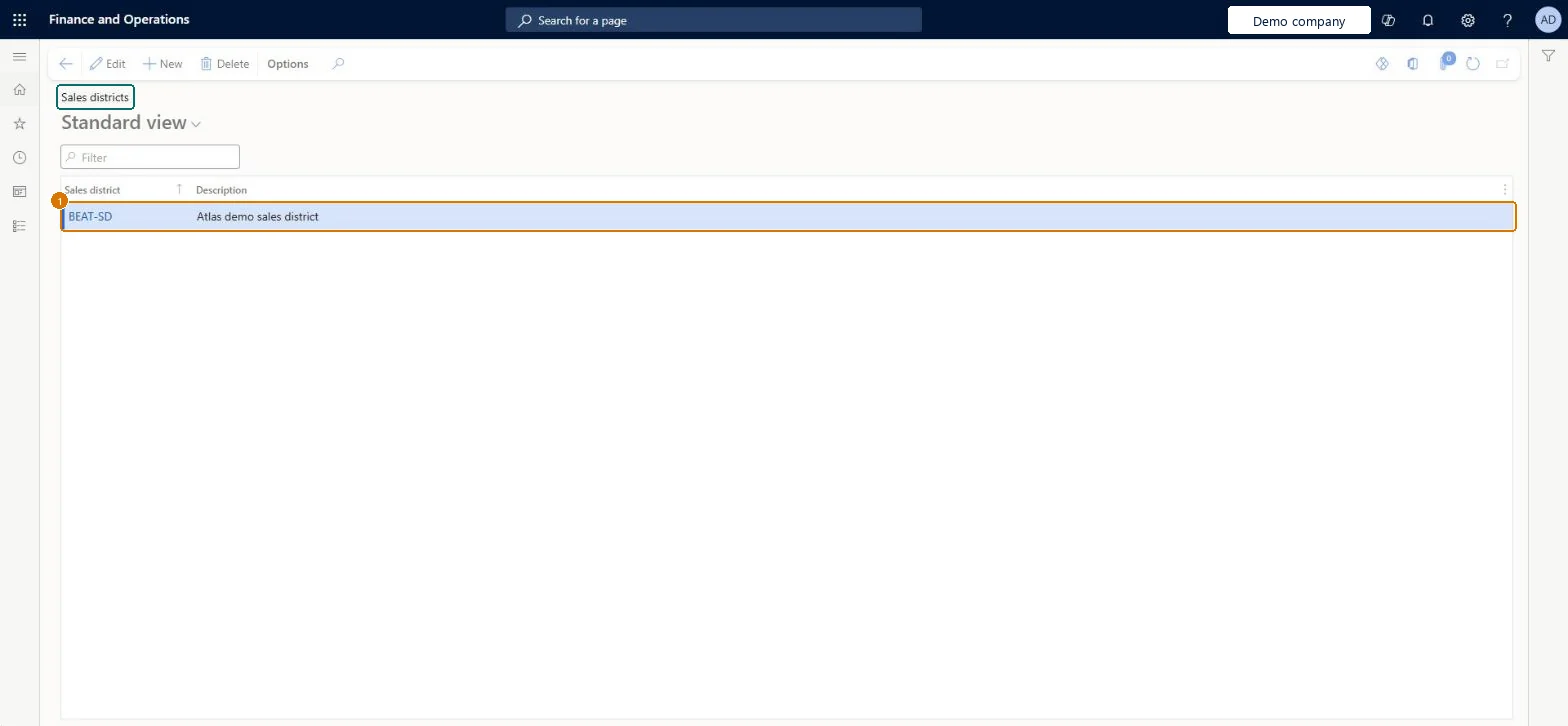
Screen 1
Create a sales district
Go to Sales and marketing > Setup > Prospects > Sales districts
Select New
Enter the sales district code and description
Select Save
1Sales district
BEAT-SD
Description
Sales district
Show the full screen page title tab to open what to set or check
How to use it
Go to Sales and marketing > Setup > Prospects > Sales districts.
Select New and enter the Sales district code, such as NORTH, and a Description.
Agree the list with the sales and finance teams before prospects and customers are loaded, because both use the code.
Open Sales and marketing > Relationships > Prospects > All prospects and set the Sales district on a prospect to check that the code is offered.
Source: Checked in Dynamics 365
Fields on the page
Field
What it means
Example
Table column
Sales district
The code of the sales district, for example NORTH. You select it on a prospect or a customer to place it in a geographical area for sales and sales statistics.Microsoft data model
NORTH
SalesDistrictId
Description
A short description of the sales district, shown next to the code.Checked in Dynamics 365
Northern region
Description
Common errors and fixes
Message
What to do
Sales by district add up to less than total sales.
Some customers or prospects have no sales district. Filter All customers and All prospects on an empty Sales district and fill it in. Microsoft data model
Sales districts that match the geographical areas sales management reports on, set on every prospect and customer.The district code is stored on prospects and customers, so sales statistics by area are only complete when every record has a district.
On the live system, Sales manager, Marketing manager, Accounts receivable manager, Information technology manager and Collections manager can maintain this page.
Reversible: Codes can be added or edited at any time. Before you delete one, filter prospects and customers on it, because records that keep the code lose the classification. Microsoft data model
If you change it later
The code is stored on prospects (smmBusRelTable.SalesDistrict) and customers, so a new code is available on both at once. Renaming a description changes only the text shown. Microsoft data model
Technical architect
6Technical
Menu item
smmBusRelSalesDistrictGroupChecked in Dynamics 365
Form
smmBusRelSalesDistrictGroupChecked in Dynamics 365
Table
smmBusRelSalesDistrictGroupShown as “Sales districts” in Record infoChecked in Dynamics 365
PrivilegesMaintain prospect sales districts smmBusRelSalesDistrictGroupMaintainView prospect sales districts smmBusRelSalesDistrictGroupViewDutiesEnable customer process CustCustomerProcessEnableInquire into customer reference data CustCustomerReferenceDataInquireEnable prospect process smmBusinessRelationProcessEnableInquire into prospect reference data smmBusinessRelationReferenceDataInquireEnable the Sales and marketing process smmCRMProcessEnableInquire into Sales and marketing reference data smmCRMReferenceDataInquire10 security rolesAuditor AuditPolicyManagerCollections agent CollectionLetterCollectionsAgentCollections manager CollectionLetterCollectionsManagerChief financial officer CompanyChiefFinancialOfficerMarketing manager CRMMarketingManagerAccounts receivable clerk CustInvoiceAccountsReceivableClerkAccounts receivable manager CustInvoiceAccountsReceivableManagerAccounting manager LedgerAccountingManagerInformation technology manager SysServerITManagerSales manager TradeSalesManagerChecked in Dynamics 365
Roles to set it up and use it
To set it up or change itSales manager TradeSalesManagerMarketing manager CRMMarketingManagerAccounts receivable manager CustInvoiceAccountsReceivableManagerInformation technology manager SysServerITManagerCollections manager CollectionLetterCollectionsManagerTo use itAccounts receivable clerk CustInvoiceAccountsReceivableClerkAccounting manager LedgerAccountingManagerCollections agent CollectionLetterCollectionsAgentAuditor AuditPolicyManagerChief financial officer CompanyChiefFinancialOfficerGive people one of these roles. On this system, 10 roles can open this page.Checked in Dynamics 365
Actions on the page
Options: Personalize, Page options, ShareChecked in Dynamics 365
smmSalesDistrictEntity (Sales districts): loaded for each company, in Microsoft's default template 140 - Accounts receivable.Load order: Microsoft's default template 140 - Accounts receivable loads Sales districts at execution unit 1, level 30, sequence 10. Lower levels load first, and entities at the same level load in sequence order.Load first: the default templates at lower levels (System setup to General ledger)Microsoft Learn
Checked in a working Dynamics 365 system, version 10.0.49: the menu item, form, table and security, the page, the demo records and the values in the screenshots.