PAGE GUIDEWhat the page does and how to use it8 sections. Choose a role to highlight what matters to you.
Everyone
1What it is and why
What it is
A setup page where you define the ratings that you assign to lead records.
What you do here
Use this page to rate how promising a lead is, separately from how urgent it is (priority).
Example
BEAT uses the ratings HOT, WARM and COLD. Lead LEAD-000440 asks for a quotation for 120 units within a month and is rated HOT; a lead that only downloaded a brochure is rated COLD.
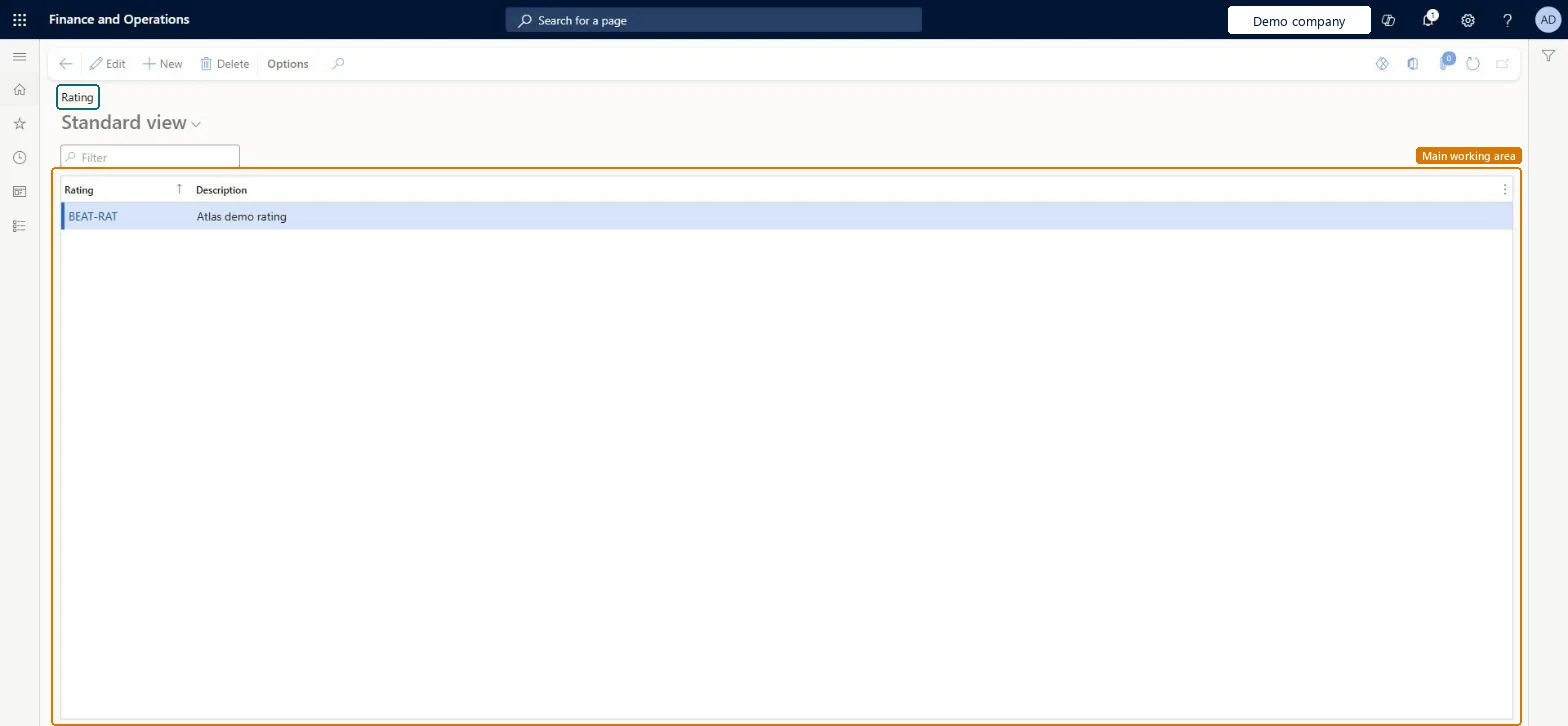
The page in Dynamics 365. page title tab to open what to set or check
About the examples: Examples and screenshots in this guide use BEAT, a demo company in a Dynamics 365 test environment. Use your own company's codes and values instead of copying them.
Step by step, with screenshots
Set up Rating1 screen
Use this page to rate lead records.
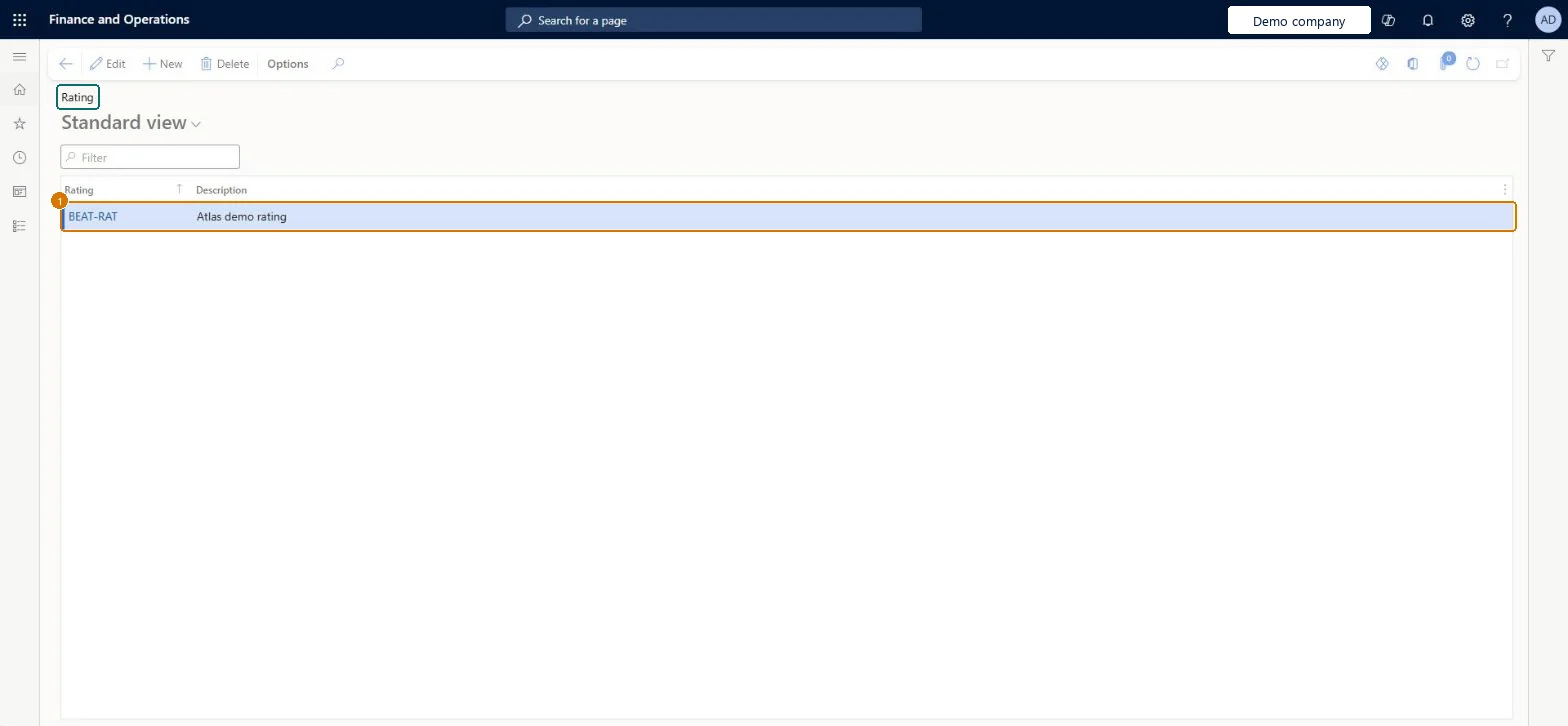
Screen 1
Create a lead rating
Go to Sales and marketing > Setup > Leads > Rating
Select New
Enter the rating code and description
Select Save
1Rating
BEAT-RAT
Description
Rating
Show the full screen page title tab to open what to set or check
How to use it
Go to Sales and marketing > Setup > Leads > Rating.
Select New and enter the Rating code, such as HOT, and a Description that says what makes a lead fit the rating.
Add the other ratings, such as WARM and COLD.
On All leads, set the rating on a lead to check that the new code is offered.
Source: Checked in Dynamics 365
Fields on the page
Field
What it means
Example
Table column
Rating
The code of the rating, for example HOT. It is the value you select in the rating field of a lead.Microsoft data model
HOT
Rating
Description
A short description of the rating.Checked in Dynamics 365
Ready to buy
Description
Common errors and fixes
Message
What to do
Ratings and priorities are used for the same thing, so a lead is HIGH and HOT for one rep and LOW and HOT for another.
Write in the descriptions what each list measures: priority for follow-up speed, rating for how likely the lead is to buy. Microsoft data model
Three ratings (for example HOT, WARM, COLD) with a description that states the buying signal for each.The rating is stored on each lead and is separate from the priority, so the two lists together tell sales people both how likely and how urgent a lead is.
PrivilegesMaintain lead ratings smmLeadRatingMaintainView lead ratings smmLeadRatingViewDutiesEnable the Sales and marketing process smmCRMProcessEnableInquire into Sales and marketing reference data smmCRMReferenceDataInquire2 security rolesInformation technology manager SysServerITManagerSales manager TradeSalesManagerChecked in Dynamics 365
Roles to set it up and use it
To set it up or change itSales manager TradeSalesManagerInformation technology manager SysServerITManagerGive people one of these roles. On this system, 2 roles can open this page.Checked in Dynamics 365
Actions on the page
Options: Personalize, Page options, ShareChecked in Dynamics 365
smmLeadRatingEntity (Lead ratings): loaded for each company, in Microsoft's default template 330 - Sales and marketing.Load order: Microsoft's default template 330 - Sales and marketing loads Lead ratings at execution unit 1, level 30, sequence 10. Lower levels load first, and entities at the same level load in sequence order.Load first: the default templates at lower levels (System setup to General ledger)Microsoft Learn
Checked in a working Dynamics 365 system, version 10.0.49: the menu item, form, table and security, the page, the demo records and the values in the screenshots.