PAGE GUIDEWhat the page does and how to use it8 sections. Choose a role to highlight what matters to you.
Everyone
1What it is and why
What it is
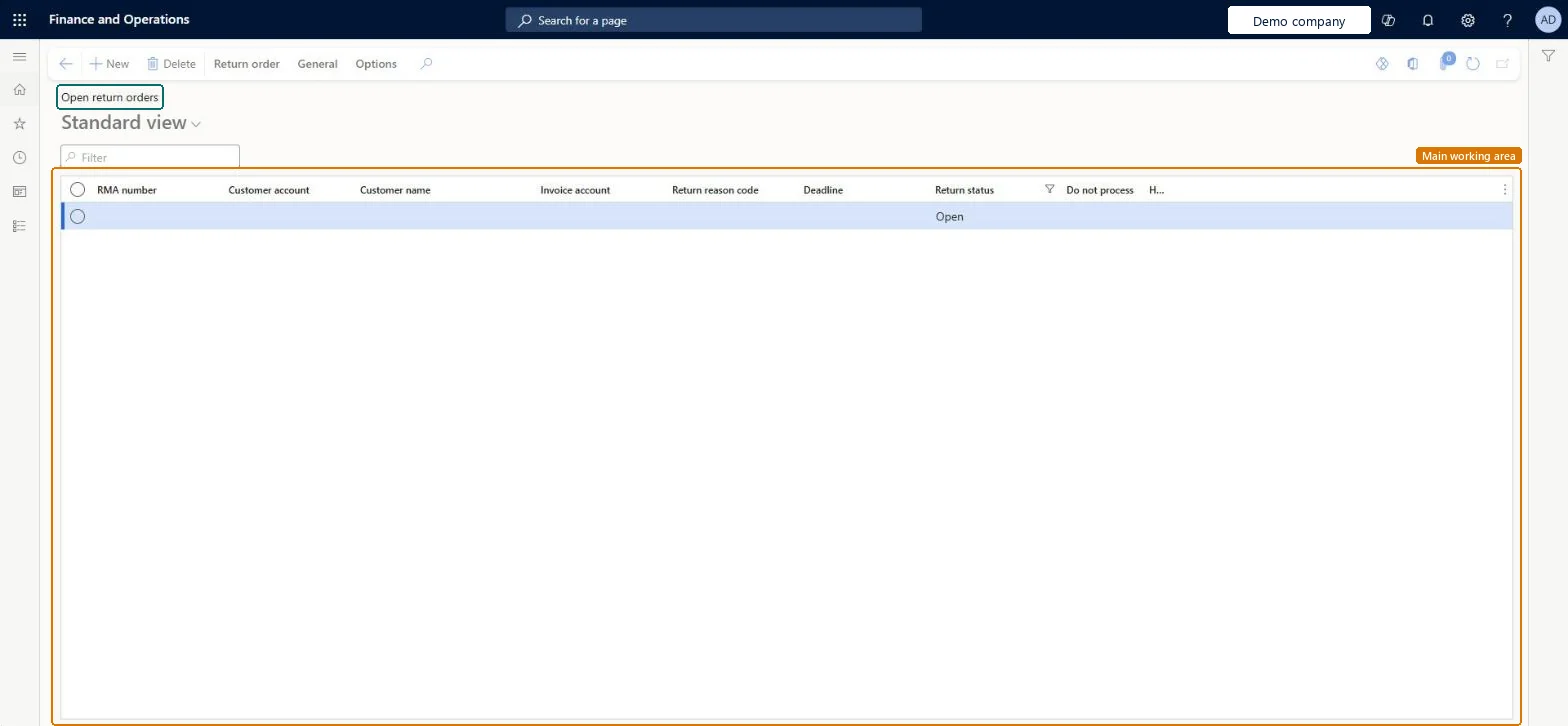
A list page that shows return orders with a return status of Open, with their RMA number, customer, invoice account, return reason code and deadline.
What you do here
Use this page to find and work on return orders that are still open, create a new return order, and use the Return order tab for actions on the selected order.
Example
For example, on Monday BEAT's customer service filters Open return orders on Deadline and finds RMA-000041 for BEAT-000077 (3.00 pcs) expiring Wednesday, and calls the customer to ship it.
The page in Dynamics 365. page title tab to open what to set or check
About the examples: Examples and screenshots in this guide use BEAT, a demo company in a Dynamics 365 test environment. Use your own company's codes and values instead of copying them.
Setup steps on this page
Follow up open return orders
Make sure open returns arrive before the deadline.
Steps from Microsoft
Go to Sales and marketing > Sales returns > Open return orders.
Sort by Deadline to see returns about to expire.
Check the Return reason code of each.
Open the return order to see its lines and arrival status.
Register the arrival on Arrival overview when the goods come in.
The packing slip can't be generated for the return line.
A return packing slip can be generated only for lines with Return status Registered and only for the full line quantity. Register the arrival (and disposition code) first, or split the line. Microsoft Learn
Reversible: The list changes no data. Checked in Dynamics 365
If you change it later
Return orders that are already Open can no longer be canceled. Microsoft Learn
Technical architect
6Technical
Menu item
ReturnTableListPage_OpenChecked in Dynamics 365
Form
ReturnTableListPageChecked in Dynamics 365
Table
SalesTableShown as “Sales orders” in Record infoKey field: SalesIdChecked in Dynamics 365
Data entities
ReturnOrderHeaderEntityReturn order headers Microsoft data model SalesOrderHeaderV2EntitySales order headers V2 Microsoft data model SalesOrderHeaderV2ExistAddrReadOnlyEntitySales order headers V2 readonly with the delivery address Microsoft data model CustCollectionsBISalesOnHoldSales orders on hold for customers Microsoft data model
Roles to set it up and use it
To set it up or change itRental manager RentalManagerRental coordinator agent RentalCoordinatorAgentRental sales manager RentalSalesManagerSales representative TradeSalesRepresentativeSales clerk TradeSalesClerkTo use itSales manager TradeSalesManagerAccounts receivable clerk CustInvoiceAccountsReceivableClerkAccounts receivable manager CustInvoiceAccountsReceivableManagerRental representative RentalRepresentativeAccounts receivable centralized payments clerk PaymAccountsReceivableCentralPaymClerkGive people one of these roles. On this system, 29 roles can open this page.Checked in Dynamics 365
ReturnOrderHeaderEntity Return order headers: loaded for each company.Load order: Load return reason codes and disposition codes, customers and released products first, then Return order headers, then Return order lines (ReturnOrderLineEntity).Load first: Return reason codes, Customers V3Microsoft Learn