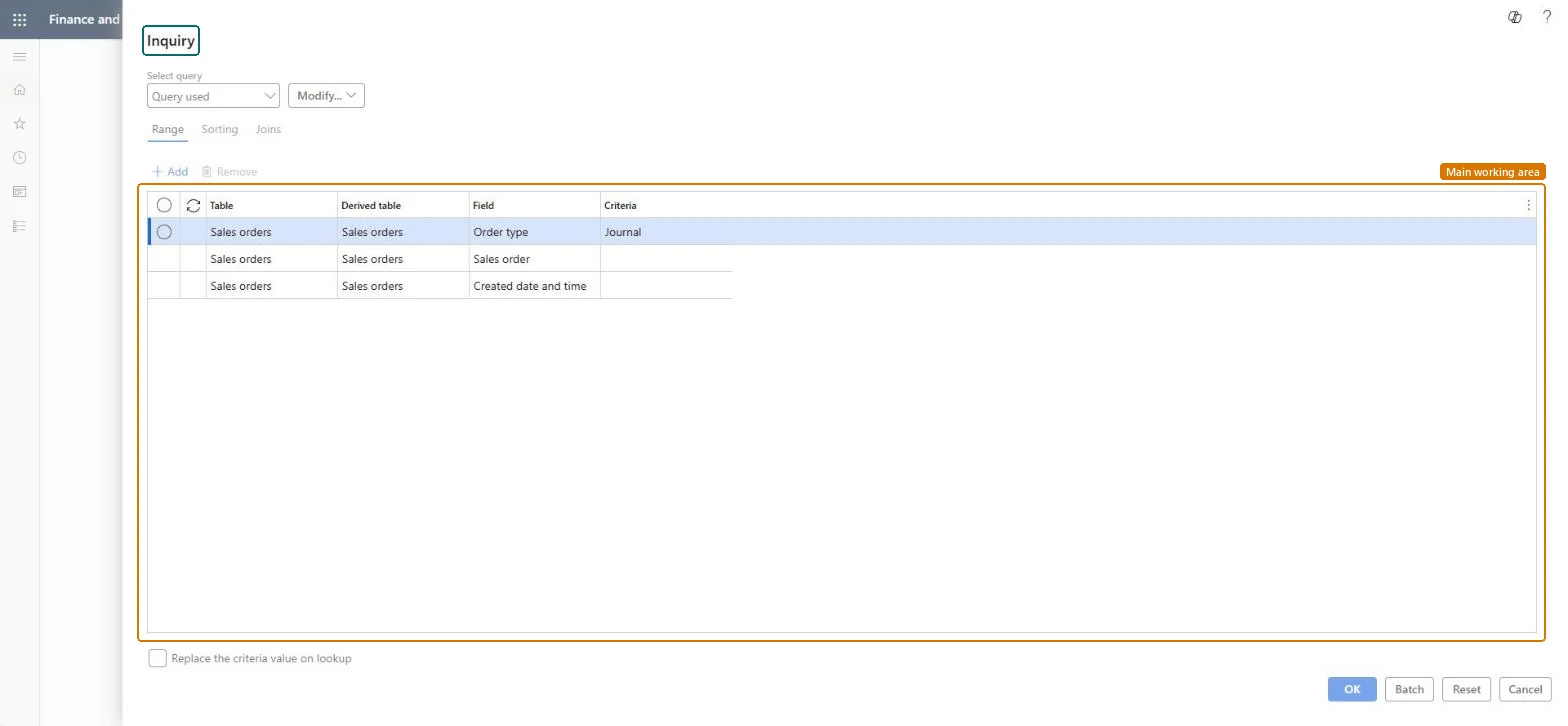
A periodic job for sales orders of the order type Journal (drafts). It processes the journal-type orders in the range you select (menu item SalesJournalToSalesOrder), so you don't open each draft one by one.
PAGE GUIDEWhat the page does and how to use it8 sections. Choose a role to highlight what matters to you.
Everyone
1What it is and why
What it is
A periodic job for sales orders of the order type Journal (drafts). It processes the journal-type orders in the range you select (menu item SalesJournalToSalesOrder), so you don't open each draft one by one.
What you do here
Use this job when a batch of draft (Journal) orders is agreed and should move on, for example all drafts created on one day or for one customer.
Example
For example, BEAT's reps enter 14 Journal orders during a trade fair; the next morning the sales clerk sets the Created date and time range to the fair day and runs Post sales journal for all 14 at once.
The page in Dynamics 365. page title tab to open what to set or check
About the examples: Examples and screenshots in this guide use BEAT, a demo company in a Dynamics 365 test environment. Use your own company's codes and values instead of copying them.
When to run it
When to run it
When a set of journal-type draft orders is agreed and should be processed together.
How often
On demand, for example after a trade fair or a planning round.
Batch settings
Use batch when many drafts are processed at once.
What the output shows
The journal-type orders in the range are processed; drafts outside the range stay on Sales orders of type journal.
The range is kept to Journal, the draft order type that has no effect on stock.Microsoft Learn
Journal
Sales order
Criteria to limit the run to certain draft orders.Checked in Dynamics 365
SO-001260..SO-001273
Created date and time
Criteria to limit the run to drafts created in a period.Checked in Dynamics 365
2026-11-05
Common errors and fixes
Message
What to do
Sales order <order number> Credit limit exceeded Open balance: <balance amount> Current order: <order amount> New balance: <balance amount> Credit limit: <limit amount> Credit excess: <excess amount>
The classic credit limit check found the customer over the limit; warning or error depends on Message when exceeding credit limit. Clear it with credit control before the real posting. Microsoft Learn
Test checklist
The selected journal orders were processed.
Orders outside the range are still journal orders.
Always limit the range by Sales order or Created date and time, and keep Order type = Journal.Without a range every draft in the company is processed, including drafts the customer hasn't agreed.
On the live system, Sales clerk, Retail service and Rental manager use this page.
Checked in Dynamics 365
Solution architect
5Design impact
Shared or per company
Per company: it processes the journal orders of the current legal entity. Microsoft Learn
Can it be undone
Reversible with effort: The order type of a sales order can be changed afterwards, except Item requirements orders that are delivered. Microsoft Learn
If you change it later
Works on Journal orders, the draft type that has no stock effect; once processed as sales orders they create item transactions like any order. Microsoft Learn
Technical architect
6Technical
Menu item
action:SalesJournalToSalesOrderChecked in Dynamics 365
Form
SysQueryFormChecked in Dynamics 365
Roles to set it up and use it
To use itRental manager RentalManagerRental coordinator agent RentalCoordinatorAgentSales clerk TradeSalesClerkRetail service RetailServiceRental sales manager RentalSalesManagerGive people one of these roles. On this system, 10 roles can run this page.Checked in Dynamics 365
Load order: Post sales journal has no data entity in Data management. It's a job over existing journal orders; migrate drafts as sales orders through Sales order headers V2 instead.Checked in Dynamics 365