PAGE GUIDEWhat the page does and how to use it8 sections. Choose a role to highlight what matters to you.
Everyone
1What it is and why
What it is
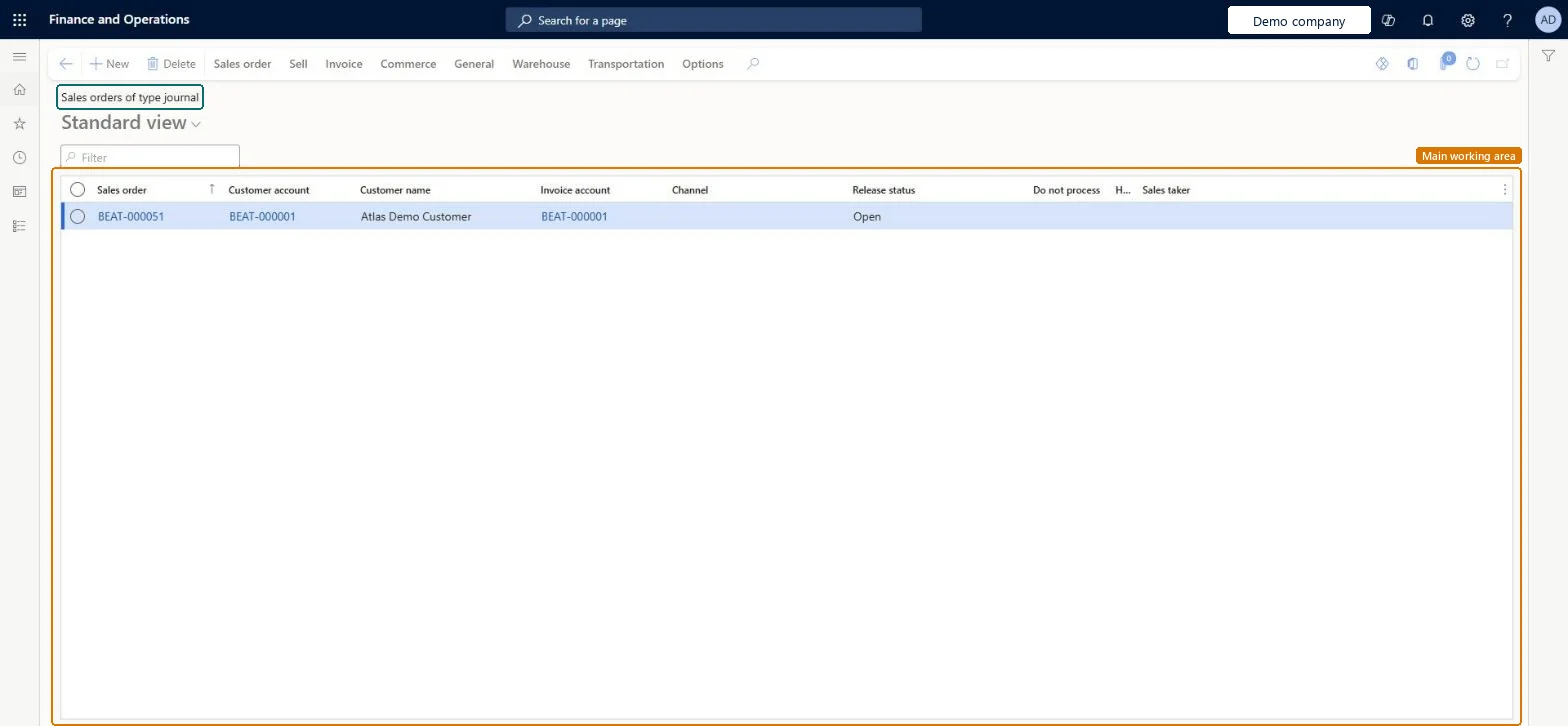
A list page that shows sales orders of the Journal type, which work as drafts.
What you do here
Use this page to prepare draft orders that don't change stock quantities or create item transactions.
Example
For example, a BEAT rep drafts SO-001260 for BEAT-000412 as a Journal order with 30.00 pcs at 59.00 while the customer decides; no stock is reserved, and when the customer agrees the order type is changed to Sales order.
The page in Dynamics 365. page title tab to open what to set or check
About the examples: Examples and screenshots in this guide use BEAT, a demo company in a Dynamics 365 test environment. Use your own company's codes and values instead of copying them.
Setup steps on this page
Keep draft orders as Journal orders
Hold draft orders that must not touch stock.
Steps from Microsoft
Go to Sales and marketing > Sales orders > Sales journal > Sales orders of type journal.
Filter by Sales order, Customer account or Customer name to find the draft.
Select New to create a journal order, or open an existing draft to change its lines.
Keep drafts here while the customer decides; they don't reserve stock or create item transactions.
When the customer agrees, change the order type to Sales order, or run Post sales journal for a range of drafts.
The order type can't be changed on a delivered order.
Any order type can be changed after creation except Item requirements orders with status Delivered; change drafts before they are processed further. Microsoft Learn
Test checklist
Note the on-hand and reserved quantity of item SPK-100.
Create a Journal order of 30.00 pcs.
Check that no inventory transaction exists for the line.
Change the order type to Sales order and check the line now has an inventory transaction.
Use the Journal order type only for real drafts and review this list weekly so drafts don't age.Journal orders don't reserve stock or appear as demand, so a forgotten draft is a lost sale.
On the live system, Sales clerk, Sales manager, Sales representative and Customer service representative use this page.
Checked in Dynamics 365
Solution architect
5Design impact
Shared or per company
Per company: sales orders belong to the legal entity they're created in. An intercompany chain creates a separate order in each legal entity. Microsoft Learn
Can it be undone
Reversible: A journal order can be changed to another type or deleted. Microsoft Learn
If you change it later
Journal orders don't change stock or create item transactions. The order type can be changed later, except for an Item requirements order that is delivered. Microsoft Learn
Technical architect
6Technical
Menu item
SalesTableListPageJournalChecked in Dynamics 365
Form
SalesTableListPageChecked in Dynamics 365
Table
SalesTableShown as “Sales orders” in Record infoChecked in Dynamics 365
Data entities
SalesOrderHeaderV2EntitySales order headers V2 Microsoft data model SalesOrderHeaderV2ExistAddrReadOnlyEntitySales order headers V2 readonly with the delivery address Microsoft data model ReturnOrderHeaderEntityReturn order headers Microsoft data model CustCollectionsBISalesOnHoldSales orders on hold for customers Microsoft data model
Roles to set it up and use it
To set it up or change itRental manager RentalManagerRental coordinator agent RentalCoordinatorAgentRental sales manager RentalSalesManagerSales clerk TradeSalesClerkRetail service RetailServiceTo use itSales manager TradeSalesManagerAccounts receivable clerk CustInvoiceAccountsReceivableClerkAccounts receivable manager CustInvoiceAccountsReceivableManagerSales representative TradeSalesRepresentativeCustomer service representative TradeCustomerServiceRepresentativeGive people one of these roles. On this system, 22 roles can open this page.Checked in Dynamics 365
SalesOrderHeaderV2Entity Sales order headers V2: loaded for each company, before Sales order lines V2.Load order: Load customers, items and released products first, then Sales order headers V2, then Sales order lines V2 (SalesOrderLineV2Entity).Load first: Customers V3, Released productsMicrosoft Learn