Accounts payable clerk, Vendor account manager, Collections agent and 6 more roles
Business process
Manage (create, update, delete) contacts and accounts manually in Dynamics 365 finance and operations app
Menu item
smmContactsListPage_MyContacts
Main table
ContactPerson
Data entity
smmContactPersonV2Entity
Setup steps
1 on this page
Show what matters for
PAGE GUIDEWhat the page does and how to use it8 sections. Choose a role to highlight what matters to you.
Everyone
1What it is and why
What it is
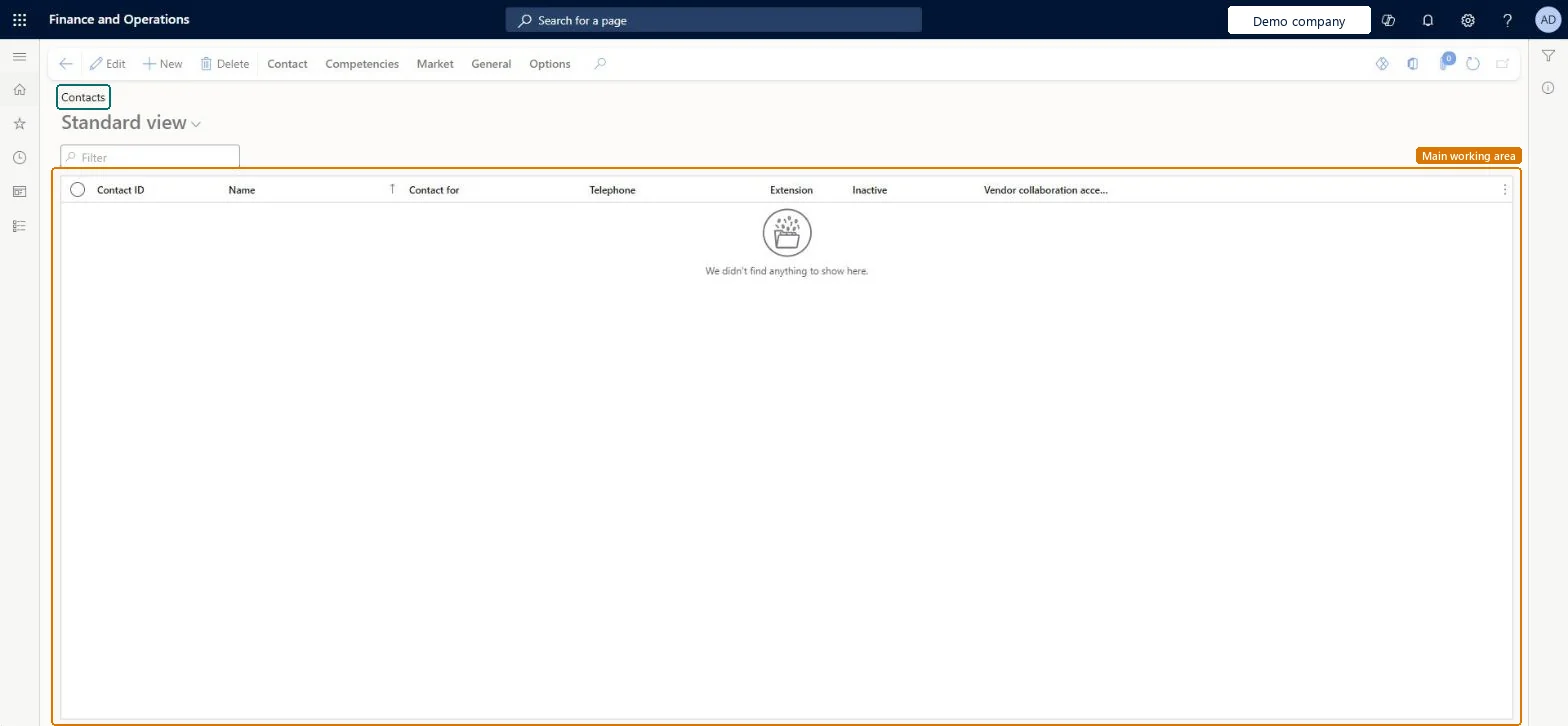
A list page of contact records for individual people, filtered to your own contacts.
What you do here
Use this page to work only on the contacts where you are the employee responsible, without the contacts other salespeople look after.
Example
For example, a BEAT sales representative opens My contacts on Monday, finds the 14 contacts she looks after and updates the phone number for CON-000377 at customer US-0042.
The page in Dynamics 365. page title tab to open what to set or check
About the examples: Examples and screenshots in this guide use BEAT, a demo company in a Dynamics 365 test environment. Use your own company's codes and values instead of copying them.
Setup steps on this page
Keep Employee responsible filled on contacts
Use this page as a salesperson's own contact list.
Steps from Microsoft
Go to Sales and marketing > Relationships > Contacts > My contacts.
Sort on Contact for to group your contacts by customer, vendor or prospect.
Open a contact and update its address or contact information; the change applies to the one contact record shared with All contacts.
If a contact should belong to a colleague, change Employee responsible so it moves to that person's list.
Fill Employee responsible on every contact when it is created, so each salesperson's My contacts is complete.My contacts only shows a contact when it belongs to you; contacts without a responsible person appear only in All contacts.
New records on this page take their Contact ID from the ContactPersonId reference; BEAT uses number sequence Basi_4. Checked in Dynamics 365
Feature management and licence
Licence or add-in
On the live system, the roles that use this page include Sales manager, Sales representative, Sales clerk, Marketing coordinator, Customer service representative and Collections agent.
Checked in Dynamics 365
Solution architect
5Design impact
Shared or per company
Per company: each legal entity has its own contact records; My contacts shows the contacts of the current company only. Microsoft data model
Can it be undone
Reversible: Edits to a contact can be changed back at any time; deleting follows the same rule as All contacts. Microsoft Learn
If you change it later
This is a view on the same contact records as All contacts. Changing Employee responsible moves the contact to another person's list; deleting is blocked while the contact is attached to a lead or opportunity. Microsoft Learn
Technical architect
6Technical
Menu item
smmContactsListPage_MyContactsChecked in Dynamics 365
Form
smmContactPersonChecked in Dynamics 365
Table
ContactPersonShown as “Contacts” in Record infoKey field: ContactPersonId, ContactForParty, ContactForParty_Name, Party, Party_NameChecked in Dynamics 365
PrivilegesMaintain my contacts smmContactsListPage_MyContactsMaintainView my contacts smmContactsListPage_MyContactsViewDutiesMaintain contacts smmContactsMaintainMaintain Microsoft Outlook synchronization smmOutlookSynchronizationMaintainMaintain vendor contacts VendVendorContactMaintain10 security rolesCollections agent CollectionLetterCollectionsAgentMarketing coordinator CRMMarketingCoordinatorMCRTestUserRoleField service technician SMAFieldServiceTechnicianCustomer service representative TradeCustomerServiceRepresentativeSales clerk TradeSalesClerkSales manager TradeSalesManagerSales representative TradeSalesRepresentativeAccounts payable clerk VendInvoiceAccountsPayableClerkVendor account manager VendVendorAccountManagerChecked in Dynamics 365
Roles to set it up and use it
To set it up or change itSales manager TradeSalesManagerSales representative TradeSalesRepresentativeField service technician SMAFieldServiceTechnicianTo use itSales clerk TradeSalesClerkCustomer service representative TradeCustomerServiceRepresentativeMarketing coordinator CRMMarketingCoordinatorCollections agent CollectionLetterCollectionsAgentAccounts payable clerk VendInvoiceAccountsPayableClerkGive people one of these roles. On this system, 9 roles can open this page.Checked in Dynamics 365
Actions on the page
Contact: Maintain, Accounts, Requests, AttachmentsCompetencies: CompetenciesMarket: Automation, Telemarketing, MailingsGeneral: Related information, ActivitiesOptions: Personalize, Page options, ShareChecked in Dynamics 365
smmContactPersonV2Entity (Contacts V2): loaded for each company; the same entity as All contacts.Load order: Load contacts after the customers, vendors and prospects they belong to.Load first: customers, vendors, prospectsMicrosoft Learn