BeyondERP.Newsletter
Menu

Page · Sales and marketing

My call lists

A list page of telemarketing call lists, filtered to the call lists you are responsible for.

Used by
Marketing coordinator, Marketing manager, Sales manager and 1 more role
Business process
Identify and qualify leads
Menu item
smmCallListsListPage_MyCallLists
Main table
smmTMCallListGroup
Setup steps
1 on this page
Show what matters for
PAGE GUIDEWhat the page does and how to use it8 sections. Choose a role to highlight what matters to you.
Everyone

1What it is and why

What it isA list page of telemarketing call lists, filtered to the call lists you are responsible for.
What you do hereUse this page to work only on the call lists you are responsible for and check their date range before calling.
ExampleFor example, Liam Carter opens My call lists, finds CL-000047 with 25 targets for 15.04.2026, and works them on Call distributions.
My call lists page in Dynamics 365
The page in Dynamics 365. page title tab to open what to set or check
Functional consultant · Solution architect

2Where it fits

Business processIdentify and qualify leads
Menu pathSales and marketing › Marketing › Telemarketing › My call lists
Set up firstAll call lists Microsoft Learn
Used next byCall distributions Microsoft Learn
Related pagesAll call lists Microsoft Learn
End user · Functional consultant

3How to do it

About the examples: Examples and screenshots in this guide use BEAT, a demo company in a Dynamics 365 test environment. Use your own company's codes and values instead of copying them.

Setup steps on this page

Check your call lists before calling

Use this page to see the call lists you are responsible for.

Steps from Microsoft

  1. Go to Sales and marketing > Marketing > Telemarketing > My call lists.
  2. Read Start date/time and End date/time to see which of your lists are due.
  3. Open a call list and check the targets, workers and planned times on the Targets FastTab.
  4. Go to Call distributions to record the outcome of each call.

Source: Microsoft Learn

Fields on the page

FieldWhat it meansExample
OwnerThe worker responsible for the call list target.Microsoft Learn
Planned date/timeWhen the call to the target is planned.Microsoft Learn 15.04.2026 10:00
AnswerWhether the call was answered.Microsoft Learn

Common errors and fixes

MessageWhat to do
A call can't be set back to Open, Call back or Canceled.A closed call can't change status at all, and a call in Call back can be closed or canceled but not set to Call back again. Add a new target if another call is needed. Microsoft Learn

Test checklist

  1. Create a call list with yourself as responsible worker.
  2. Open My call lists and check it is listed.
  3. Check the target count on its Targets FastTab.

Source: Microsoft Learn

Functional consultant

4Setup decisions

Setup stepRecommended value and whyDecision, common mistake and test
Check your call lists before callingCheck the planned date/time of the targets on each of your lists before you start a calling session.Targets carry their own planned time and responsible worker; the list dates are information only.Do you run marketing campaigns in Sales and marketing or in a dedicated marketing app?Expecting the list to close itself after its end date: calls stay open until their status is changed.Test: My call lists shows your lists

Number sequences

ReferenceShared or per companyNote
Call list IDPer companyNew call lists take their Call list ID from the smmTMCallListID reference; BEAT uses number sequence Sale_123. Checked in Dynamics 365

Feature management and licence

Licence or add-inOn the live system, the roles that use this page include Sales manager, Sales representative, Marketing manager and Marketing coordinator.

Checked in Dynamics 365

Solution architect

5Design impact

Shared or per companyPer company: each legal entity has its own call lists. Microsoft data model
Can it be undoneReversible: Call list details can be edited again; closed calls can't be reopened. Microsoft Learn
If you change it laterA view on the same call lists as All call lists; the calls are worked and closed on Call distributions. Microsoft Learn
Technical architect

6Technical

Menu itemsmmCallListsListPage_MyCallLists Checked in Dynamics 365
FormsmmTMCallListGroup Checked in Dynamics 365
TablesmmTMCallListGroupShown as “Call list group table” in Record infoKey field: CallListID, DescriptionChecked in Dynamics 365
Who can open itPrivilegesMaintain my call lists smmCallListsListPage_MyCallListMaintainView my call lists smmCallListsListPage_MyCallListsViewDutiesMaintain telemarketing smmTelemarketingMaintainInquire into telemarketing progress smmTelemarketingProgressInquire
4 security rolesMarketing coordinator CRMMarketingCoordinatorMarketing manager CRMMarketingManagerSales manager TradeSalesManagerSales representative TradeSalesRepresentative
Checked in Dynamics 365
Roles to set it up and use itTo set it up or change itSales manager TradeSalesManagerMarketing manager CRMMarketingManagerMarketing coordinator CRMMarketingCoordinatorTo use itSales representative TradeSalesRepresentativeGive people one of these roles. On this system, 4 roles can open this page.Checked in Dynamics 365
Actions on the pageCall list: Set up, Related information, Activities, AttachmentsOptions: Personalize, Page options, ShareChecked in Dynamics 365
Developer

7Developer

Open it by URLhttps://<your-environment>/?mi=smmCallListsListPage_MyCallLists
Data migrationLoad order: My call lists has no data entity in Data management: Microsoft's list of standard Sales and marketing entities has only the telemarketing cancellation reasons, no entity for call lists or their targets. Build call lists on this page with Select targets.Microsoft data model
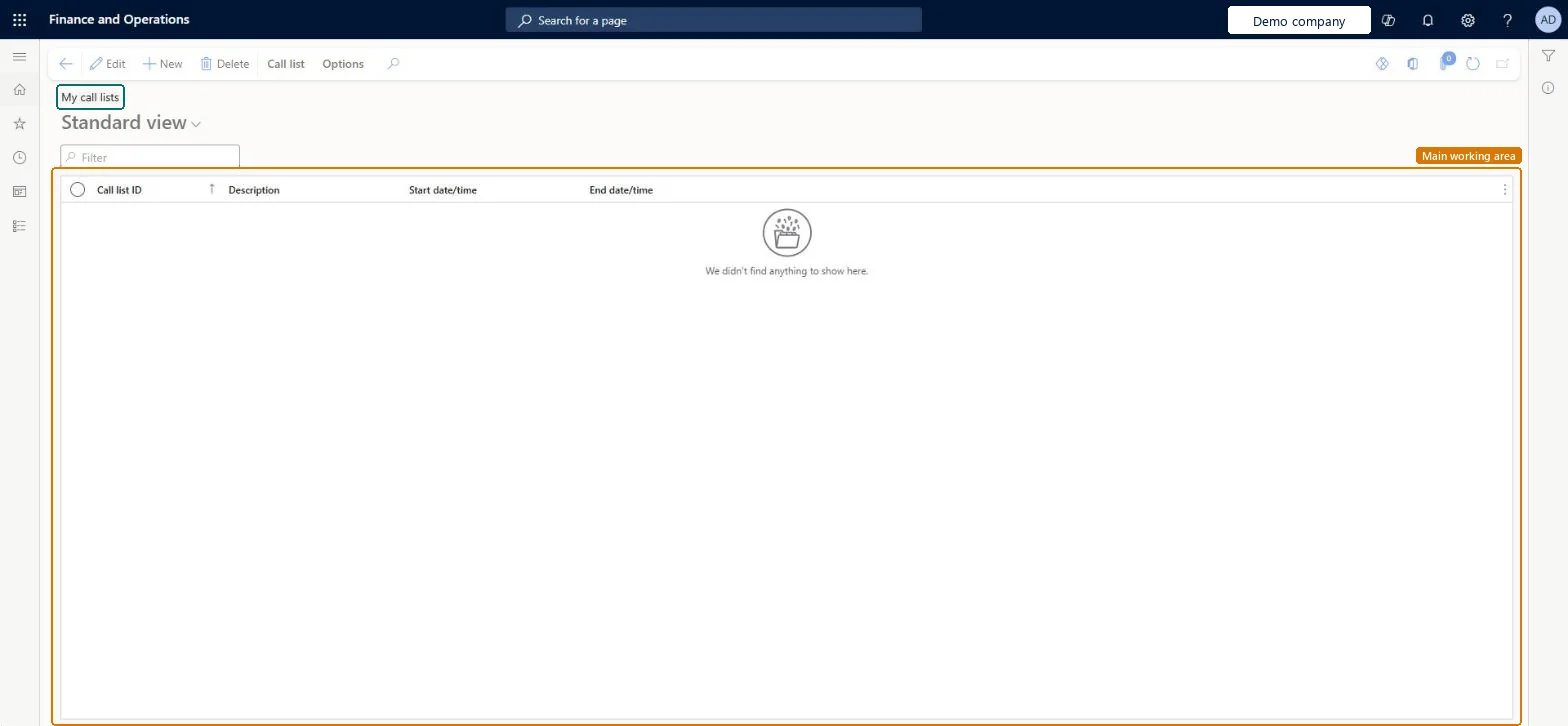
Table definitionsmmTMCallListGroup columns and relations Microsoft data model
Everyone

8Sources