A United States and Canada report that shows sales order information with sales amount, cost, gross profit and gross profit percentage, sorted by item, as a summary or with each order's details.
Sales and marketingInquiries and reportsSales statistics
output:CustGrossMarginbyItem_NA
Business process
Measure sales performance
Menu item
output:CustGrossMarginbyItem_NA
Setup steps
1 on this page
Show what matters for
PAGE GUIDEWhat the page does and how to use it8 sections. Choose a role to highlight what matters to you.
Everyone
1What it is and why
What it is
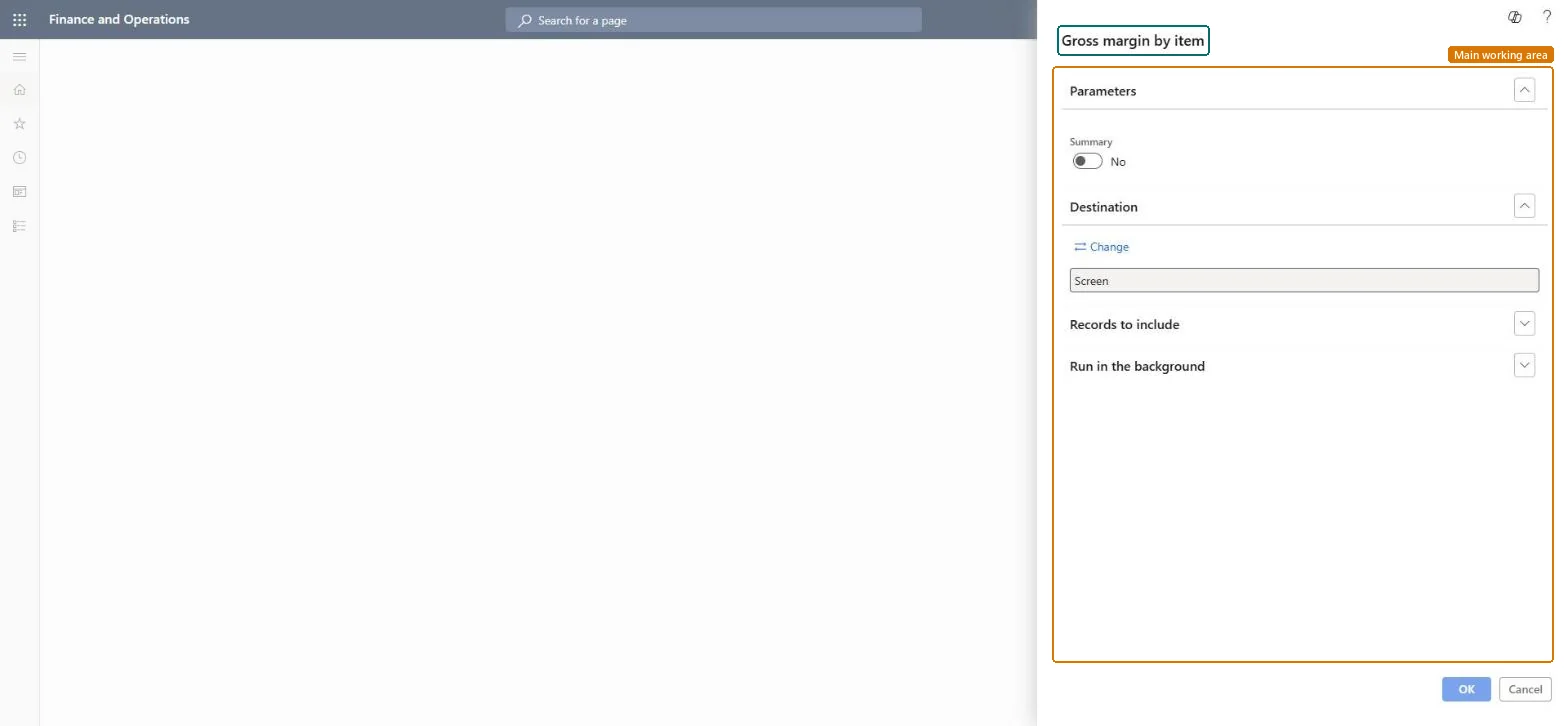
A United States and Canada report that shows sales order information with sales amount, cost, gross profit and gross profit percentage, sorted by item, as a summary or with each order's details.
What you do here
Use it to review the gross profit earned per item and find items with low or negative margins.
Example
For example, BEAT's US legal entity checks items before the January price update: DESK-02 sold 410.00 pieces for 98,400.00 with a gross profit of 4.50 percent, the lowest of all desks, so its price is raised first.
The page in Dynamics 365. page title tab to open what to set or check
About the examples: Examples and screenshots in this guide use BEAT, a demo company in a Dynamics 365 test environment. Use your own company's codes and values instead of copying them.
When to run it
When to run it
At period end, or when you review pricing per item.
How often
On demand, often monthly.
What the output shows
Sales amount, cost, gross profit and gross profit percentage per item, with sales order details when Summary is off.
The report isn't available or can't be run in your legal entity.
It is a United States and Canada report: Microsoft documents the _NA reports as available only to legal entities whose primary address is in Canada or the United States. Use the Sales and profitability performance Power BI content elsewhere. Microsoft Learn
Test checklist
Pick one item with invoiced sales.
Run the report with Summary Yes for it.
Check that sales amount minus cost equals the gross profit shown.
Decide Summary first: a total per item for the overview, details for the follow-up.The summary shows which items to look at; the details show which orders cause it.
On the live system, Accounts receivable manager, Accounting manager, Auditor, Financial controller and Chief executive officer use this page; 6 roles can run it in total. No Feature management feature is needed to open it.
Checked in Dynamics 365
Solution architect
5Design impact
Shared or per company
Per company: the report reads the data of the legal entity you run it in. To compare legal entities, run it in each one. Checked in Dynamics 365
Can it be undone
Reversible: The report changes no data; it only reads sales and cost data. Run it again with other parameters at any time. Checked in Dynamics 365
If you change it later
Figures are read at run time, so run the report again after more invoices are posted. Microsoft documents the _NA reports as available only to legal entities whose primary address is in Canada or the United States. Microsoft Learn
Technical architect
6Technical
Menu item
output:CustGrossMarginbyItem_NAChecked in Dynamics 365
Form
SysOperationTemplateFormChecked in Dynamics 365
Roles to set it up and use it
To use itAccounts receivable manager CustInvoiceAccountsReceivableManagerAccounting manager LedgerAccountingManagerAuditor AuditPolicyManagerFinancial controller LedgerFinancialControllerChief executive officer CompanyChiefExecutiveOfficerGive people one of these roles. On this system, 6 roles can run this page.Checked in Dynamics 365
Load order: Gross margin by item has no data entity in Data management. It is a report: it reads sales and cost data and stores nothing of its own.Checked in Dynamics 365