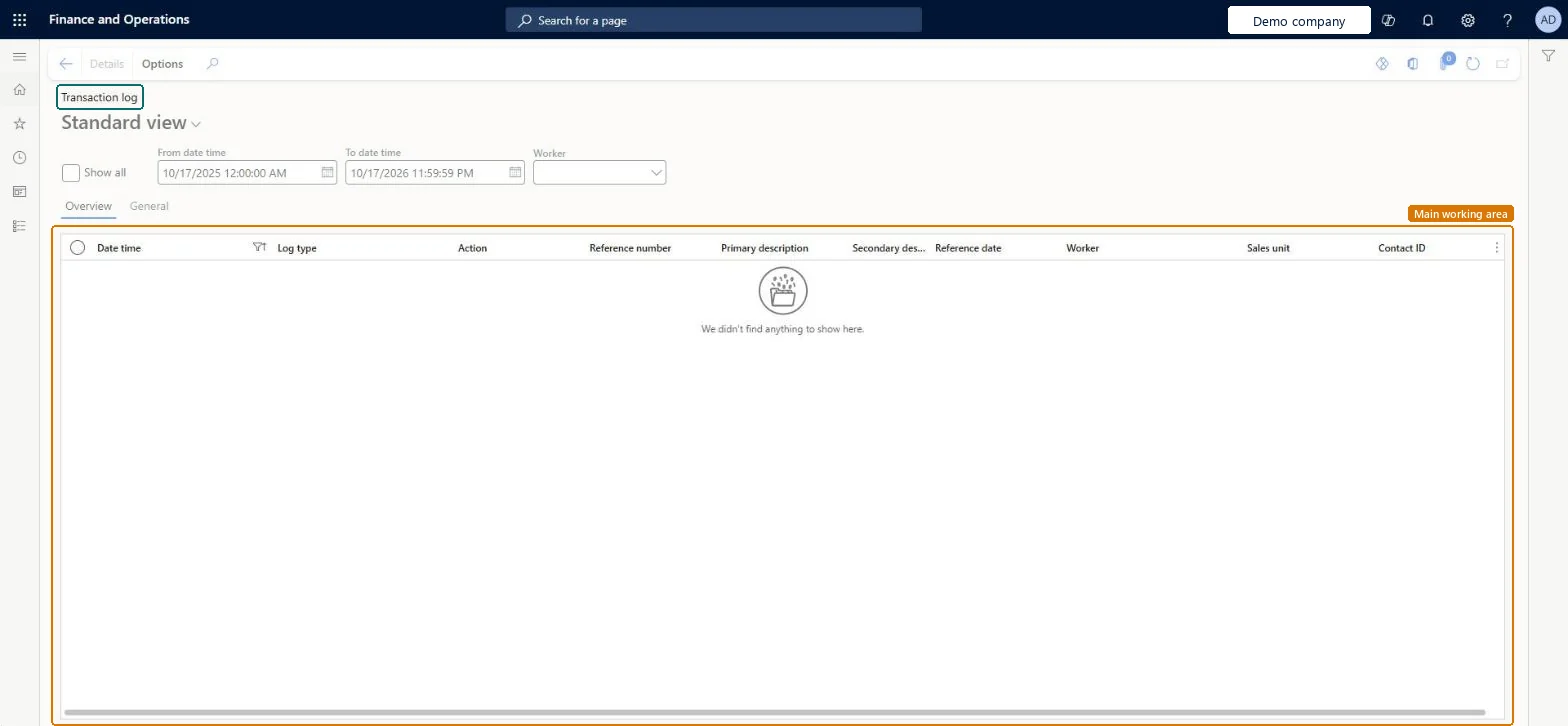
An inquiry page that lists the changes the Sales and marketing transaction log recorded on the tables selected for tracking: who changed a record, when, and whether it was created, updated or deleted.
PAGE GUIDEWhat the page does and how to use it8 sections. Choose a role to highlight what matters to you.
Everyone
1What it is and why
What it is
An inquiry page that lists the changes the Sales and marketing transaction log recorded on the tables selected for tracking: who changed a record, when, and whether it was created, updated or deleted.
What you do here
Use it to answer who changed a tracked Sales and marketing record and when. Microsoft marked this transaction log as deprecated in Dynamics AX 2012, giving as the reason that CRM uses the database logging that is available, so use Database log for new auditing requirements.
Example
For example, BEAT's sales manager asks who changed a record of a tracked table last week. The log, filtered on 01.11.2026 to 07.11.2026 and worker Jodie Strand, shows one Update entry on 04.11.2026 at 14:32 with the record's reference number, so the manager knows whom to ask.
The page in Dynamics 365. page title tab to open what to set or check
About the examples: Examples and screenshots in this guide use BEAT, a demo company in a Dynamics 365 test environment. Use your own company's codes and values instead of copying them.
Setup steps on this page
Read the Sales and marketing transaction log
Find who changed a tracked Sales and marketing record and when.
Steps from Microsoft
Go to Sales and marketing > Inquiries and reports > History > Transaction log.
Set From date time and To date time to the period you are investigating, or select Show all when you don't know when the change happened.
Choose the Worker who may have made the change, then read Log type, Action and Reference number to find the record.
Open the General tab of the entry to see the primary and secondary description and the reference date of the record.
If the record you expected is missing, check on the Transaction log tab of Sales and marketing parameters that its table is selected under Track changes for and that Days to keep log covers the date.
Start of the period whose log entries are shown.Checked in Dynamics 365
01.11.2026 00:00
To date time
End of the period whose log entries are shown.Checked in Dynamics 365
07.11.2026 23:59
Show all
Shows every log entry instead of the date and time range.Checked in Dynamics 365
Worker
Limits the list to the changes made by one worker.Checked in Dynamics 365
Log type
The tracked table the change belongs to.Checked in Dynamics 365
Action
What happened to the record: a new transaction, an update or a delete, the three actions the log can track.Microsoft Learn
Reference number
The number of the changed record.Checked in Dynamics 365
Common errors and fixes
Message
What to do
The change you are looking for is not in the list.
Logging only covers the tables selected under Track changes for and the actions selected under Options on the Transaction log tab of Sales and marketing parameters, and entries are only shown for the number of days in Days to keep log. Select the table and action, then repeat the change. Microsoft Learn
Auditors ask for a change history of a table that isn't in the transaction log.
Set up database logging for that table or field with the Logging database changes wizard in Database log setup. Microsoft Learn
Test checklist
In Sales and marketing parameters, on the Transaction log tab, confirm that one table is selected under Track changes for and Track updated transactions is on.
Change one field on a record of that table.
Open Transaction log, set the period to today and your worker.
Check that exactly one Update entry with the record's reference number is listed.
Set the date and time range and the worker first; select Show all only when the period is unknown.The log can be long because every tracked create, update and delete is written to it; a period and a worker narrow it to the change you are looking for.
On the live system, Sales manager, Rental manager, Rental coordinator agent, Accounts receivable clerk and Accounts receivable manager use this page; 48 roles can open it in total. No Feature management feature is needed to open it.
Checked in Dynamics 365
Solution architect
5Design impact
Shared or per company
Per company: each legal entity has its own log entries and its own transaction log settings in Sales and marketing parameters. Microsoft data model
Can it be undone
Reversible: The inquiry changes no data. Turning logging on or off is done in Sales and marketing parameters and can be reversed there. Microsoft Learn
If you change it later
What the log contains depends on the Transaction log tab of Sales and marketing parameters: the tables under Track changes for, the actions under Options and Days to keep log. A table you add starts logging from that moment; earlier changes are not recorded. Microsoft Learn
Technical architect
6Technical
Menu item
smmTransLogChecked in Dynamics 365
Form
smmTransLogChecked in Dynamics 365
Table
smmTransLogShown as “Transaction log” in Record infoKey field: LogDateTime, LogType, LogAction, RefNum, PrimaryDescription, SecondaryDescription, RefDateChecked in Dynamics 365
Roles to set it up and use it
To set it up or change itAuditor AuditPolicyManagerTo use itSales manager TradeSalesManagerRental manager RentalManagerRental coordinator agent RentalCoordinatorAgentAccounts receivable clerk CustInvoiceAccountsReceivableClerkAccounts receivable manager CustInvoiceAccountsReceivableManagerGive people one of these roles. On this system, 48 roles can open this page.Checked in Dynamics 365
Actions on the page
Options: Personalize, Page options, ShareChecked in Dynamics 365
Developer
7Developer
Open it by URL
https://<your-environment>/?mi=smmTransLog
Data migration
Load order: Transaction log has no data entity in Data management. No standard entity is backed by its table (smmTransLog). The entries are written by the system when tracked records change, so there is nothing to migrate; keep the old system's history in an archive if auditors need it.Load first: Transaction log settings in Sales and marketing parametersChecked in Dynamics 365