PAGE GUIDEWhat the page does and how to use it8 sections. Choose a role to highlight what matters to you.
Everyone
1What it is and why
What it is
A periodic job that deletes database log entries for chosen tables, log types or creation dates and times.
What you do here
Use this task to delete database log entries that you no longer need, choosing them by table, log type or creation date and time. Entries that are electronically signed can't be deleted.
Example
For example, BEAT's auditors agree to keep two years of database log; a cleanup job in each company deletes entries whose Created date and time is older than that, and electronically signed entries stay.
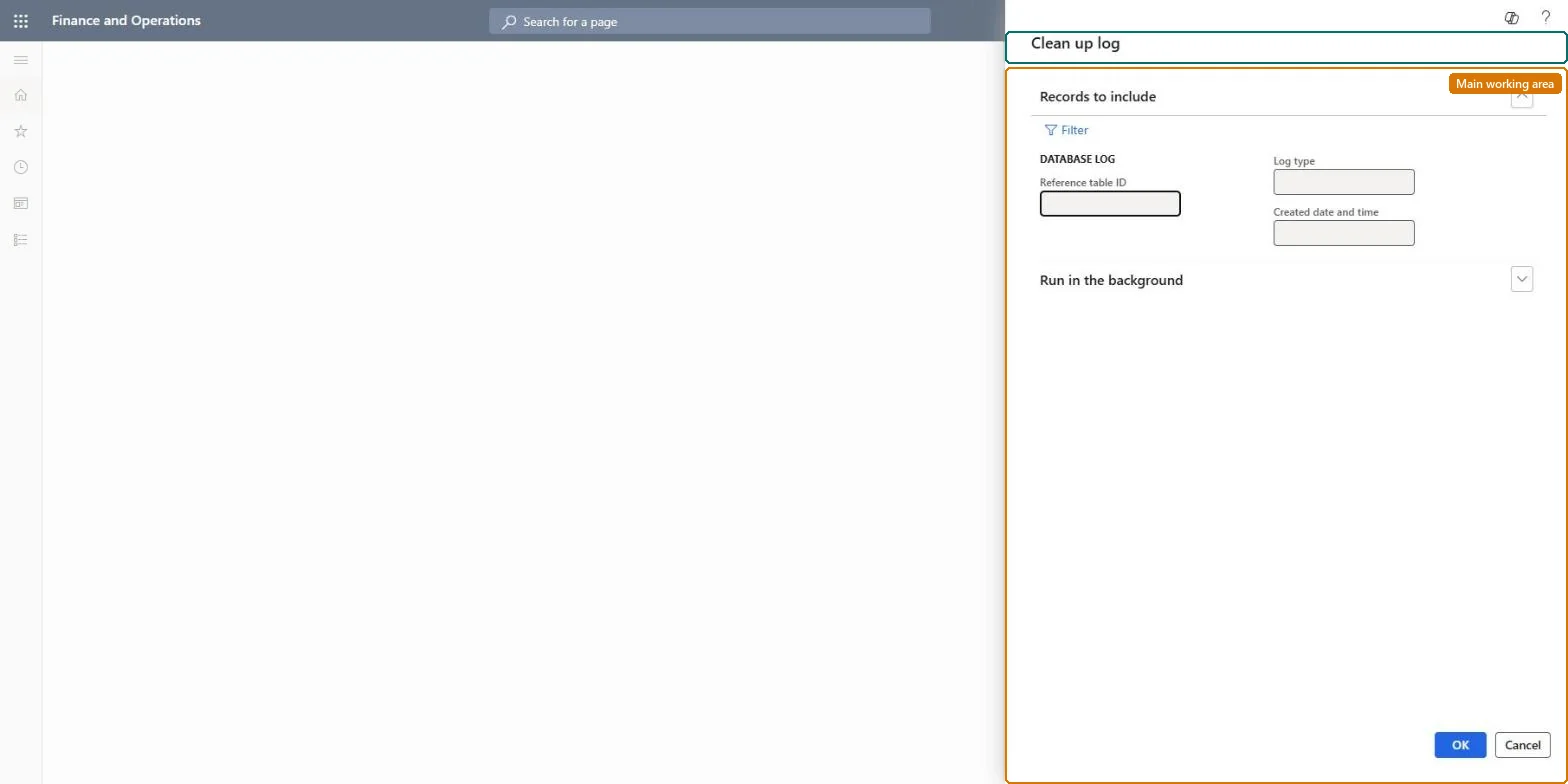
The page in Dynamics 365. page title tab to open what to set or check
About the examples: Examples and screenshots in this guide use BEAT, a demo company in a Dynamics 365 test environment. Use your own company's codes and values instead of copying them.
When to run it
When to run it
When the database log grows past your retention plan, or when the change history of some tables is no longer needed for audit.
How often
On a schedule that follows your retention plan for logged data.
Batch settings
Schedule it in the background outside business hours, one job per company.
What the output shows
Database log entries that match the table, log type or creation date you chose are deleted. Entries that remain within that selection are usually electronically signed, which can't be deleted.
Delete database log entries past the retention period agreed with the auditors.
Steps from Microsoft
Go to System administration > Periodic tasks > Database > Database log cleanup. The Clean up log dialog opens.
On Records to include, choose the entries to delete: by Reference table ID, by Log type, or by Created date and time; select Filter for other criteria.
Enter the value for that choice, for example the tables whose change history you no longer need to keep.
On Run in the background, set when and how often the cleanup runs.
Set up one cleanup job in each company, because the cleanup works per company.
Afterwards, open System administration > Inquiries > Database > Database Log and confirm the chosen entries are gone; electronically signed entries always stay.
One recurring job per company that deletes entries older than the retention agreed with the auditorsLearn: create a plan for how long you retain logged data; the log table grows quickly, and a cleanup job must be set up per company.
Per company: the database log table carries a company key, and Learn says to set up one cleanup job per company. Microsoft Learn
Can it be undone
No: Deleted log entries can't be restored. Agree on the retention period with your auditors before you run it. Microsoft Learn
If you change it later
Electronically signed records can't be deleted, and a cleanup job must be set up for each company. Microsoft Learn
Technical architect
6Technical
Menu item
action:SysDatabaseLogCleanUpChecked in Dynamics 365
Roles to set it up and use it
To use itInformation technology manager SysServerITManagerGive people one of these roles. On this system, 1 role can run this page.Checked in Dynamics 365
Load order: Database log cleanup has no data entity in Data management, so it can't be loaded from a file or a configuration template. It is a periodic job; set it up again in each company of each environment.Checked in Dynamics 365