Accounts payable clerk, Accounts payable manager, Collections manager and 14 more roles
Business process
Establish sales commission and incentive structures
Menu item
CommissionSalesGroup
Main table
CommissionSalesGroup
Data entity
CommissionSalesRepresentativeGroupEntity
Setup steps
1 on this page
Show what matters for
PAGE GUIDEWhat the page does and how to use it8 sections. Choose a role to highlight what matters to you.
Everyone
1What it is and why
What it is
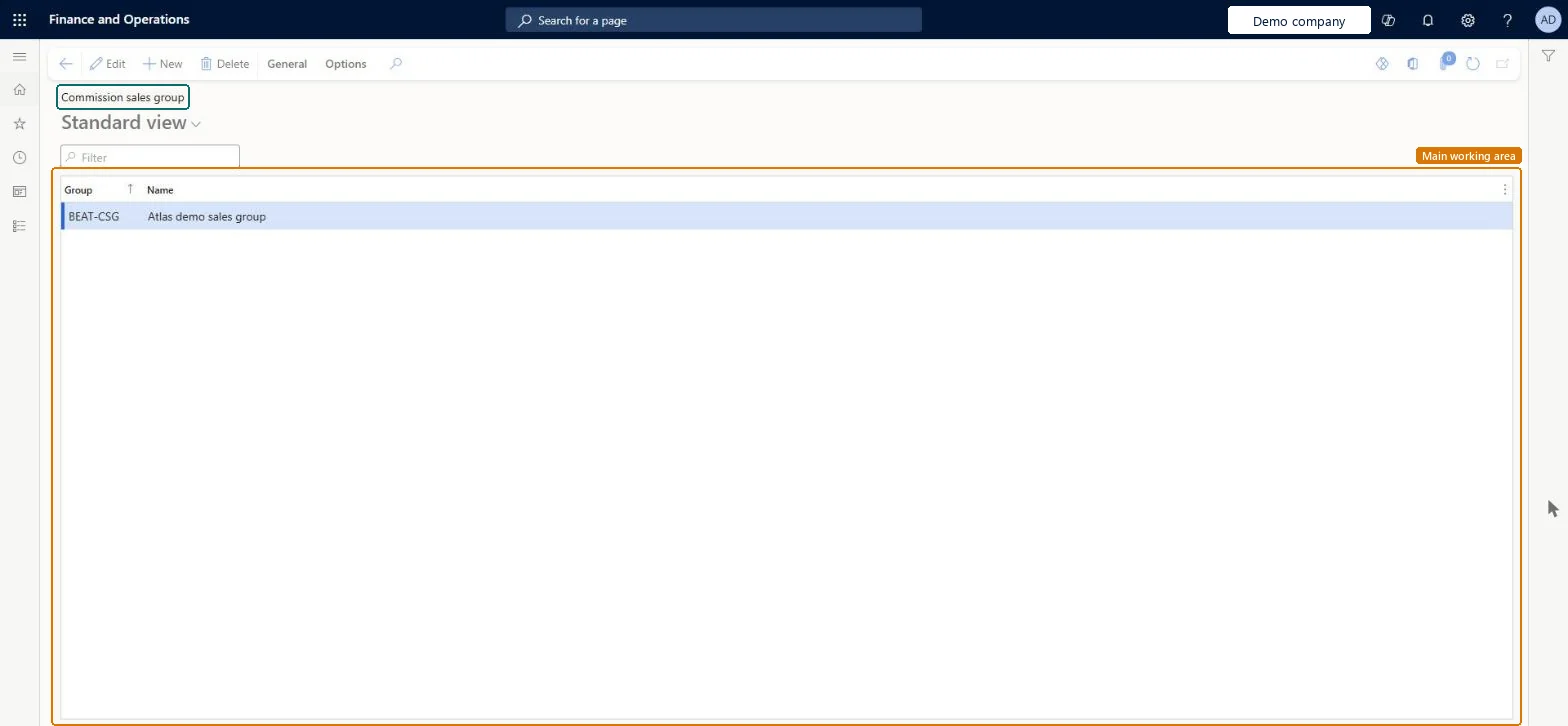
A setup page where you create commission sales groups, which list the sales representatives who can earn a commission.
What you do here
Use this page to assign several sales representatives to one group and set each person's share of the commission as a percentage.
Example
For example, BEAT's sales group NORTH holds two sales reps with a 50 percent Commission share each, so a 120.00 commission on an invoice is split 60.00 and 60.00.
The page in Dynamics 365. page title tab to open what to set or check
About the examples: Examples and screenshots in this guide use BEAT, a demo company in a Dynamics 365 test environment. Use your own company's codes and values instead of copying them.
Step by step, with screenshots
Set up Sales groups1 screen
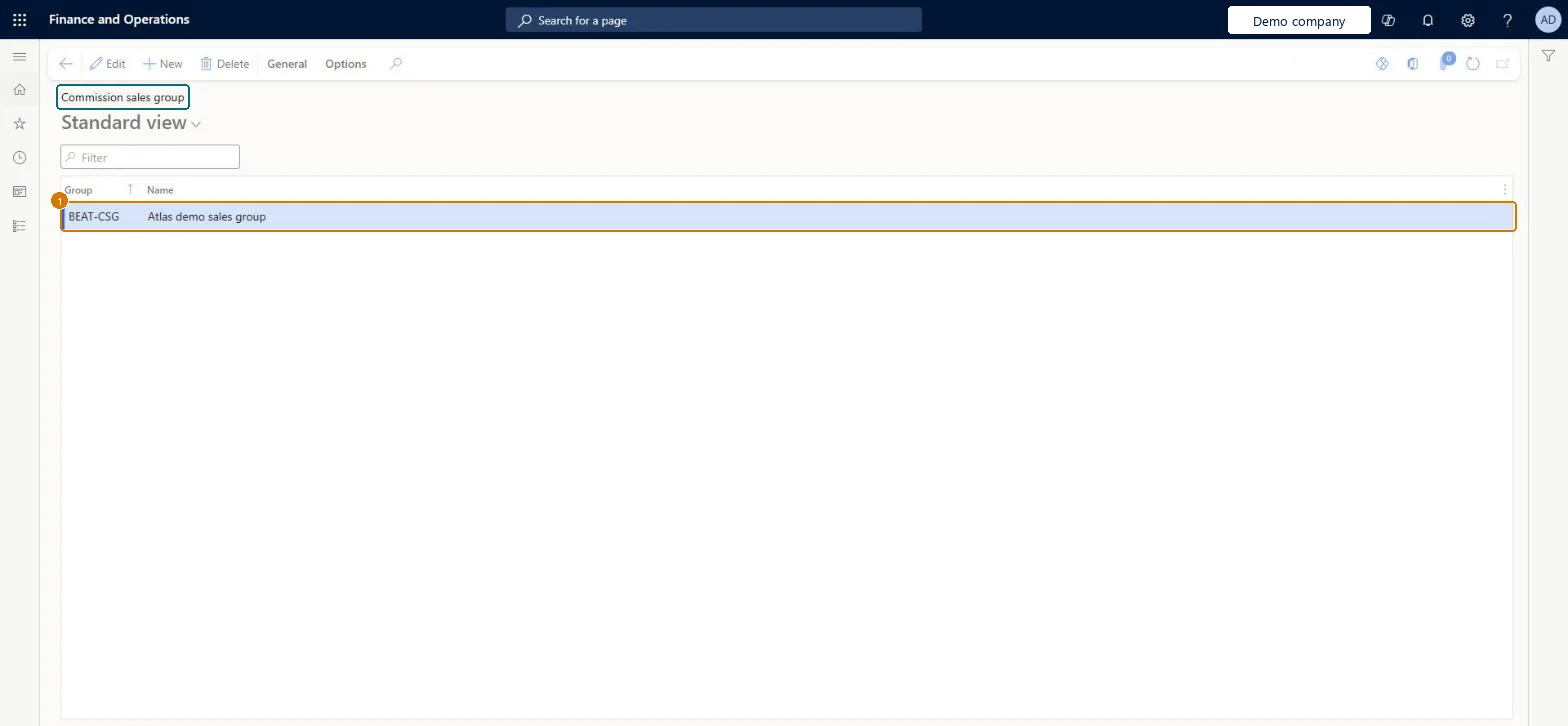
Use this page to assign several sales representatives to one group and set each person's share of the commission as a percentage.
Screen 1
Create a sales group for commission
Go to Sales and marketing > Commissions > Sales groups
Select New
Enter the group code and name
Select Save
Add sales representatives and their commission shares when the group is used
1Group
BEAT-CSG
Name
Sales group
Show the full screen page title tab to open what to set or check
Steps from Microsoft
Go to Sales and marketing > Commissions > Sales groups.
Select the sales group.
On the Action Pane, select General > Sales rep.
Select New to add a sales representative, and select the person in the Name field.
Set the Commission share for each sales representative.
One sales group per team that shares commission, with the Commission share of its sales reps adding up to no more than 100.A sales group lists the sales representatives who can earn a commission, each with a share of the total commission as a percentage; Learn states the total share must not exceed 100.
Creating the group but not selecting it in Sales group on the customer's Sales order defaults, or in Sales rep. relation on Commission calculation, means nobody earns commission.Test: The group drives the commission on an invoice
Feature management and licence
Licence or add-in
On the live system, Sales manager and Accounting supervisor (maintain), and the accounts receivable roles and Collections manager (use) use this page.
Reversible: You can change members and shares at any time. The group is used when commission is calculated for matching sales, so commission already posted isn't redistributed. Microsoft Learn
If you change it later
The sales group is copied from the customer to the sales order header and lines, where it can be changed; the people in it receive commission when the order is invoiced, by their Commission share. Microsoft Learn
Technical architect
6Technical
Menu item
CommissionSalesGroupChecked in Dynamics 365
Form
CommissionSalesGroupChecked in Dynamics 365
Table
CommissionSalesGroupShown as “Commission sales group” in Record infoChecked in Dynamics 365
PrivilegesMaintain setup of commission elements CommissionCalcMaintainView setup of commission elements CommissionCalcViewDutiesInquire into sales commissions master CustInvoiceSalesCommissionsInquireMaintain sales commissions master CustInvoiceSalesCommissionsMaintainInquire into compensation process HcmCompensationInquire17 security rolesCollections manager CollectionLetterCollectionsManagerAccounts receivable clerk CustInvoiceAccountsReceivableClerkAccounts receivable manager CustInvoiceAccountsReceivableManagerCompensation and benefits manager HcmCompensationAndBenefitsManagerHuman resource manager HcmHumanResourceManagerPayroll administrator HcmPayrollAdministratorPayroll manager HcmPayrollManagerAccountant LedgerAccountantAccounting manager LedgerAccountingManagerAccounting supervisor LedgerAccountingSupervisorAccounts payable centralized payments clerk PaymAccountsPayableCentralPaymClerkAccounts payable payments clerk PaymAccountsPayablePaymentsClerkAccounts receivable centralized payments clerk PaymAccountsReceivableCentralPaymClerkAccounts receivable payments clerk PaymAccountsReceivablePaymentsClerkSales manager TradeSalesManagerAccounts payable clerk VendInvoiceAccountsPayableClerkAccounts payable manager VendInvoiceAccountsPayableManagerChecked in Dynamics 365
Roles to set it up and use it
To set it up or change itSales manager TradeSalesManagerAccounting supervisor LedgerAccountingSupervisorTo use itAccounts receivable clerk CustInvoiceAccountsReceivableClerkAccounts receivable manager CustInvoiceAccountsReceivableManagerAccounts receivable centralized payments clerk PaymAccountsReceivableCentralPaymClerkAccounts receivable payments clerk PaymAccountsReceivablePaymentsClerkCollections manager CollectionLetterCollectionsManagerGive people one of these roles. On this system, 17 roles can open this page.Checked in Dynamics 365
Actions on the page
General: SetupOptions: Personalize, Page options, ShareChecked in Dynamics 365
CommissionSalesRepresentativeGroupEntity (Commission sales group): loaded for each company, in Microsoft's default template 140 - Accounts receivable.Load order: Microsoft's default template 140 - Accounts receivable loads Commission sales group at execution unit 1, level 30, sequence 10. Lower levels load first, and entities at the same level load in sequence order.Load first: the default templates at lower levels (System setup to General ledger)Microsoft Learn
Checked in a working Dynamics 365 system, version 10.0.49: the menu item, form, table and security, the page, the demo records and the values in the screenshots.