BeyondERP.Newsletter
Menu

Setup page · Retail and Commerce

Coupons

A setup page where you create coupons, each linked to one discount, and define their coupon codes and bar codes, validity dates, status and usage limits.

Used by
Retail operations manager, Sales clerk, Sales manager
Business process
Define coupons in Dynamics 365 Commerce
Menu item
RetailCoupon
Main table
RetailCoupon
Data entity
RetailCouponEntity
Show what matters for
PAGE GUIDEWhat the page does and how to use it7 sections. Choose a role to highlight what matters to you.
Everyone

1What it is and why

What it isA setup page where you create coupons, each linked to one discount, and define their coupon codes and bar codes, validity dates, status and usage limits.
What you do hereUse this page to link a coupon to a discount and control when and how often the coupon can be redeemed, so the discount is applied only when a valid code or bar code is presented.
ExampleFor example, create a single-use promo code that gives 15 percent off an online order for new customers.
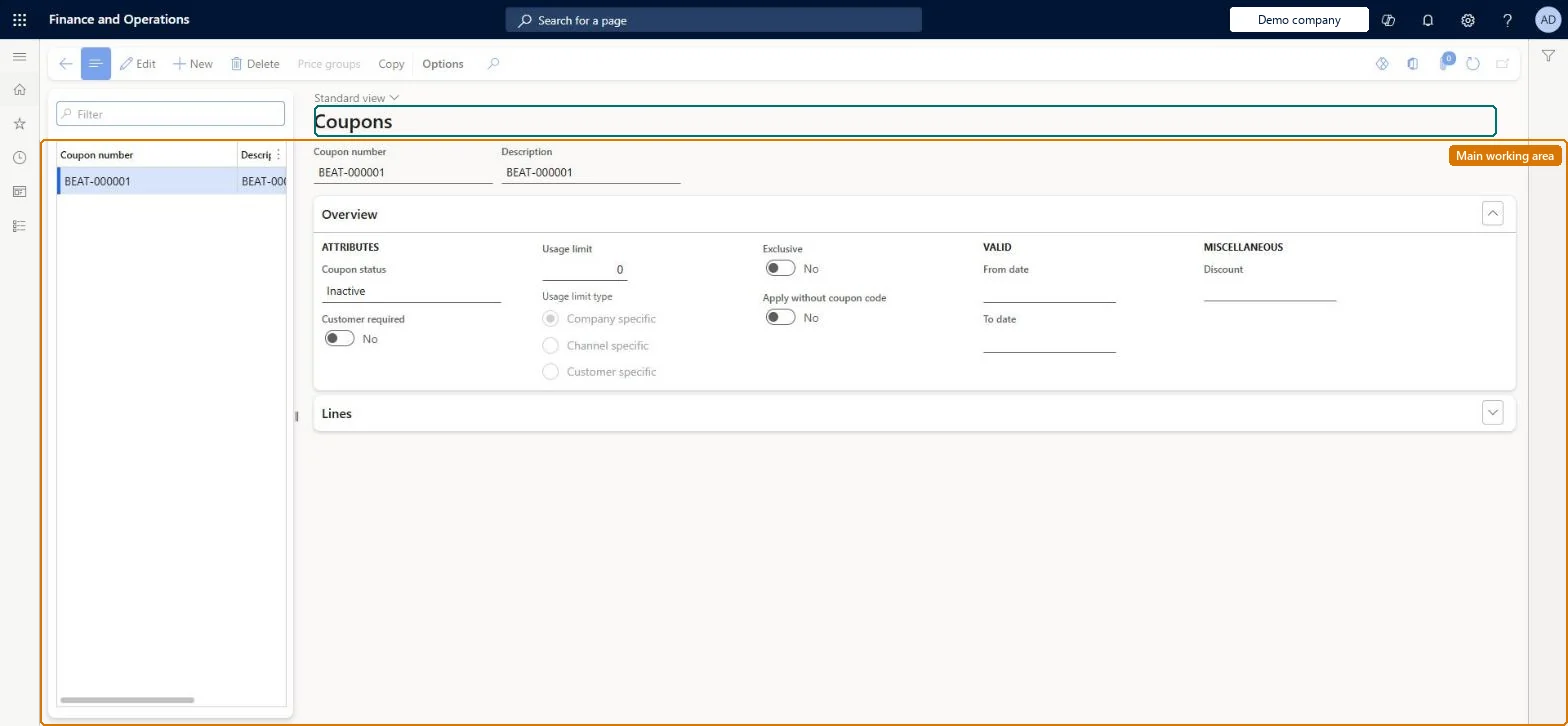
Coupons page in Dynamics 365
The page in Dynamics 365. page title tab to open what to set or check
Functional consultant · Solution architect

2Where it fits

End user · Functional consultant

3How to do it

About the examples: Examples and screenshots in this guide use BEAT, a demo company in a Dynamics 365 test environment. Use your own company's codes and values instead of copying them.

Steps from Microsoft

  1. Go to Retail and Commerce > Pricing and discounts > Coupons.
  2. Select New.
  3. In the Discount field, select the discount the coupon applies.
  4. Add one or more coupon codes or bar codes, each with its own effective dates and status.
  5. Set Usage limit and Customer required if the coupon should be restricted.
  6. Set the coupon status to Active to enable the linked discount.

Source: Microsoft Learn

Fields on the page

FieldWhat it meansTable column
DiscountThe one discount this coupon applies; the discount defines the eligible products.Microsoft Learn DiscountOfferId
StatusActive or Inactive; this also drives the Enabled/Disabled status of the linked discount.Microsoft Learn
Usage limitOptional limit on how many times each coupon code can be used per customer, per channel or globally.Microsoft Learn UsageLimit
Customer requiredOptional restriction that the transaction must have a customer before the coupon applies.Microsoft Learn IsCustomerRequired
Coupon codes / bar codesOne or more codes per coupon, each with its own date range and status.Microsoft Learn
Apply without coupon codeLets POS cashiers apply the coupon from View available discounts without typing a code.Microsoft Learn ApplyWithoutCouponCode

Test checklist

  1. Set up a Coupon code mask character, a Coupon bar code mask, a bar code, and the Coupon number and Coupon code ID number sequences.
  2. Create a discount with Coupon code required set to Yes, then create a coupon linked to it with one code and a single-use limit.
  3. Set the coupon to Active and check the discount status changes to Enabled.
  4. In POS, use Add coupon code with the code and check the discount applies.
  5. Try the same code again and check the usage limit stops it.

Source: Microsoft Learn

Solution architect

4Design impact

Can it be undoneHard to reverse: Once a coupon is linked, the discount's Status, Effective date and Expiration date become read-only and follow the coupon: setting the coupon Active enables the discount and Inactive disables it. Usage limits are counted per coupon code. Microsoft Learn
If you change it laterLinking a coupon makes the discount's status and dates read-only; activating or deactivating the coupon enables or disables the discount, and activating a coupon with many codes can take time. Microsoft Learn
Technical architect

5Technical

Menu itemRetailCoupon Checked in Dynamics 365
FormRetailCoupon Checked in Dynamics 365
TableRetailCouponShown as “COUPONS” in Record infoChecked in Dynamics 365
Data entitiesRetailCouponEntityCoupons Microsoft data model
Who can open itPrivilegesMaintain coupons MCRCouponMaintainCreate retail coupons RetailCouponGenerateMaintain retail coupons RetailCouponMaintainDutiesMaintain coupons MCRCouponMaintainMaintain retail coupons RetailCouponsMaintain
4 security roles MCRTestUserRoleRetail operations manager RetailOperationsManagerSales clerk TradeSalesClerkSales manager TradeSalesManager
Checked in Dynamics 365
Roles to set it up and use itTo set it up or change itRetail operations manager RetailOperationsManagerSales manager TradeSalesManagerSales clerk TradeSalesClerkGive people one of these roles. On this system, 3 roles can open this page.Checked in Dynamics 365
Actions on the page(Action Pane without tabs): Price groups, CopyChecked in Dynamics 365
Developer

6Developer

Open it by URLhttps://<your-environment>/?mi=RetailCoupon
Integrate withRetailCouponEntity data entity Microsoft data model
Data migrationRetailCouponEntity (Coupons): loaded for each company.Microsoft Learn
Table definitionRetailCoupon columns and relations Microsoft data model
Everyone

7Sources