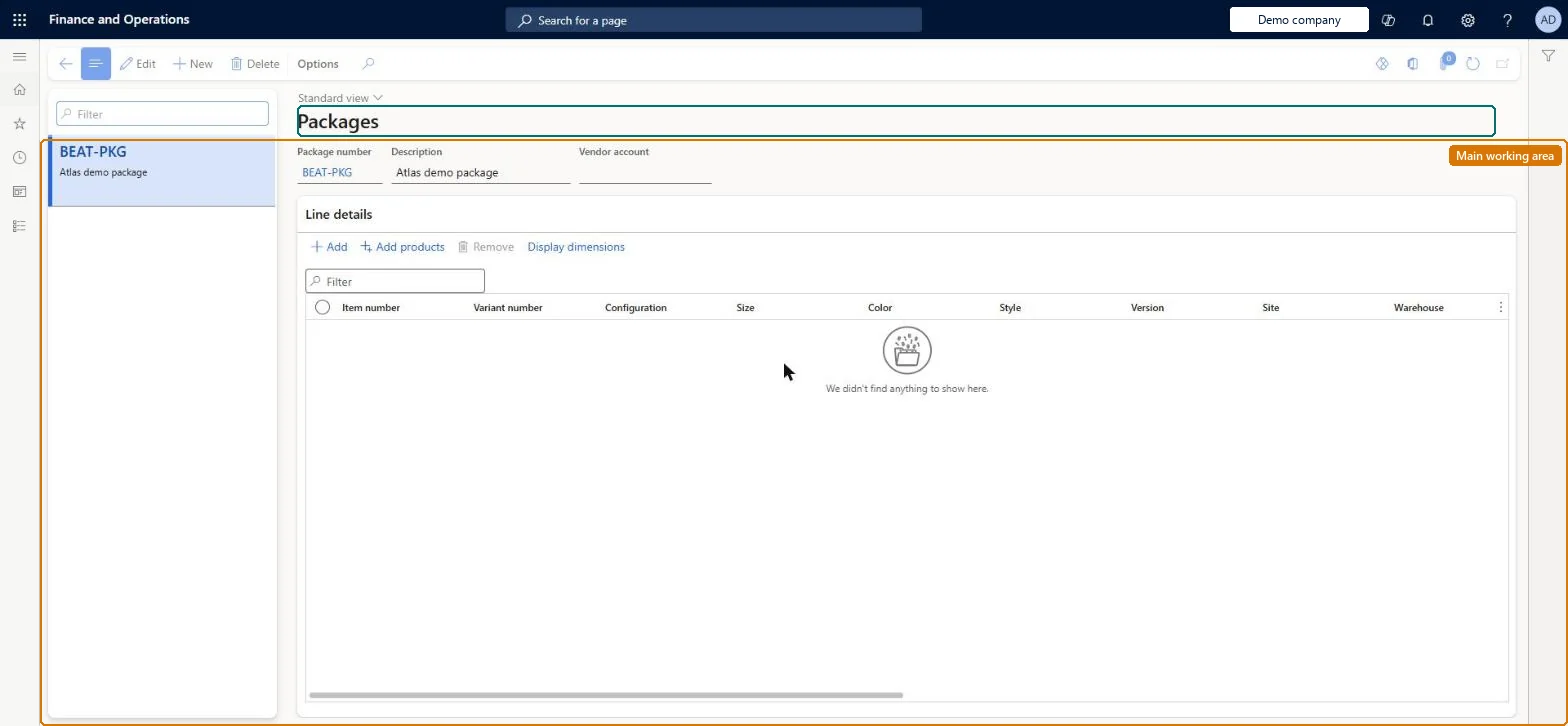
A setup page where you define product packages: a numbered, predefined set of products and quantities, optionally tied to a vendor, that can be added to a purchase order as a group.
Retail and CommerceInventory managementReplenishment
RetailPackage
Used by
Retail merchandising manager, Retail service
Business process
Define retail store replenishment flow in Dynamics 365 Supply Chain Management
Menu item
RetailPackage
Main table
RetailPackageTable
Data entity
RetailPackageEntity
Show what matters for
PAGE GUIDEWhat the page does and how to use it7 sections. Choose a role to highlight what matters to you.
Everyone
1What it is and why
What it is
A setup page where you define product packages: a numbered, predefined set of products and quantities, optionally tied to a vendor, that can be added to a purchase order as a group.
What you do here
Use this page to create packages so that purchase order lines can be generated from a package instead of selecting each product individually.
Example
For example, the same item can be included in several packages for one or more vendors.
The page in Dynamics 365. page title tab to open what to set or check
About the examples: Examples and screenshots in this guide use BEAT, a demo company in a Dynamics 365 test environment. Use your own company's codes and values instead of copying them.
Steps from Microsoft
Go to Retail and Commerce > Inventory management > Replenishment > Product packages.
Select New.
Enter a Package number and Description.
In the Vendor account field, select the vendor (optional).
Select Add, enter the Item number, choose the Size or Variant number if applicable, and enter the Quantity; repeat per product.
Changing the products in a package updates purchase order lines created from it, and a product that is part of a package cannot be removed from the order individually; the whole package must be removed. Microsoft Learn
Technical architect
5Technical
Menu item
RetailPackageChecked in Dynamics 365
Form
RetailPackageChecked in Dynamics 365
Table
RetailPackageTableShown as “PACKAGE TABLE” in Record infoChecked in Dynamics 365
PrivilegesMaintain retail item packages RetailItemPackagesMaintainDutiesMaintain retail product reference data RetailProductReferenceDataMaintain2 security rolesRetail merchandising manager RetailMerchandisingManagerRetail service RetailServiceChecked in Dynamics 365
Roles to set it up and use it
To set it up or change itRetail service RetailServiceRetail merchandising manager RetailMerchandisingManagerGive people one of these roles. On this system, 2 roles can open this page.Checked in Dynamics 365