Retail operations manager, Retail service, Retail store manager
Business process
Manage store operations
Menu item
RetailPosBatchTable
Main table
RetailPosBatchTable
Data entity
RetailPosBatch2Entity
Show what matters for
PAGE GUIDEWhat the page does and how to use it6 sections. Choose a role to highlight what matters to you.
Everyone
1What it is and why
What it is
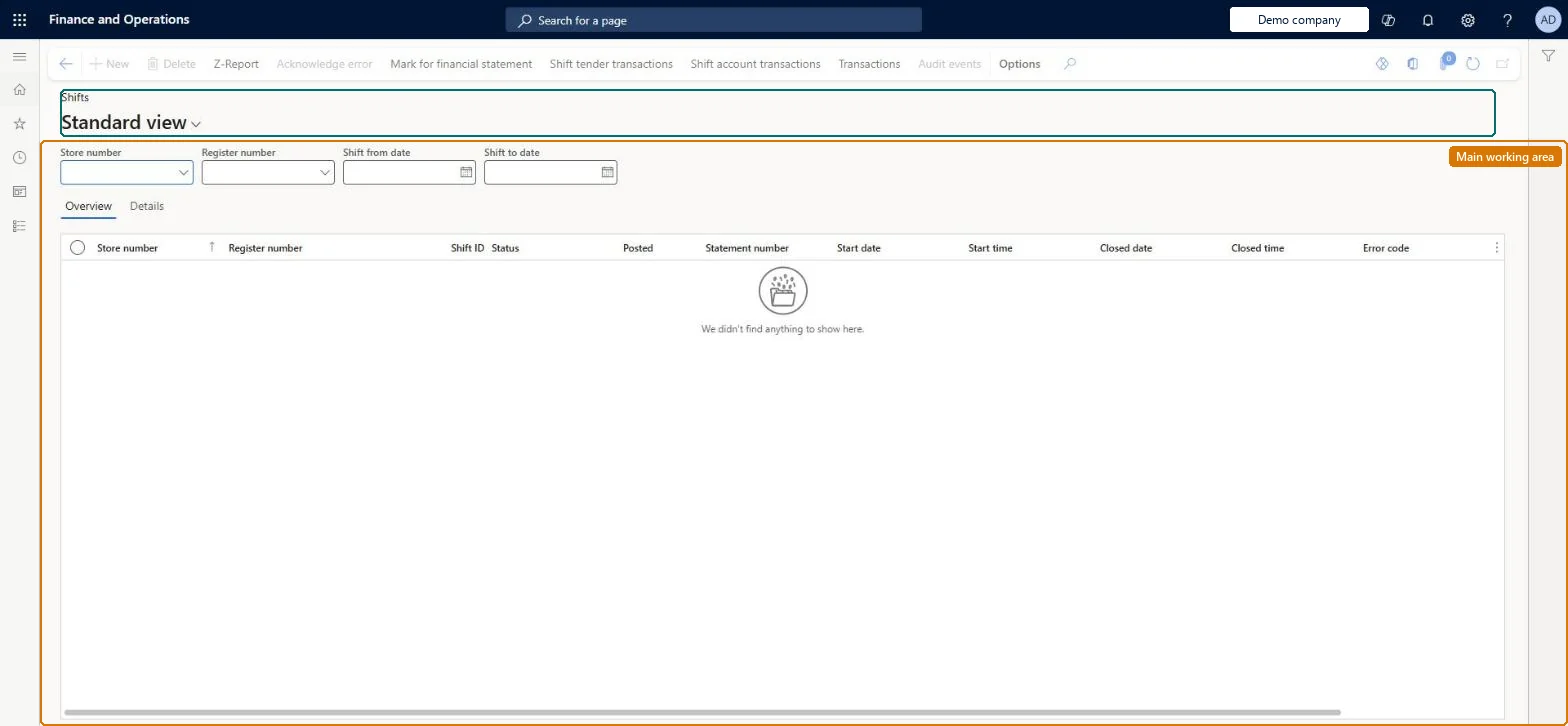
An inquiry page that lists closed POS shifts from the stores, with their details and Z reports.
What you do here
Use this page to look up closed shifts, reprint or review previous Z reports, view the transactions in a shift, and find out why a shift did not post during statement posting.
Example
For example, if a shift is missing from a posted statement, open Shifts, filter by store and register, and check the shift's details and transactions.
The page in Dynamics 365. page title tab to open what to set or check
About the examples: Examples and screenshots in this guide use BEAT, a demo company in a Dynamics 365 test environment. Use your own company's codes and values instead of copying them.
Steps from Microsoft
Go to Retail and Commerce > Inquiries and reports > Shifts.
Filter by Store number, Register number, Shift from date and Shift to date.
Select a shift and open the Details tab.
Select Z-Report to view the Z report for the shift.
Select Inquiry and choose a transaction type to view the shift's transactions.
PrivilegesMaintain retail batches RetailBatchesMaintainView retail POS batches RetailPosBatchesViewView retail shifts RetailShiftsRetailStoreManagementWorkspaceMaintainMaintain store management workspace for retail trial. RetailTrialStoreManagementWorkspaceMaintainDutiesMaintain retail batches RetailBatchesMaintainInquire into retail shifts RetailIntoShiftReportsInquireRetailStoreManagementWorkspaceMaintainMaintain retail batches RetailTrialBatchesMaintainMaintain store management workspace for retail trial. RetailTrialStoreManagementWorkspaceMaintain3 security rolesRetail operations manager RetailOperationsManagerRetail service RetailServiceRetail store manager RetailStoreManagerChecked in Dynamics 365
Roles to set it up and use it
To set it up or change itRetail service RetailServiceRetail operations manager RetailOperationsManagerRetail store manager RetailStoreManagerGive people one of these roles. On this system, 3 roles can open this page.Checked in Dynamics 365
Actions on the page
(Action Pane without tabs): Z-Report, Acknowledge error, Mark for financial statement, Shift tender transactions, Shift account transactions, Transactions, Audit eventsChecked in Dynamics 365