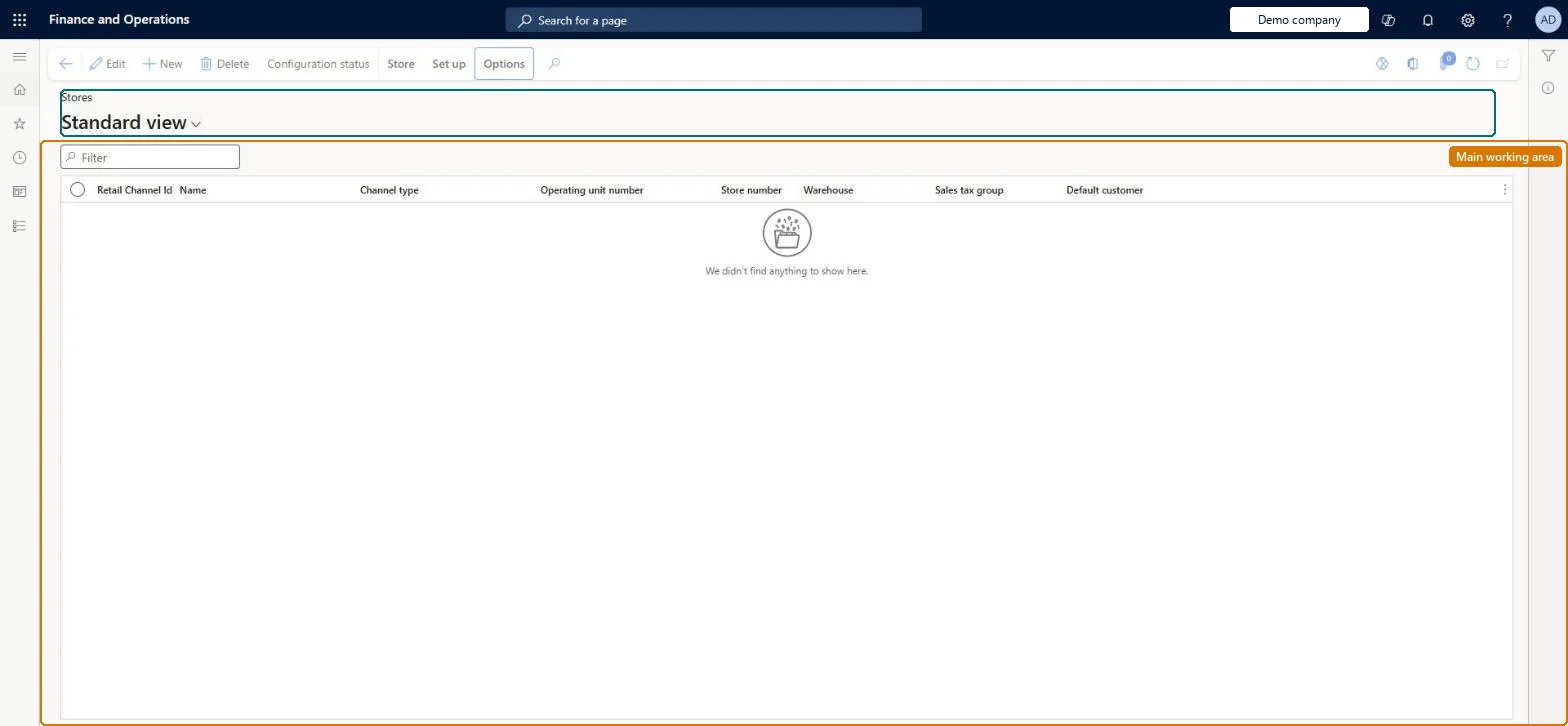
A setup page where you create and maintain retail store (brick-and-mortar) channels, each with its own legal entity, warehouse, currency, tax group, profiles, payment methods, registers and staff.
Retail catalog manager, Retail operations manager, Retail service and 3 more roles
Business process
Create retail stores in Dynamics 365 Commerce
Menu item
RetailStoreTable
Main table
RetailStoreTable
Data entity
RetailStoreEntity
Show what matters for
PAGE GUIDEWhat the page does and how to use it8 sections. Choose a role to highlight what matters to you.
Everyone
1What it is and why
What it is
A setup page where you create and maintain retail store (brick-and-mortar) channels, each with its own legal entity, warehouse, currency, tax group, profiles, payment methods, registers and staff.
What you do here
Use this page to create a new retail store channel and fill in its number, legal entity, warehouse, time zone, tax group, currency, customer defaults and profiles, and then to open the Set up actions for payment methods, cash declaration, modes of delivery, income/expense accounts, sections, fulfillment groups and safes.
Example
For example, when a retailer opens a new shop, an administrator creates the store here, gives it a 10-character store number and links it to the shop's warehouse and sales tax group before registers are added.
The page in Dynamics 365. page title tab to open what to set or check
About the examples: Examples and screenshots in this guide use BEAT, a demo company in a Dynamics 365 test environment. Use your own company's codes and values instead of copying them.
Steps from Microsoft
Go to Retail and Commerce > Channels > Stores > All stores.
Select New.
Enter a Name and a unique Store number.
Select the Legal entity, Warehouse and Store time zone.
Select the Sales tax group and Currency.
Enter the Customer address book and Default customer.
Select a Functionality profile and an Email notification profile.
Select Save, then use the Set up tab to add payment methods, cash declaration, modes of delivery, income/expense accounts, sections, fulfillment group assignment and safes.
One-way: Warning: once the Enable new transaction id to avoid duplicate transaction ids feature is on (on by default from Commerce 10.0.41), it can't be disabled; transaction IDs are then non-sequential. Most other store fields can be edited later. Microsoft Learn
If you change it later
The store's Statement/closing settings decide how its POS transactions are grouped into statements; for example, turning on Split by Statement method creates a separate statement per statement-method value. Microsoft Learn
Technical architect
6Technical
Menu item
RetailStoreTableChecked in Dynamics 365
Form
RetailStoreTableChecked in Dynamics 365
Table
RetailStoreTableShown as “STORES” in Record infoKey field: StoreNumberChecked in Dynamics 365
PrivilegesMaintain retail channels RetailChannelsMaintainView retail channels RetailChannelsViewRetail trial channels maintain privilege RetailTrialChannelsMaintainDutiesMaintain retail channels RetailChannelsMaintainView retail channels RetailChannelsViewRetail trial channels maintain privilege RetailTrialChannelsMaintain6 security rolesRetail catalog manager RetailCatalogManagerRetail operations manager RetailOperationsManagerRetail service RetailServiceRetail store IT RetailStoreITRetail store manager RetailStoreManagerInformation technology manager SysServerITManagerChecked in Dynamics 365
Roles to set it up and use it
To set it up or change itRetail service RetailServiceRetail operations manager RetailOperationsManagerRetail store manager RetailStoreManagerRetail store IT RetailStoreITTo use itInformation technology manager SysServerITManagerRetail catalog manager RetailCatalogManagerGive people one of these roles. On this system, 6 roles can open this page.Checked in Dynamics 365
Actions on the page
StoreSet up: Workers, Attribute groups, Copy, Set up(Action Pane without tabs): Configuration statusChecked in Dynamics 365