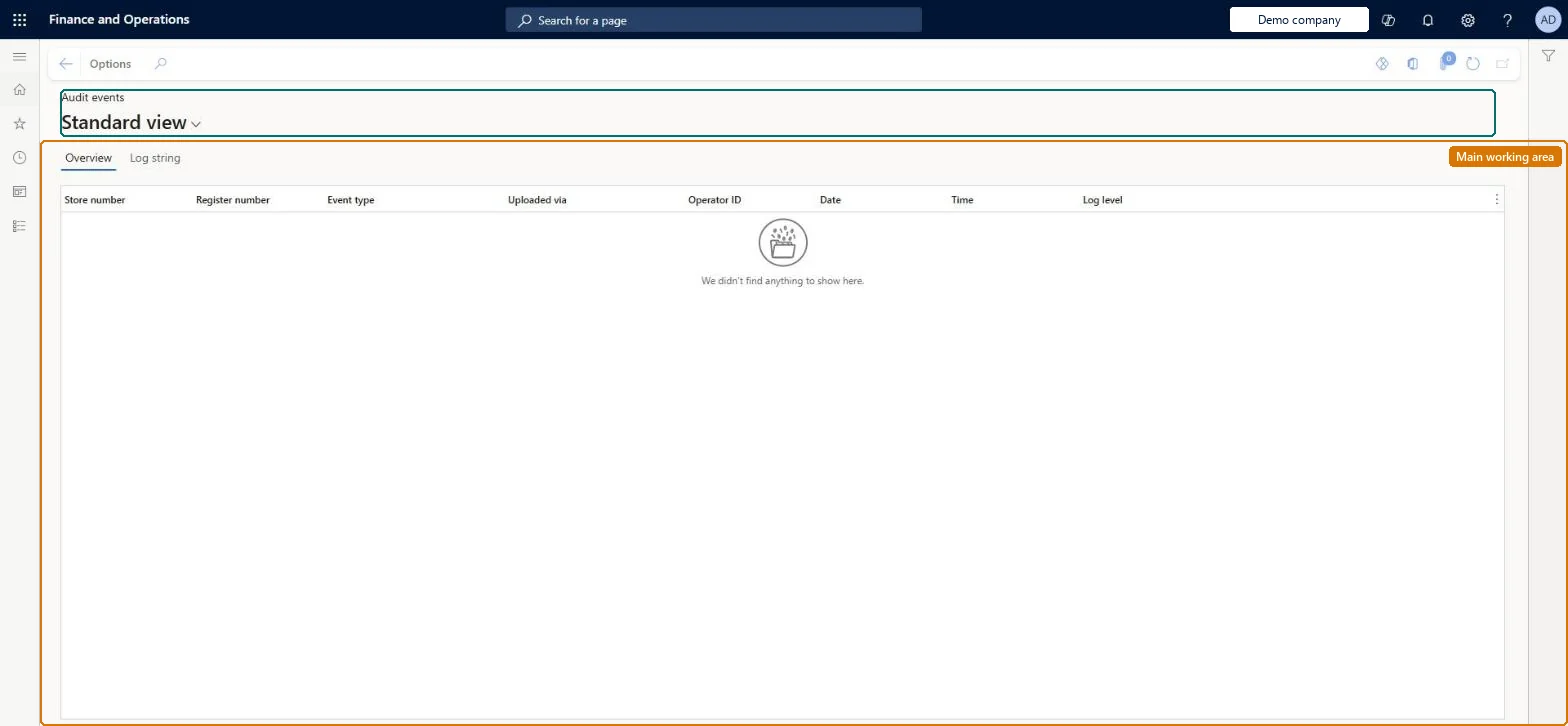
An inquiry page in Commerce headquarters that lists POS audit events, such as sign-in, sign-out, offline mode changes, manager overrides and voids, downloaded from the stores.
Retail merchandising manager, Retail operations manager, Retail service and 1 more role
Business process
Analyze and monitor Point of Sale (POS) activity in Dynamics 365 Commerce
Menu item
RetailLog
Main table
RetailLog
Data entity
RetailLogEntity
Show what matters for
PAGE GUIDEWhat the page does and how to use it6 sections. Choose a role to highlight what matters to you.
Everyone
1What it is and why
What it is
An inquiry page in Commerce headquarters that lists POS audit events, such as sign-in, sign-out, offline mode changes, manager overrides and voids, downloaded from the stores.
What you do here
Use this page to find and review audit events by store, register, event type, date and time, and, where fiscal signing is used, check each event's fiscal registration results.
Example
For example, an auditor in France can open an event of type Transaction voided and verify its digital signature on the Fiscal registration results FastTab.
The page in Dynamics 365. page title tab to open what to set or check
About the examples: Examples and screenshots in this guide use BEAT, a demo company in a Dynamics 365 test environment. Use your own company's codes and values instead of copying them.
Steps from Microsoft
Run the P-job to download audit event data to Commerce headquarters.
Go to Retail and Commerce > Inquiries and reports > Audit events.
Find the event by Store number, Register number, Event type, Date and Time.
Read the Log string field for the event description.
On the Fiscal registration results FastTab, check the registration status.
JSON response holding the event's digital signature, the signed string and the sequence number.Microsoft Learn
Technical architect
4Technical
Menu item
RetailLogChecked in Dynamics 365
Form
RetailLogChecked in Dynamics 365
Table
RetailLogShown as “LOG” in Record infoChecked in Dynamics 365
Data entities
RetailLogEntityLog Checked in Dynamics 365
Who can open it
PrivilegesMaintain audit events RetailLogMaintainView audit events RetailLogViewView retail sales reports RetailSalesReportsViewDutiesRetailChannelOperationsWorkspaceMaintainInquire into retail sales reports RetailIntoSalesReportsInquireRetailStoreManagementWorkspaceMaintainView retail transactions RetailTransactionsViewInquire into sales reports for retail trial. RetailTrialIntoSalesReportsInquireMaintain store management workspace for retail trial. RetailTrialStoreManagementWorkspaceMaintain4 security rolesRetail merchandising manager RetailMerchandisingManagerRetail operations manager RetailOperationsManagerRetail service RetailServiceRetail store manager RetailStoreManagerChecked in Dynamics 365
Roles to set it up and use it
To set it up or change itRetail operations manager RetailOperationsManagerRetail store manager RetailStoreManagerTo use itRetail service RetailServiceRetail merchandising manager RetailMerchandisingManagerGive people one of these roles. On this system, 4 roles can open this page.Checked in Dynamics 365
Developer
5Developer
Open it by URL
https://<your-environment>/?mi=RetailLog
Integrate with
RetailLogEntity data entity Checked in Dynamics 365