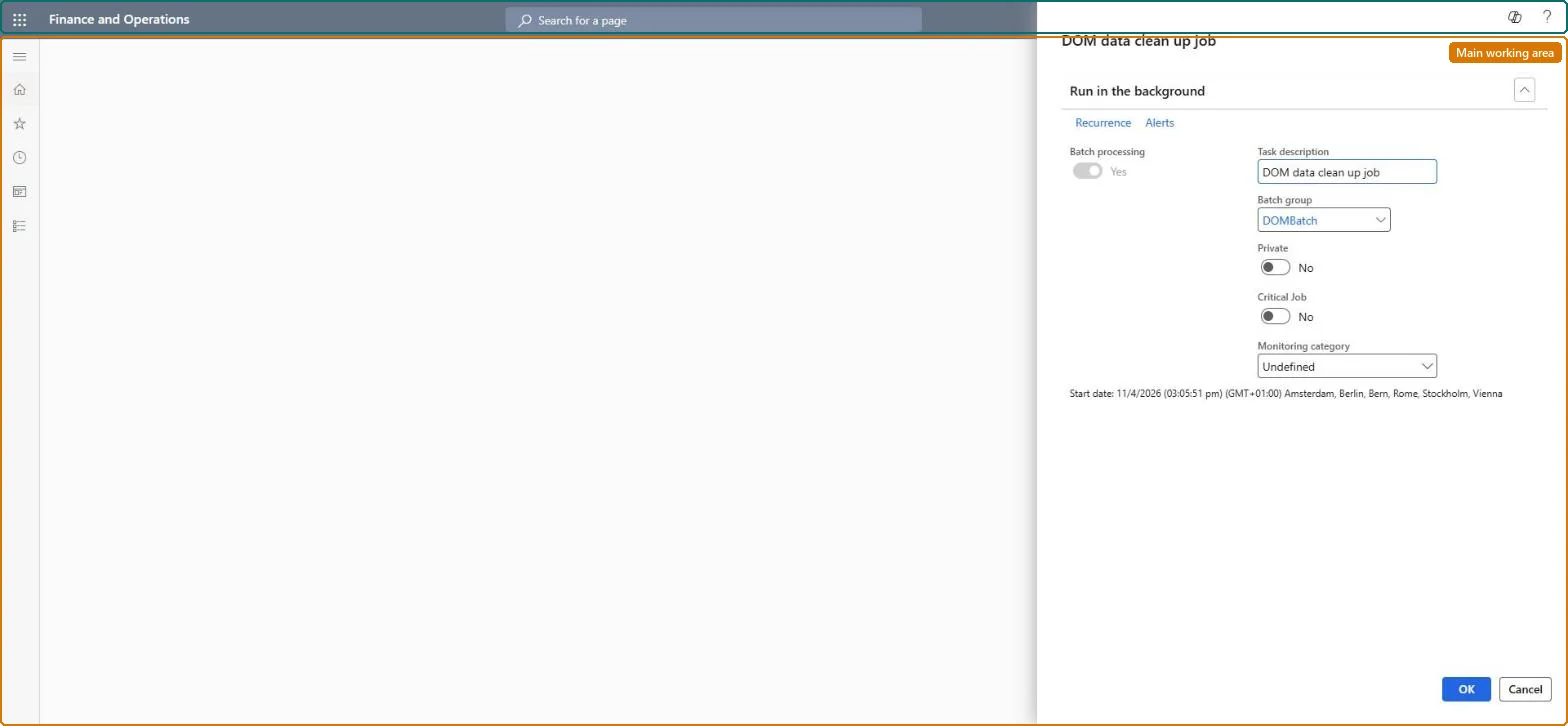
A batch job setup page where you schedule the deletion of old DOM fulfillment plans and DOM logs according to the retention periods set in DOM parameters.
Retail and CommerceDistributed order managementBatch processing
DOMFulfillmentDataDeletionMenuItem
Business process
Use distributed order management to move orders to warehouses in Dynamics 365 Commerce
Menu item
DOMFulfillmentDataDeletionMenuItem
Show what matters for
PAGE GUIDEWhat the page does and how to use it7 sections. Choose a role to highlight what matters to you.
Everyone
1What it is and why
What it is
A batch job setup page where you schedule the deletion of old DOM fulfillment plans and DOM logs according to the retention periods set in DOM parameters.
What you do here
Use this page to keep the number of stored fulfillment plans and logs under control by running a recurring job that removes records older than the Fulfillment data retention period and DOM logs retention period.
Example
For example, run the job nightly so that fulfillment plans older than 30 days are removed and the DOM workspace stays responsive.
The page in Dynamics 365. page title tab to open what to set or check
About the examples: Examples and screenshots in this guide use BEAT, a demo company in a Dynamics 365 test environment. Use your own company's codes and values instead of copying them.
Steps from Microsoft
Go to Retail and Commerce > Distributed order management > Batch processing > DOM data clean up job setup.
In Batch group, select a configured batch group.
Select Recurrence and define how often the job runs.
One-way: Warning: each run deletes fulfillment plans older than the Fulfillment data retention period (in days) and DOM logs older than the DOM logs retention period (in days) set in DOM parameters. Deleted plans and logs can't be brought back, so set the retention periods to cover your audit and support needs before you schedule the job. Microsoft Learn
If you change it later
Running this job permanently deletes fulfillment plans and DOM logs older than the configured retention periods, so DOM run history and the logs used to explain location assignments are lost beyond that window. Microsoft Learn
Technical architect
5Technical
Menu item
DOMFulfillmentDataDeletionMenuItemChecked in Dynamics 365
Form
SysOperationTemplateFormChecked in Dynamics 365
Roles to set it up and use it
To use itDOM administrator DOMAdministratorGive people one of these roles. On this system, 1 role can run this page.Checked in Dynamics 365