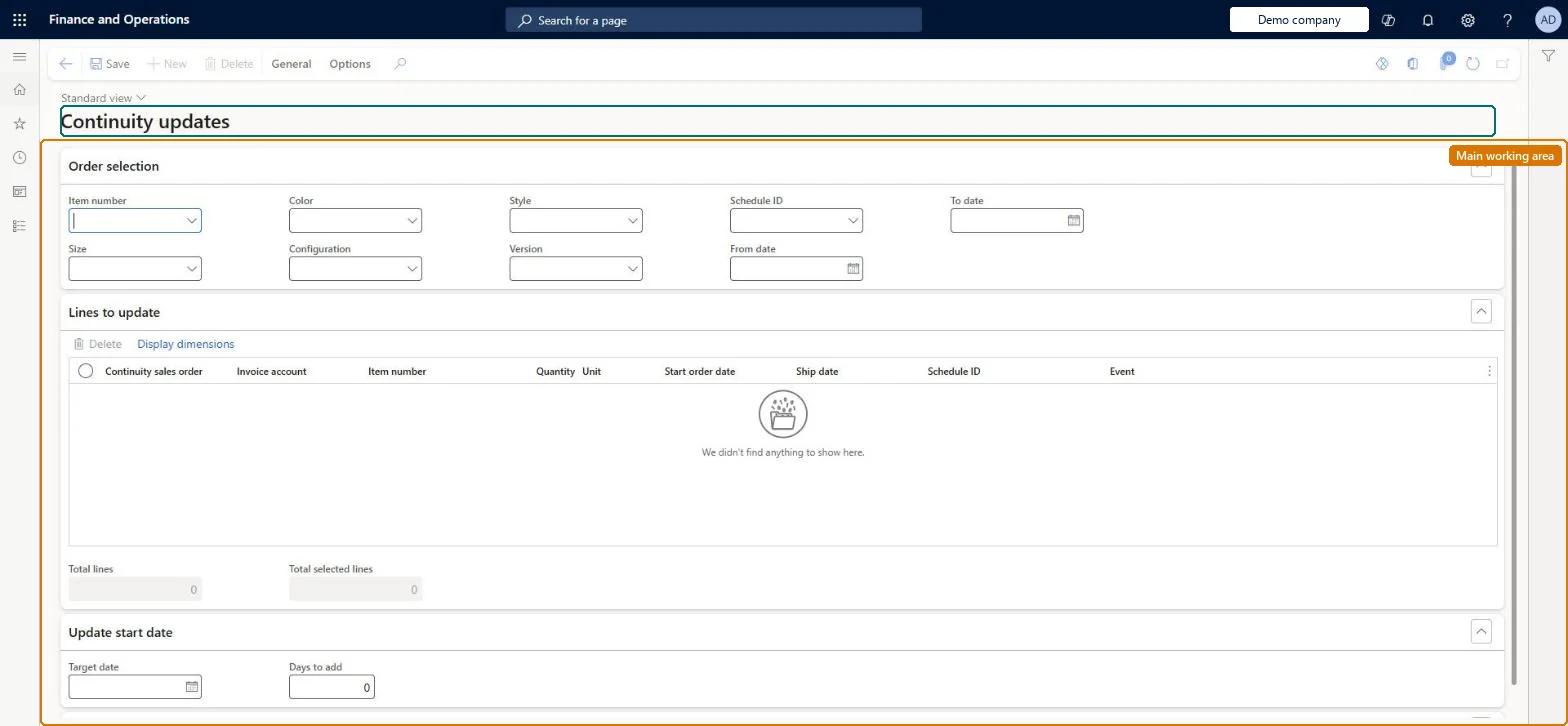
A journal page where you find existing continuity sales orders by criteria and update them in bulk, either by moving their start date or by substituting products on the lines.
Add continuity subscription to a call center order with Dynamics 365 Commerce
Menu item
MCRContinuityItemChange
Main table
MCRContinuityCustLine
Show what matters for
PAGE GUIDEWhat the page does and how to use it7 sections. Choose a role to highlight what matters to you.
Everyone
1What it is and why
What it is
A journal page where you find existing continuity sales orders by criteria and update them in bulk, either by moving their start date or by substituting products on the lines.
What you do here
Use this page to select continuity orders and apply a new start date (or add days to the existing one) or substitute products, then run the Continuity update batch so the parent sales orders reflect the change.
Example
For example, when a product in a monthly program is discontinued, substitute the replacement item on all open continuity orders for that schedule.
The page in Dynamics 365. page title tab to open what to set or check
About the examples: Examples and screenshots in this guide use BEAT, a demo company in a Dynamics 365 test environment. Use your own company's codes and values instead of copying them.
Steps from Microsoft
Go to Retail and Commerce > Continuity > Continuity updates.
Under Order selection, enter the criteria that select the continuity orders.
On the Action Pane, select Find to list the matching continuity sales orders.
Select one or more sales orders.
Either enter a new start date or days to add under Update start date and select Update date, or enter the substitution products and select Substitute.
Select OK.
Go to Retail and Commerce > Continuity > Continuity update batch, select the continuity schedule and select OK to apply the changes to the parent orders.
Changes made here only take effect on the parent sales orders after the Continuity update batch is run, which reports the parent orders that were updated. Microsoft Learn
Technical architect
5Technical
Menu item
MCRContinuityItemChangeChecked in Dynamics 365
Form
MCRContinuityItemChangeChecked in Dynamics 365
Table
MCRContinuityCustLineShown as “CONTINUITY ORDER” in Record infoChecked in Dynamics 365
To set it up or change itSales manager TradeSalesManagerGive people one of these roles. On this system, 1 role can open this page.Checked in Dynamics 365
Actions on the page
General: Orders, Dates, SubstitutionChecked in Dynamics 365