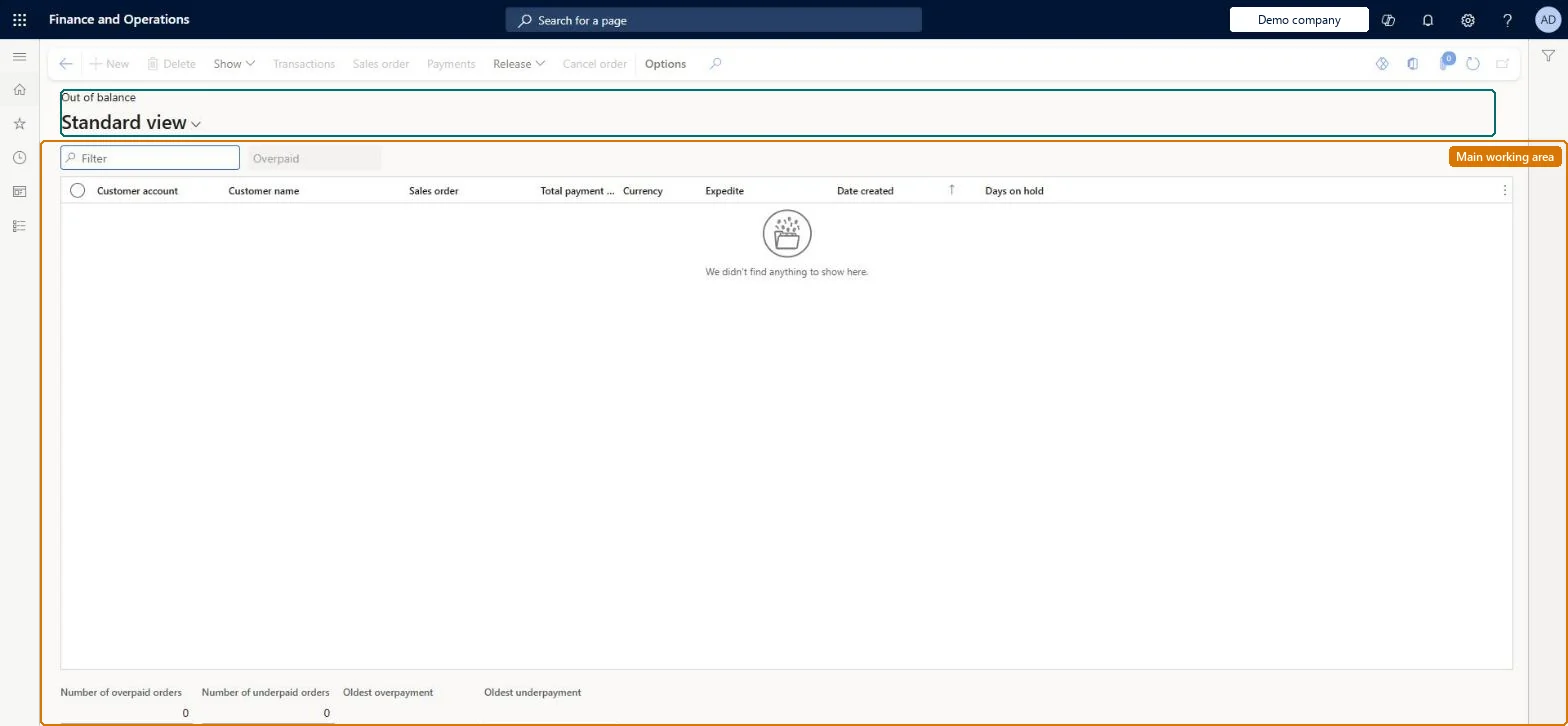
A work-queue page with Overpaid and Underpaid tabs that lists call center orders held because the payment total differs from the order total by more than the percentage thresholds in Call center parameters.
Customer service manager, Customer service representative, Sales representative
Business process
Record credit or debit card payments on call center orders in Dynamics 365 Commerce
Menu item
MCROutOfBalancePaymentWB
Main table
SalesTable
Data entity
ReturnOrderHeaderEntity
Show what matters for
PAGE GUIDEWhat the page does and how to use it7 sections. Choose a role to highlight what matters to you.
Everyone
1What it is and why
What it is
A work-queue page with Overpaid and Underpaid tabs that lists call center orders held because the payment total differs from the order total by more than the percentage thresholds in Call center parameters.
What you do here
Use this page to review over- and underpaid orders and then release them for processing, cancel them, or open the sales order to correct the payment.
Example
For example, if a mailed check is 30 percent short of the order total and the underpaid percentage is 20, the order waits on the Underpaid tab until an agent contacts the customer and corrects the payment.
The page in Dynamics 365. page title tab to open what to set or check
About the examples: Examples and screenshots in this guide use BEAT, a demo company in a Dynamics 365 test environment. Use your own company's codes and values instead of copying them.
Steps from Microsoft
Go to Retail and Commerce > Channels > Call centers > Out of balance.
Select the Overpaid tab or the Underpaid tab.
Select a payment.
Select Release to release the order, Cancel order to cancel it, or Sales order to change the payment information.
Releasing an out-of-balance order allows it to be processed with the mismatched payment, so overpayments and underpayments should be resolved first. Microsoft Learn
Technical architect
5Technical
Menu item
MCROutOfBalancePaymentWBChecked in Dynamics 365
Form
MCROutOfBalancePaymentWBChecked in Dynamics 365
Table
SalesTableShown as “SALES ORDERS” in Record infoKey field: SalesIdChecked in Dynamics 365
Data entities
ReturnOrderHeaderEntityReturn order headers Microsoft data model SalesOrderHeaderV2EntitySales order headers V2 Microsoft data model SalesOrderHeaderV2ExistAddrReadOnlyEntitySales order headers V2 readonly with the delivery address Microsoft data model CustCollectionsBISalesOnHoldSales orders on hold for customers Microsoft data model
Who can open it
PrivilegesProcess out-of-balance payments MCROutOfBalancePaymentWBMaintainDutiesMaintain customer service MCRCustomerServiceMaintain3 security rolesCustomer service manager TradeCustomerServiceManagerCustomer service representative TradeCustomerServiceRepresentativeSales representative TradeSalesRepresentativeChecked in Dynamics 365
Roles to set it up and use it
To set it up or change itSales representative TradeSalesRepresentativeCustomer service representative TradeCustomerServiceRepresentativeCustomer service manager TradeCustomerServiceManagerGive people one of these roles. On this system, 3 roles can open this page.Checked in Dynamics 365
Actions on the page
(Action Pane without tabs): Show, Transactions, Sales order, Payments, Release, Cancel orderChecked in Dynamics 365