BeyondERP.Newsletter
Menu

Setup page · Retail and Commerce

Conditions

A setup page where you define fraud conditions, each based on a table and one or more field comparisons (a field, an operand, and a value or variable), that fraud rules combine to decide whether an order is put on hold.

Used by
Sales manager
Business process
Manage sales channels
Menu item
MCRFraudConditions
Main table
MCRUpSellVarCondition
Setup steps
1 on this page
Show what matters for
PAGE GUIDEWhat the page does and how to use it8 sections. Choose a role to highlight what matters to you.
Everyone

1What it is and why

What it isA setup page where you define fraud conditions, each based on a table and one or more field comparisons (a field, an operand, and a value or variable), that fraud rules combine to decide whether an order is put on hold.
What you do hereUse this page to express the tests that a sales order or customer must meet, such as a customer account equal to a given number or an order total at or above an amount, so that rules can evaluate them with AND or OR logic.
ExampleFor example, a condition that applies to customer 1202 uses Field type Table field, Field AcctNum, Value type Value, Operand = and Value 1202.
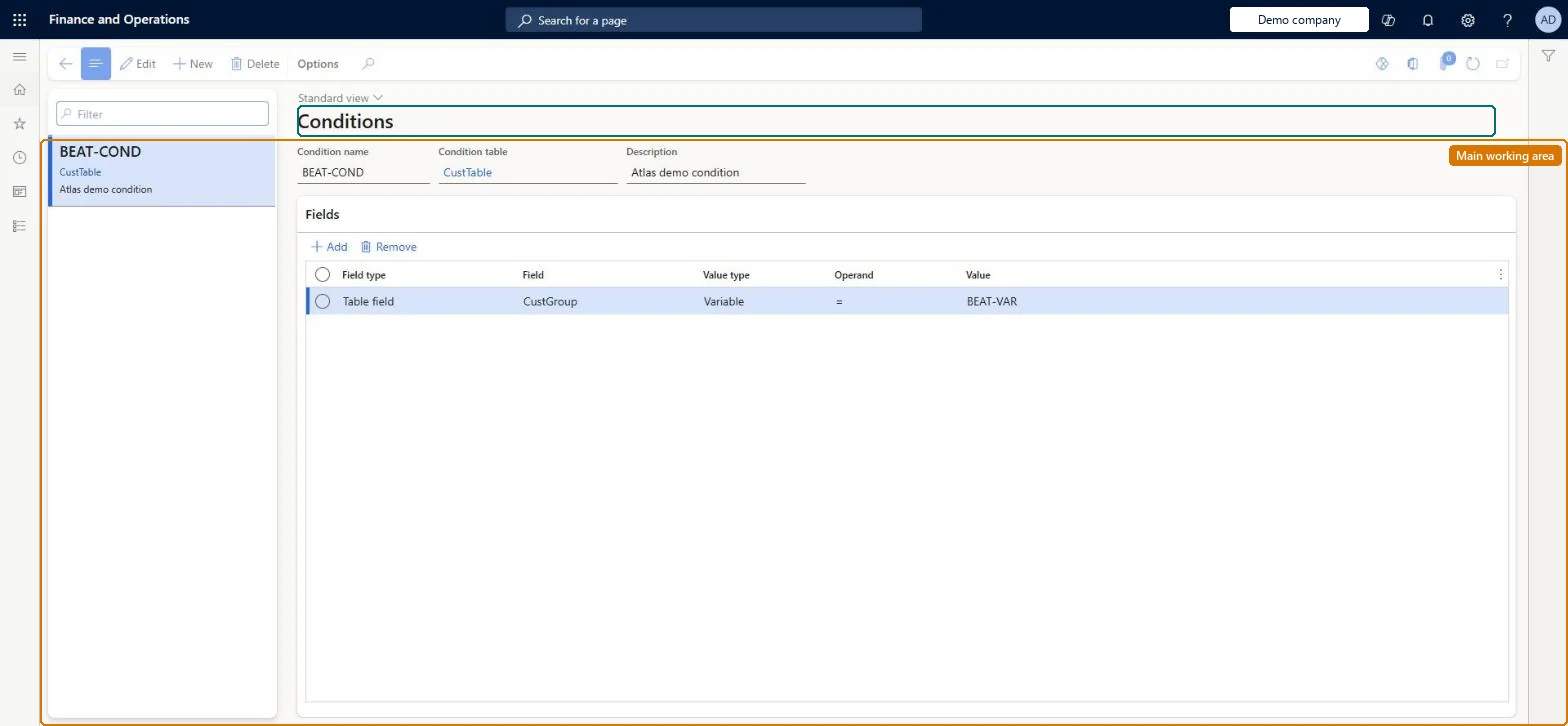
Conditions page in Dynamics 365
The page in Dynamics 365. page title tab to open what to set or check
Functional consultant · Solution architect

2Where it fits

Business processDevelop sales policies › Manage sales channels
Menu pathRetail and Commerce › Channel setup › Call center setup › Fraud › Conditions
Set up firstVariables Microsoft Learn
Used next byRules Microsoft Learn
Related pagesCall center parameters Microsoft Learn
End user · Functional consultant

3How to do it

About the examples: Examples and screenshots in this guide use BEAT, a demo company in a Dynamics 365 test environment. Use your own company's codes and values instead of copying them.

Setup steps on this page

Set up Conditions

Use this page to express the tests that a sales order or customer must meet, such as a customer account equal to a given number or an order total at or above an amount, so that rules can evaluate them with AND or OR logic.

Steps from Microsoft

  1. Go to Retail and Commerce > Channel setup > Call center setup > Fraud > Conditions.
  2. Select New.
  3. Enter a name and description and select the table the condition is based on.
  4. On the Fields FastTab, select Add.
  5. Select the Field type (method or table field) and the Field.
  6. In Value type, choose Variable or Value, then select the operand.
  7. Enter or select the Value.

Source: Microsoft Learn

Fields on the page

FieldWhat it meansTable column
TableThe table the condition is based on (for example CustTable).Microsoft Learn
Field typeWhether the compared value comes from a table field or a method.Microsoft Learn Tablevaluetype
FieldThe field whose value is tested.Microsoft Learn ConditionField
Value typeWhether the field is compared with a fixed value or with a fraud variable.Microsoft Learn ValueType
OperandThe comparison operator, such as equals.Microsoft Learn Operand
ValueThe value the field is compared with.Microsoft Learn Value

Test checklist

  1. Create two conditions, for example customer group equals a test group and item equals a test product.
  2. Combine them with AND in an active rule with a score above Minimum score.
  3. Submit an order that meets both conditions: it should go on Fraud hold.
  4. Submit an order that meets only one condition: it should not be held by this rule.

Source: Microsoft Learn

Functional consultant

4Setup decisions

Setup stepRecommended value and whyDecision, common mistake and test
Set up ConditionsWriting conditions that are evaluated on every line of large orders. Rules and their conditions are checked against the order header and all lines at Submit, so complex conditions slow order submission.
Solution architect

5Design impact

Shared or per companyPer company: each legal entity has its own records. Microsoft data model
Can it be undoneReversible: Conditions are evaluated by active rules when an order is submitted. Changes apply to later submissions only. Microsoft Learn
Technical architect

6Technical

Menu itemMCRFraudConditions Checked in Dynamics 365
FormMCRVarCondition Checked in Dynamics 365
TableMCRUpSellVarConditionShown as “CONDITION” in Record infoChecked in Dynamics 365
Who can open itPrivilegesMaintain fraud conditions MCRFraudConditionsMaintainDutiesMaintain fraud setup MCRFraudMaintain
1 security roleSales manager TradeSalesManager
Checked in Dynamics 365
Roles to set it up and use itTo set it up or change itSales manager TradeSalesManagerGive people one of these roles. On this system, 1 role can open this page.Checked in Dynamics 365
Developer

7Developer

Open it by URLhttps://<your-environment>/?mi=MCRFraudConditions
Table definitionMCRUpSellVarCondition columns and relations Microsoft data model
Everyone

8Sources