Project management and accountingProject resources
ResResourcesListPageMenuItem
Used by
Project manager, Resource manager
Business process
Plan projects
Menu item
ResResourcesListPageMenuItem
Main table
ResResourcesListView
Data entity
ResResourceDataEntity
Setup steps
1 on this page
Show what matters for
PAGE GUIDEWhat the page does and how to use it8 sections. Choose a role to highlight what matters to you.
Everyone
1What it is and why
What it is
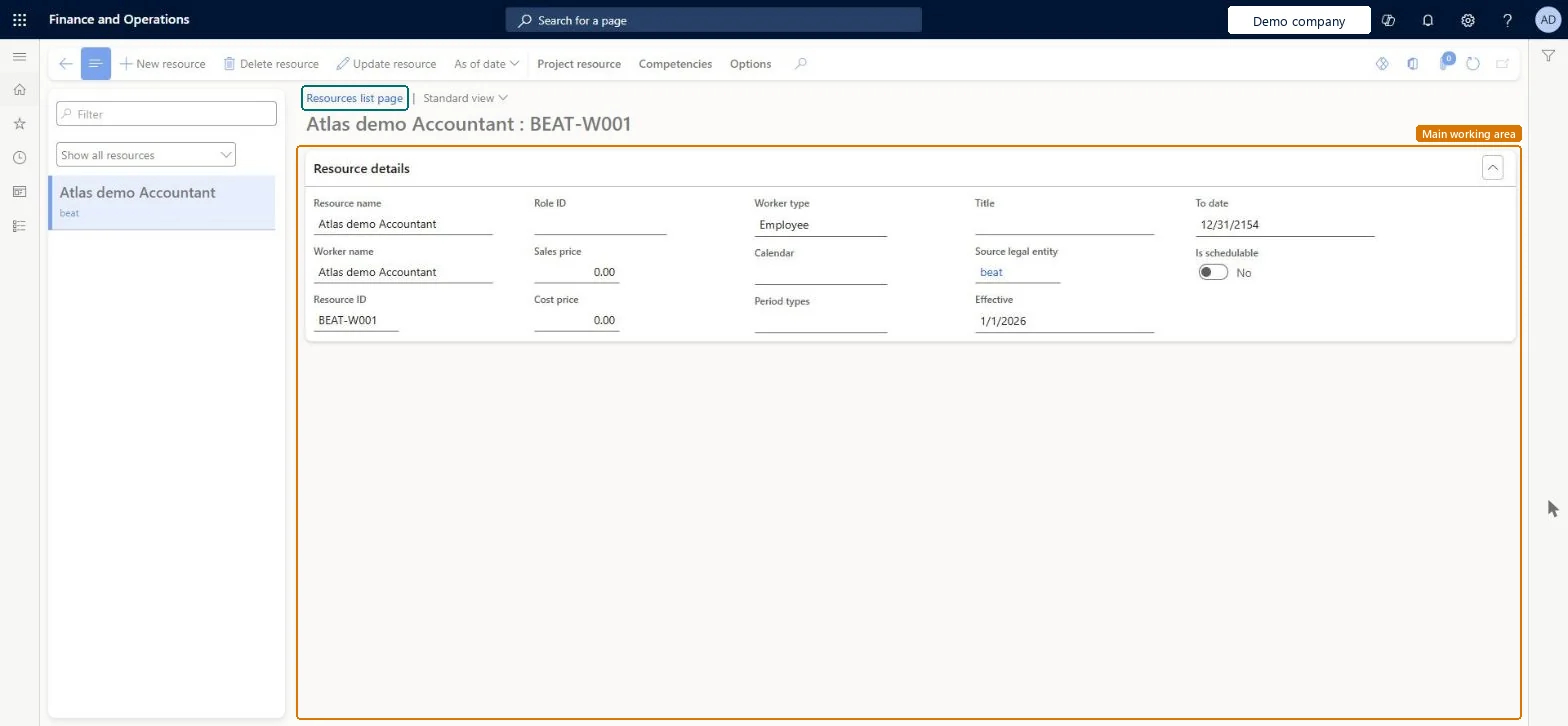
The list of project resources, the workers and other resources that can be booked on projects, with each one's default role and competencies.
What you do here
Use it to give each resource a default role and competencies so that project and resource managers can find the right person to book.
Example
For example, when Daniel joins BEAT as a business analyst, the resource manager gives him the role BA with effective date 01/12/2026 and expiration Never, and adds the competency Requirements workshops at level 3.
The page in Dynamics 365. page title tab to open what to set or check
About the examples: Examples and screenshots in this guide use BEAT, a demo company in a Dynamics 365 test environment. Use your own company's codes and values instead of copying them.
Setup steps on this page
Give every resource a default role and competencies
Make resources findable for project staffing.
Steps from Microsoft
Go to Project management and accounting > Project resources > Resources list.
Select the resource.
On the Resource role page, select New.
Enter the effective date, an expiration of Never and the role, then select Save.
On the Competencies tab, add the resource's skills and certificates.
Open Resource fulfillment and check the resource is offered for a matching role request.
Give each resource one default role with an effective date and expiration Never, and the competencies that project roles ask for.Resource fulfillment and the resource search match on role and competencies; a resource with neither isn't offered.
On the live system, Resource manager and Project manager use this page.
Checked in Dynamics 365
Solution architect
5Design impact
Shared or per company
Shared: the project scheduling resource entity is listed as shared by all companies in Data management, while roles and competencies are read per resource. Checked in Dynamics 365
Can it be undone
Reversible: Roles and competencies are matching data for resource searches, not posting data. Learn advises setting them per resource and updating them regularly; a change affects future matching only. Microsoft Learn
If you change it later
Roles and competencies are matching data for resource searches; a change affects future matching and bookings only. Microsoft Learn
Technical architect
6Technical
Menu item
ResResourcesListPageMenuItemChecked in Dynamics 365
To set it up or change itResource manager ProjResourceManagerTo use itProject manager ProjProjectManagerGive people one of these roles. On this system, 2 roles can open this page.Checked in Dynamics 365
ResResourceDataEntity (Project scheduling resource): shared by all companies.Load order: Load workers and resource roles first, then the project scheduling resources, then assign roles and competencies.Load first: Workers (Human resources), Resource roles (ResResourceCategoryDataEntity)Microsoft Learn