BeyondERP.Newsletter
Menu

Job page · Project management and accounting

Post all approved timesheets

A periodic job that posts all approved project timesheets in one run, so their hours become posted hour transactions on the projects.

Business process
Manage project delivery
Menu item
action:TSTimesheetAutoPostBatch
Setup steps
1 on this page
Show what matters for
PAGE GUIDEWhat the page does and how to use it8 sections. Choose a role to highlight what matters to you.
Everyone

1What it is and why

What it isA periodic job that posts all approved project timesheets in one run, so their hours become posted hour transactions on the projects.
What you do hereUse it as a recurring batch job so approved hours reach the projects and the ledger without someone posting each timesheet.
ExampleAt BEAT, 48 timesheets for week 45 are approved by Tuesday 11/10/2026. The nightly run posts all 48, creating 1,892.00 posted hours, including 37.50 hours on PRJ-0042.
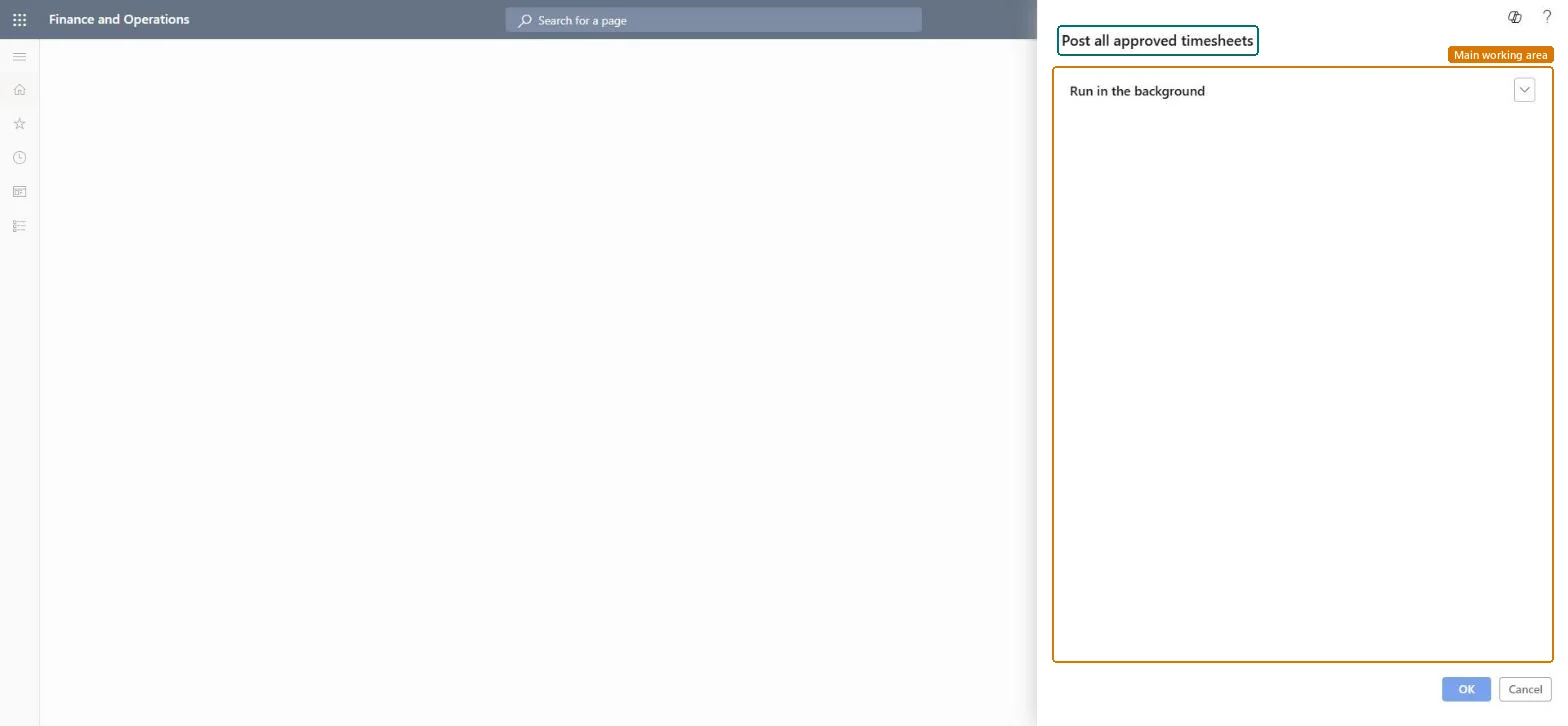
Post all approved timesheets page in Dynamics 365
The page in Dynamics 365. page title tab to open what to set or check
Functional consultant · Solution architect

2Where it fits

Business processManage project delivery
Menu pathProject management and accounting › Periodic › Timesheets › Post all approved timesheets
Set up firstTimesheets for my review (approval) Microsoft Learn
Used next byPosted project transactions Microsoft Learn
Related pagesUnposted timesheets Microsoft Learn Reset workflow status Microsoft Learn
End user · Functional consultant

3How to do it

About the examples: Examples and screenshots in this guide use BEAT, a demo company in a Dynamics 365 test environment. Use your own company's codes and values instead of copying them.

When to run it

When to run itAfter timesheets are approved.
How oftenDaily, as a recurring batch job.
Batch settingsRun it in the background as a recurring batch job.
What the output showsApproved timesheets posted as hour transactions with cost (and accrued revenue where set up). Timesheets that fail validation stay unposted.

Source: Microsoft Learn

Setup steps on this page

Post approved timesheets every night

Get approved hours onto projects without manual posting.

Steps from Microsoft

  1. Go to Project management and accounting > Periodic > Timesheets > Post all approved timesheets.
  2. Make sure the timesheet workflow approves timesheets before they are posted; the job only posts approved ones.
  3. Set it up as a recurring batch job, for example every night.
  4. After a run, open Timesheets > Unposted timesheets and look for approved timesheets that failed to post.
  5. Open Transactions > Posted project transactions for a project and check the posted hours.

Source: Microsoft Learn

Fields on the page

FieldWhat it meansExample
Run in the backgroundThe only tab on the dialog: the job has no selection fields and posts every approved timesheet; schedule it here.Checked in Dynamics 365Recurring every night at 22:00

Common errors and fixes

MessageWhat to do
An approved timesheet stays unposted.A line fails validation, for example the project is closed or the ledger period is closed; fix it and let the next run post it. Microsoft Learn

Test checklist

  1. Count approved, unposted timesheets (for example 48).
  2. Run the job.
  3. Unposted timesheets shows 0 approved ones.
  4. Posted hours on PRJ-0042 for the week rose by 37.50.

Source: Microsoft Learn

Functional consultant

4Setup decisions

Setup stepRecommended value and whyDecision, common mistake and test
Post approved timesheets every nightRecurring nightly batch job, with a daily look at Unposted timesheets.Hours reach projects and invoices the day after approval.When are approved timesheets posted?Assuming all approved timesheets posted; failed ones stay unposted silently.Test: Nightly posting of approved timesheets

Feature management and licence

Licence or add-inOn the live system, Project accountant uses this page.

Checked in Dynamics 365

Solution architect

5Design impact

Shared or per companyPer company: it posts the approved timesheets of the legal entity you run it in. Microsoft data model
Can it be undoneNo: Posted hours can't be unposted. Correct them with Adjust transactions. Microsoft Learn
If you change it laterCreates posted hour transactions and ledger postings for cost and, where set up, accrued revenue; invoice proposals and revenue recognition then include the hours. Microsoft Learn
Technical architect

6Technical

Menu itemaction:TSTimesheetAutoPostBatch Checked in Dynamics 365
FormDialog Checked in Dynamics 365
Roles to set it up and use itTo use itProject accountant ProjProjectAccountantGive people one of these roles. On this system, 1 role can run this page.Checked in Dynamics 365
Developer

7Developer

Open it by URLhttps://<your-environment>/?mi=action:TSTimesheetAutoPostBatch
Data migrationLoad order: Post all approved timesheets has no data entity in Data management: it is a periodic job and keeps no records of its own. Post approved timesheets before cutover and migrate posted hours as balances.Load first: TSTimesheetTableEntityMicrosoft data model
Everyone

8Sources