About the examples: Examples and screenshots in this guide use BEAT, a demo company in a Dynamics 365 test environment. Use your own company's codes and values instead of copying them.
Step by step, with screenshots
Set up Resource groups1 screen
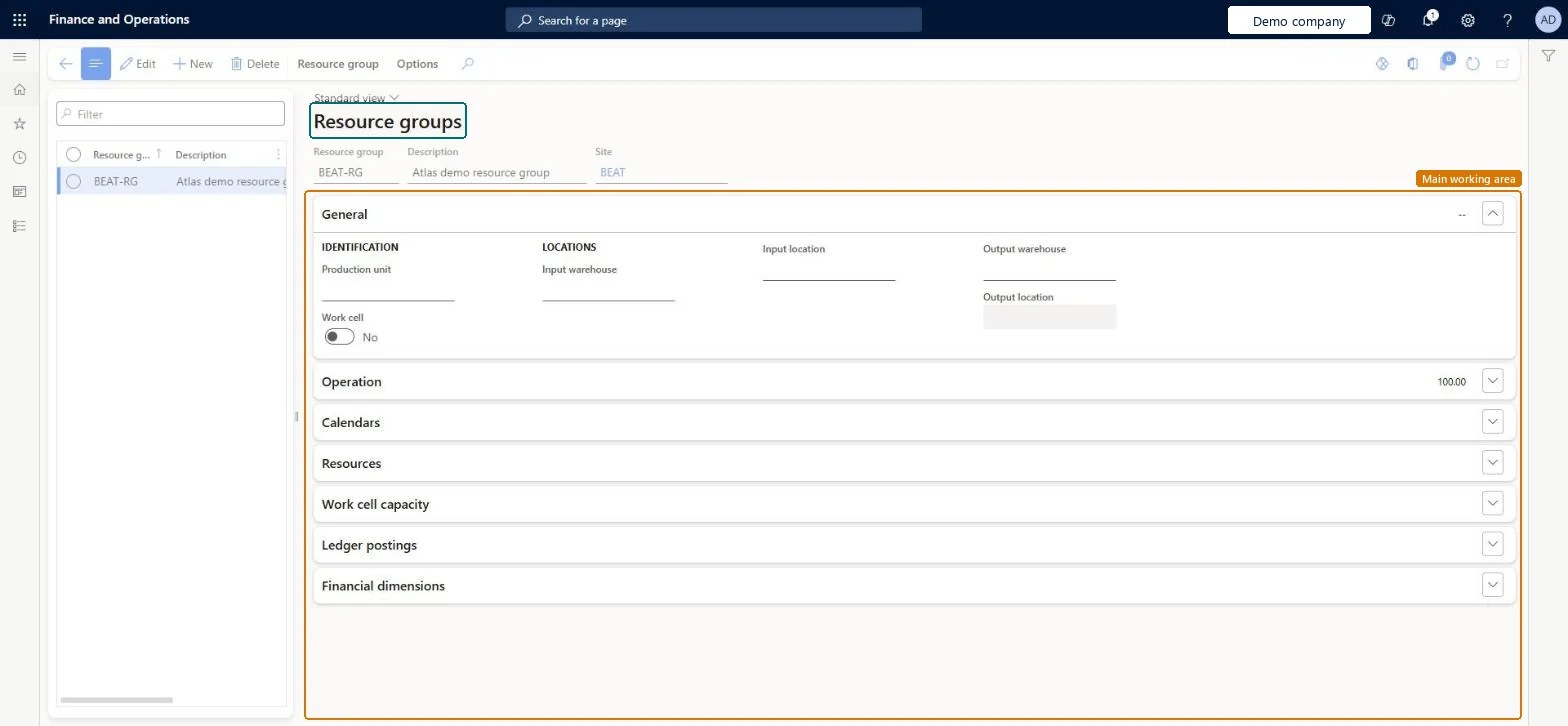
Use this page to set the level at which operations are scheduled and to make resources available for scheduling at the group's site.
Screen 1
Create a resource group
Go to Organization administration > Resources > Resource groups
Select New
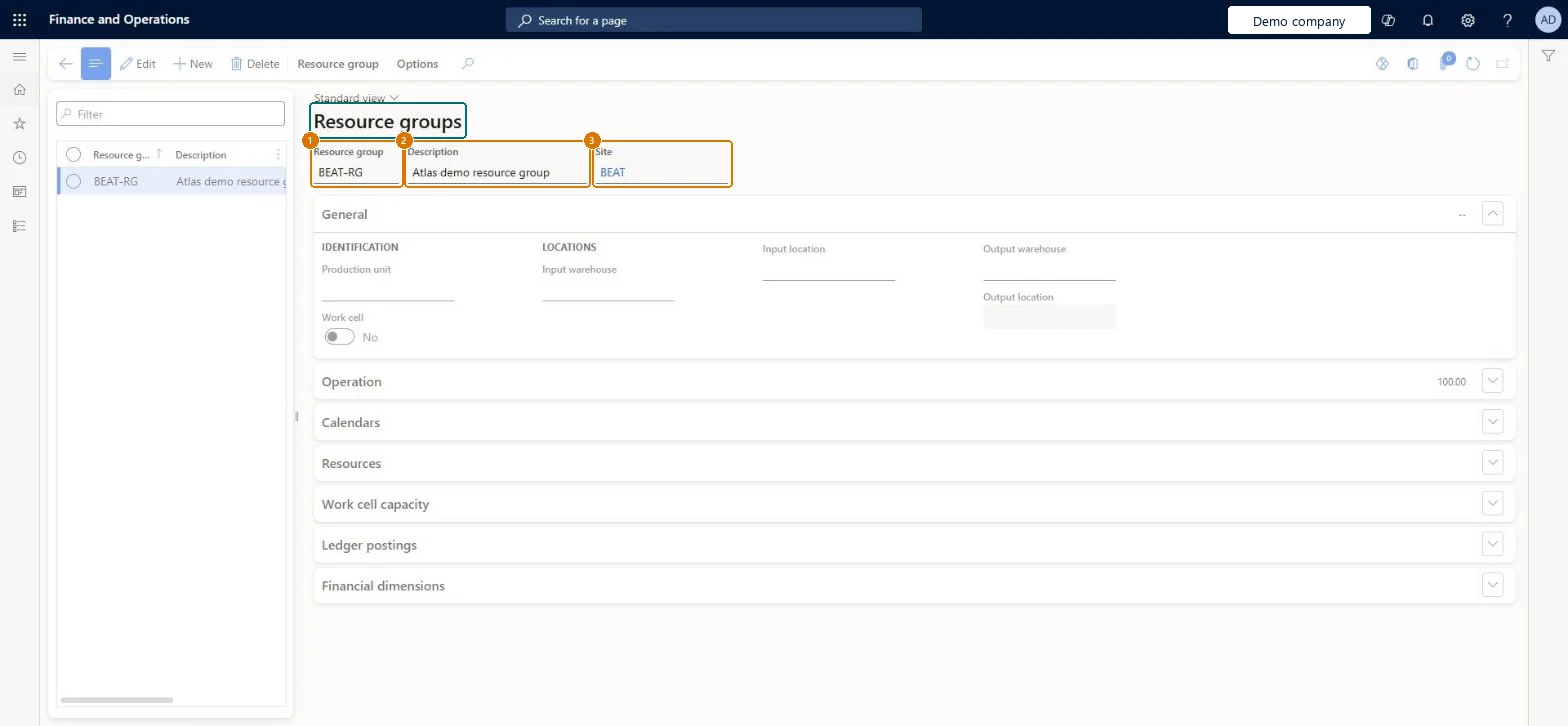
Enter the resource group and its description
Select the site
Select Save
1Resource group
BEAT-RG
2Description
Resource group
3Site
BEAT
Show the full screen page title tab to open what to set or check
Steps from Microsoft
Go to Production control > Setup > Resources > Resource groups.
Select New.
In the Resource group field, enter an ID.
In the Description field, enter a description.
In the Site field, select the site.
In the Production unit field, select the production unit.
On the Operation FastTab, enter the Scrap percentage, Setup category, Run time category and Operations scheduling percentage.
On the Calendars FastTab, select Add and select a calendar.
On the Resources FastTab, select Add and select each resource that belongs to the group.
One resource group per work cell on the shop floor, each with its site, production unit, warehouse and an effective calendar.The resource group sets the granularity of operations scheduling and the site context in which its resources can be scheduled.
Letting the group's calendar expire: with no effective calendar, the group's resources can no longer be used for production planning and operations scheduling.
Solution architect
5Design impact
Can it be undone
Hard to reverse: Group membership and calendars can change over time with effective dates, but changes apply only to new capacity reservations. If a resource group has no effective calendar, its resources can no longer be used for planning and scheduling. Microsoft Learn
If you change it later
Changes to which resources belong to a group apply only to new capacity reservations; jobs and operations already scheduled aren't changed. Microsoft Learn
Technical architect
6Technical
Menu item
WrkCtrResourceGroupChecked in Dynamics 365
Form
WrkCtrResourceGroupChecked in Dynamics 365
Who can open it
PrivilegesMaintain resource groups WrkCtrResourceGroupMaintainView resource groups WrkCtrResourceGroupViewDutiesInquire into manufacturing costing policies CostProdPoliciesInquireMaintain manufacturing costing policies CostProdPoliciesMaintainInquire into resource master WrkCtrResourcesMasterInquireMaintain resource master WrkCtrResourcesMasterMaintain8 security rolesInventory accountant InventCostAccountantInventory accountant clerk InventCostCostClerkAccounting manager LedgerAccountingManagerProduction manager ProdProductionManagerProduction supervisor ProdProductionSupervisorProject manager ProjProjectManagerProcess engineer RouteProcessEngineerProcess engineering manager RouteProcessEngineeringManagerChecked in Dynamics 365
Roles to set it up and use it
To set it up or change itProduction supervisor ProdProductionSupervisorProcess engineer RouteProcessEngineerProject manager ProjProjectManagerAccounting manager LedgerAccountingManagerTo use itProduction manager ProdProductionManagerInventory accountant clerk InventCostCostClerkInventory accountant InventCostAccountantProcess engineering manager RouteProcessEngineeringManagerGive people one of these roles. On this system, 8 roles can open this page.Checked in Dynamics 365
Checked in a working Dynamics 365 system, version 10.0.49: the menu item, form, table and security, the page, the demo records and the values in the screenshots.