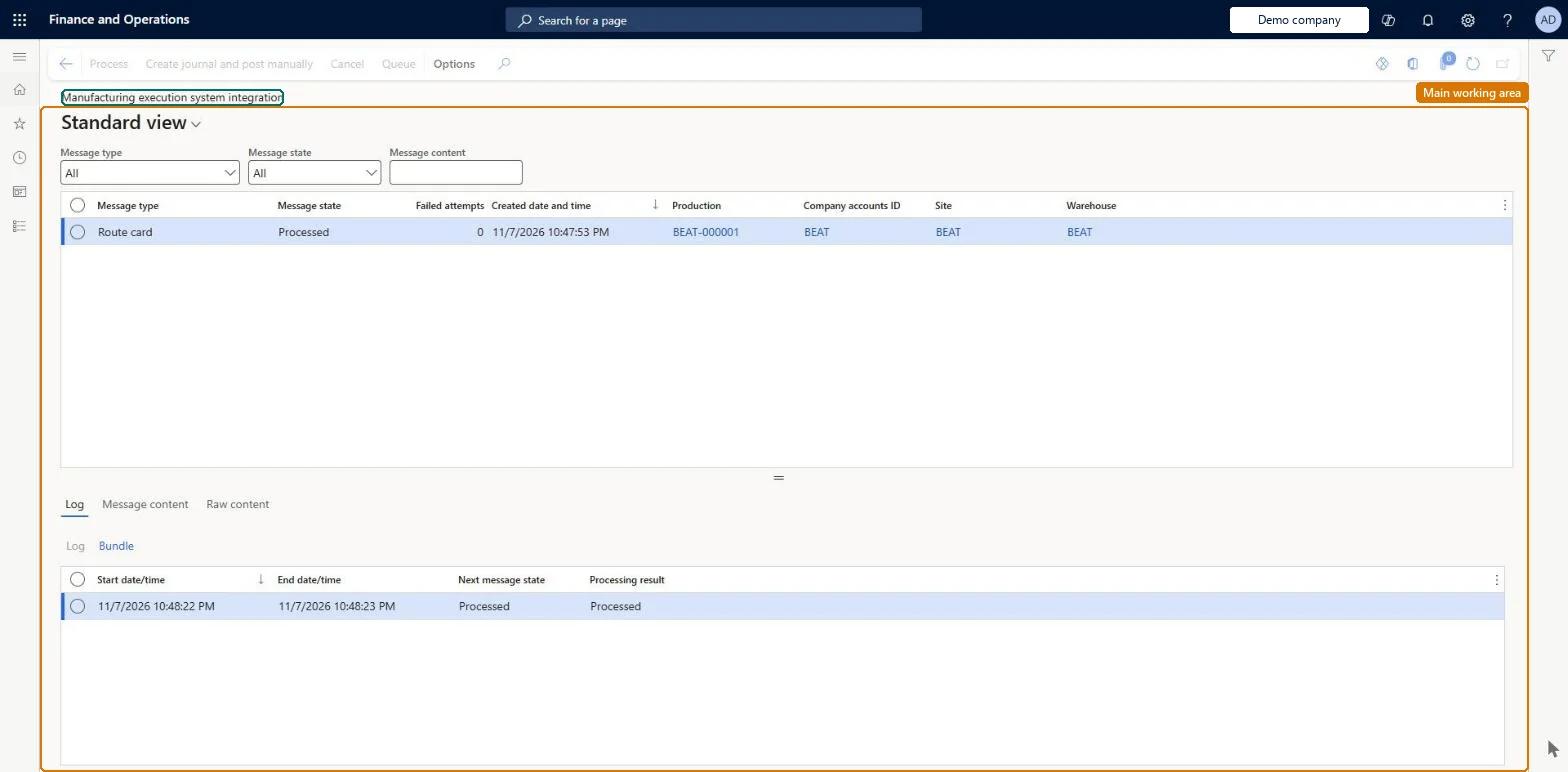
A monitoring page that lists the messages received from third-party manufacturing execution systems (MES) through the MES integration API, so you can follow their processing and fix any that fail.
Record costs through an integration with Dynamics 365 Supply Chain Management and a third-party system
Menu item
JmgMES3PMessageProcessorMessage
Main table
JmgMES3PMessage
Show what matters for
PAGE GUIDEWhat the page does and how to use it8 sections. Choose a role to highlight what matters to you.
Everyone
1What it is and why
What it is
A monitoring page that lists the messages received from third-party manufacturing execution systems (MES) through the MES integration API, so you can follow their processing and fix any that fail.
What you do here
Use this page to review the incoming MES messages for starting production orders, reporting produced or scrapped quantities, material and time consumption and ending orders, and to find, fix and reprocess messages that have failed.
Example
For example, when material consumption is registered in the MES, the resulting message posts the same consumption in Supply Chain Management so that inventory stays current for planning and sales.
The page in Dynamics 365. page title tab to open what to set or check
About the examples: Examples and screenshots in this guide use BEAT, a demo company in a Dynamics 365 test environment. Use your own company's codes and values instead of copying them.
How to use it
Go to Production control > Setup > Manufacturing execution > Manufacturing execution system integration.
Read the list of messages received from the third-party manufacturing execution system.
Select a message and select Process on the Action Pane to process it, or Queue to put it back in the queue.
Select Edit to change a message that failed, or Cancel to withdraw it.
Source: Checked in Dynamics 365
Test checklist
Check the Time and attendance license key is enabled on License configuration.
Send a ProdProductionOrderStart message for a released production order to /api/services/SysMessageServices/SysMessageService/SendMessage.
Open Manufacturing execution systems integration and check the message is processed and the order is started.
Send a ProdProductionOrderReportFinished message with a good quantity and check the quantity is reported as finished.
Send a message with an unknown order number and check it ends in Failed status after retries.
Reversible: Failed messages can be fixed and reprocessed; the batch job tries each message three times before setting it to Failed. Processed and cancelled messages should be cleaned up periodically. Microsoft Learn
If you change it later
Processed and cancelled MES messages build up over time and should be cleaned up periodically, otherwise performance and data management can suffer. Microsoft Learn
Technical architect
6Technical
Menu item
JmgMES3PMessageProcessorMessageChecked in Dynamics 365
Form
JmgMES3PMessageProcessorMessageChecked in Dynamics 365
Table
JmgMES3PMessageShown as “MESSAGES” in Record infoChecked in Dynamics 365
To set it up or change itShop supervisor JmgShopSupervisorGive people one of these roles. On this system, 1 role can open this page.Checked in Dynamics 365
Actions on the page
(Action Pane without tabs): Process, Edit, Cancel, QueueChecked in Dynamics 365