Production manager, Production planner, Process engineer and 1 more role
Business process
Develop production processes
Menu item
LeanProductionFlowModel
Main table
LeanProductionFlowModel
Data entity
LeanProductionFlowModelEntity
Setup steps
1 on this page
Show what matters for
PAGE GUIDEWhat the page does and how to use it8 sections. Choose a role to highlight what matters to you.
Everyone
1What it is and why
What it is
A setup page where you define production flow models, which describe how the capacity of lean manufacturing work cells is calculated and maintained.
What you do here
Use this page to set, for each model, whether work cell capacity is measured in throughput or hours, the EPE cycle, the planning period and time fence, and what happens when capacity runs short; a model must exist before work cells are defined.
Example
For example, choose the Throughput model type so that a work cell's capacity is expressed in product quantities rather than hours.
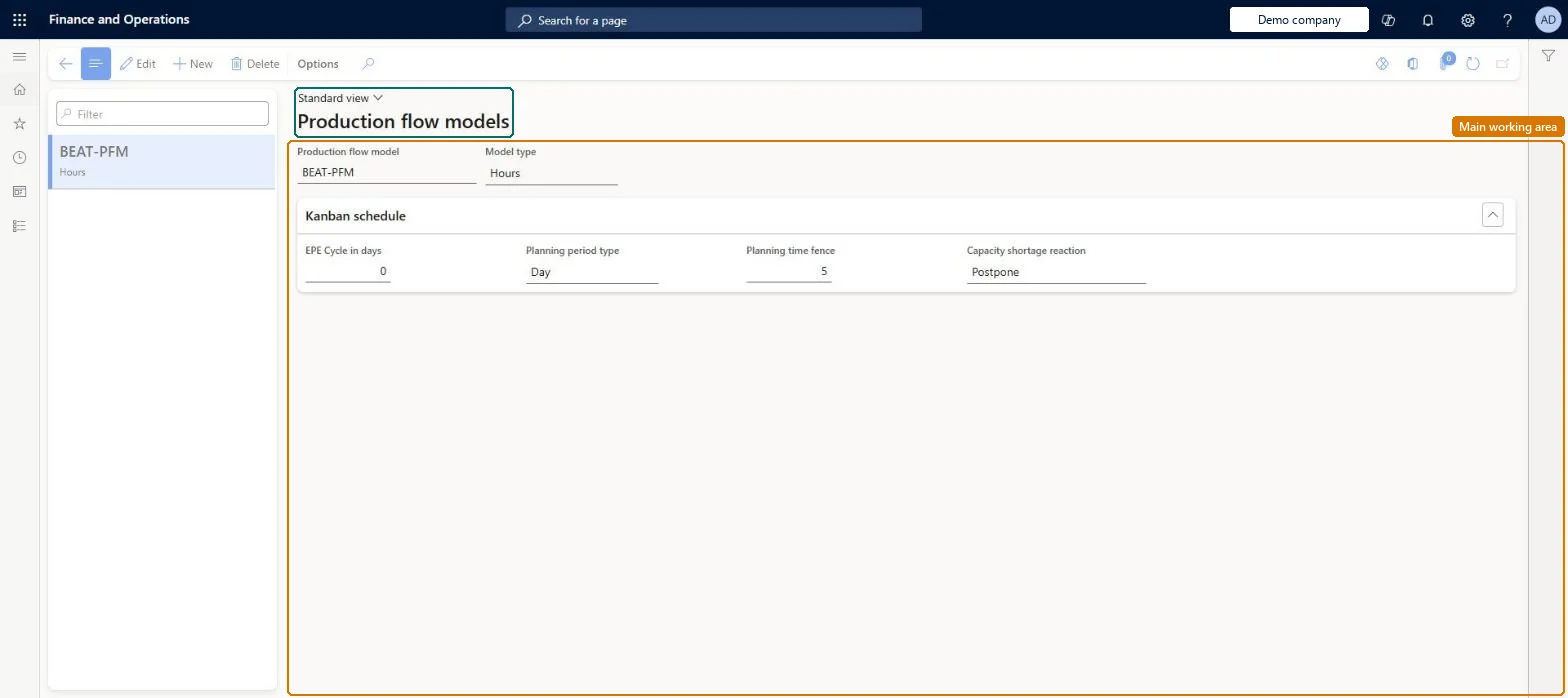
The page in Dynamics 365. page title tab to open what to set or check
About the examples: Examples and screenshots in this guide use BEAT, a demo company in a Dynamics 365 test environment. Use your own company's codes and values instead of copying them.
Setup steps on this page
Set up Production flow models
Use this page to set, for each model, whether work cell capacity is measured in throughput or hours, the EPE cycle, the planning period and time fence, and what happens when capacity runs short; a model must exist before work cells are defined.
Steps from Microsoft
Go to Production control > Setup > Lean production flow > Production flow models.
Click New.
In the Production flow model field, enter an ID for the production flow model.
In the Model type field, select Throughput type or Hours type.
Enter the number of days in the EPE Cycle.
In the Planning period type field, select an option.
In the Planning time fence field, enter the number of days.
In the Capacity shortage reaction field, select an option.
Model type chosen once per work cell type; Planning time fence about twice the average inventory lead time; EPE Cycle no more than half the planning time fenceLearn says the planning time fence is typically two times the average inventory lead time of the products in the flow or cell, and the EPE cycle should not be more than half the planning time fence.
One-way: Warning: Model type is fixed once the model exists, and once a work cell using it has capacity reservations the model type and Planning period type can't be changed. EPE Cycle, time fence and Capacity shortage reaction can still be edited. Microsoft Learn
If you change it later
Once a work cell using the model has capacity reservations, the model type and planning period type can no longer be changed. Microsoft Learn
Technical architect
6Technical
Menu item
LeanProductionFlowModelChecked in Dynamics 365
Form
LeanProductionFlowModelChecked in Dynamics 365
Table
LeanProductionFlowModelShown as “PRODUCTION FLOW MODEL” in Record infoKey field: NameChecked in Dynamics 365
PrivilegesMaintain production flow models LeanProductionFlowModelMaintainView production flow models LeanProductionFlowModelViewDutiesMaintain kanban schedule KanbanScheduleMaintainEnable the kanban scheduling process KanbanScheduleProcessEnableEnable the production flow management process LeanProductionFlowMgmtProcessEnableInquire into production flow management policies LeanProductionFlowPoliciesInquire4 security rolesProduction manager ProdProductionManagerProduction planner ReqProductionPlannerProcess engineer RouteProcessEngineerProcess engineering manager RouteProcessEngineeringManagerChecked in Dynamics 365
Roles to set it up and use it
To set it up or change itProduction manager ProdProductionManagerTo use itProduction planner ReqProductionPlannerProcess engineer RouteProcessEngineerProcess engineering manager RouteProcessEngineeringManagerGive people one of these roles. On this system, 4 roles can open this page.Checked in Dynamics 365