Production controlPeriodic tasksProduction order status update
action:ProdStatusDecrease
Business process
Reverse a step in a production or batch order in Dynamics 365 Supply Chain Management
Menu item
action:ProdStatusDecrease
Show what matters for
PAGE GUIDEWhat the page does and how to use it7 sections. Choose a role to highlight what matters to you.
Everyone
1What it is and why
What it is
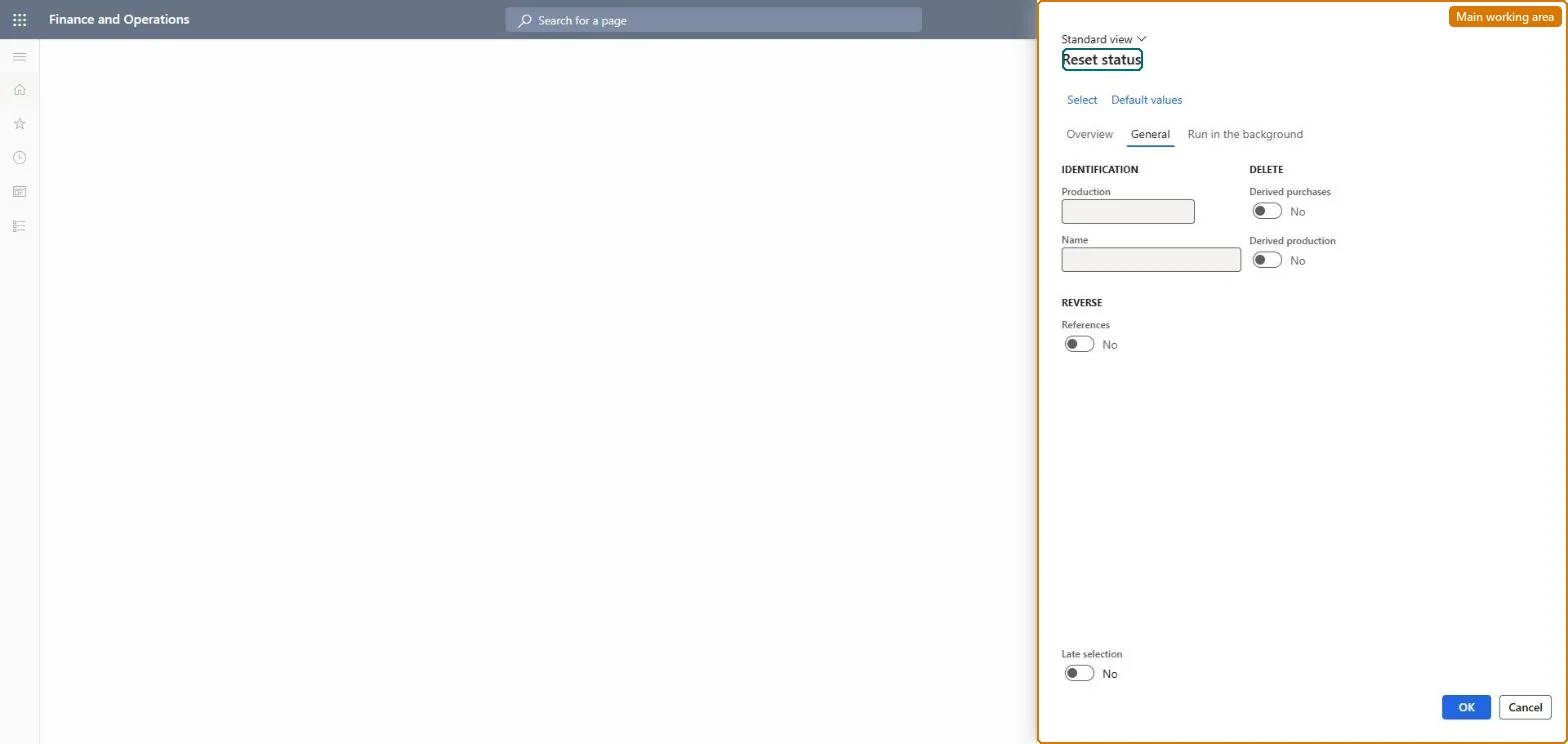
A periodic page that resets one or many production orders to an earlier status, reversing the transactions that the later steps created.
What you do here
Use this page to move orders back, for example from Started to Released or from Estimated to Created, when a step was run by mistake or must be redone. Orders that are Created or Ended cannot be reset.
Example
For example, resetting an order from Scheduled to Estimated removes its scheduled dates, capacity reservations and jobs.
The page in Dynamics 365. page title tab to open what to set or check
Stop and unpick (production order Warehouse tab) Microsoft Learn
End user · Functional consultant
3How to do it
About the examples: Examples and screenshots in this guide use BEAT, a demo company in a Dynamics 365 test environment. Use your own company's codes and values instead of copying them.
When to run it
When to run it
When a status update was run by mistake or must be redone, for example after a BOM or route change on a started order.
How often
On demand, only when an order must go back in the production life cycle.
Batch settings
Run it in the background only for a deliberate set of orders with Late selection turned off.
What the output shows
Orders at the earlier status with the later steps reversed: dates, capacity reservations and jobs removed (from Scheduled), reported and picked quantities, time and WIP reversed (from Started), and consumption estimates removed (from Estimated).
No: The reset can't be undone; you must run the later steps again. Deleted derived purchase and production orders can't be restored. Microsoft Learn
If you change it later
Resetting from Started to Released reverts reported-as-finished quantities, picked material, registered time and WIP postings, and resets the started and finished quantities and dates on the order. Microsoft Learn
Technical architect
5Technical
Menu item
action:ProdStatusDecreaseChecked in Dynamics 365
Form
ProdParmStatusDecreaseChecked in Dynamics 365
Roles to set it up and use it
To use itProduction supervisor ProdProductionSupervisorGive people one of these roles. On this system, 1 role can run this page.Checked in Dynamics 365