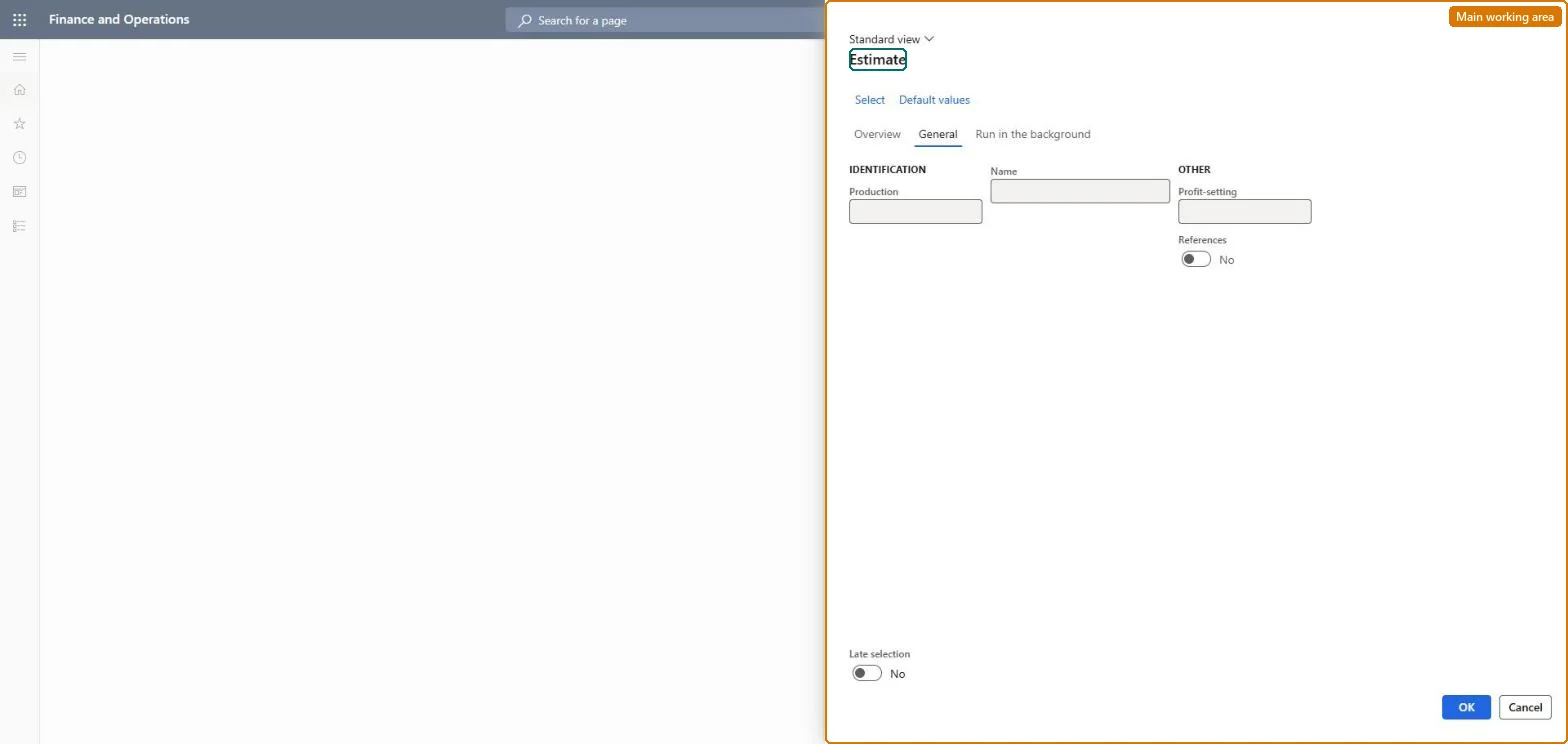
A periodic page that runs the estimation step for one or many production orders, calculating material and resource consumption, reservations and the estimated cost.
Production controlPeriodic tasksProduction order status update
action:ProdCostEstimation
Business process
Calculate estimated production cost in Dynamics 365 Supply Chain Management
Menu item
action:ProdCostEstimation
Show what matters for
PAGE GUIDEWhat the page does and how to use it7 sections. Choose a role to highlight what matters to you.
Everyone
1What it is and why
What it is
A periodic page that runs the estimation step for one or many production orders, calculating material and resource consumption, reservations and the estimated cost.
What you do here
Use this page to estimate several production orders at once or on a recurring batch schedule, instead of estimating each order from its own Action Pane.
Example
For example, estimating an order whose BOM has pegged supply lines creates purchase orders for those materials and pegs them to the production order.
The page in Dynamics 365. page title tab to open what to set or check
About the examples: Examples and screenshots in this guide use BEAT, a demo company in a Dynamics 365 test environment. Use your own company's codes and values instead of copying them.
When to run it
When to run it
After production orders are created (for example firmed from master planning) and before they are scheduled.
How often
Whenever new production orders are created, and again whenever an order's BOM, route or quantity changes.
Batch settings
Run it as a recurring batch job with Late selection so newly created orders are estimated automatically.
What the output shows
Production orders with status Estimated, on-order inventory transactions for raw materials, receipts for the main product, and pegged purchase orders for pegged supply lines. A missing cost usually means a component or resource has no cost price.
Yes, by resetting status: Reset the order to Created to remove the calculated consumption, inventory transactions and estimated cost. Microsoft Learn
If you change it later
Creates consumption estimates, on-order inventory transactions, reservations and pegged supply purchase orders; if the BOM, route or quantity changes afterwards, run the estimate again. Microsoft Learn
Technical architect
5Technical
Menu item
action:ProdCostEstimationChecked in Dynamics 365
Form
ProdParmCostEstimationChecked in Dynamics 365
Roles to set it up and use it
To use itProduction supervisor ProdProductionSupervisorInventory accountant clerk InventCostCostClerkGive people one of these roles. On this system, 2 roles can run this page.Checked in Dynamics 365