BeyondERP.Newsletter
Menu

Job page · Production control

Change feedback

A page where a supervisor opens a resource and corrects the feedback (quantities and status) that workers reported on its production jobs.

Business process
Report production output
Menu item
JmgChangeFeedback
Show what matters for
PAGE GUIDEWhat the page does and how to use it7 sections. Choose a role to highlight what matters to you.
Everyone

1What it is and why

What it isA page where a supervisor opens a resource and corrects the feedback (quantities and status) that workers reported on its production jobs.
What you do hereUse this page to review the jobs reported on a resource over a chosen period and open Update feedback to correct wrong registrations.
ExampleFor example, when a worker reported the wrong good or error quantity on a job, you open the job and change the reported feedback.
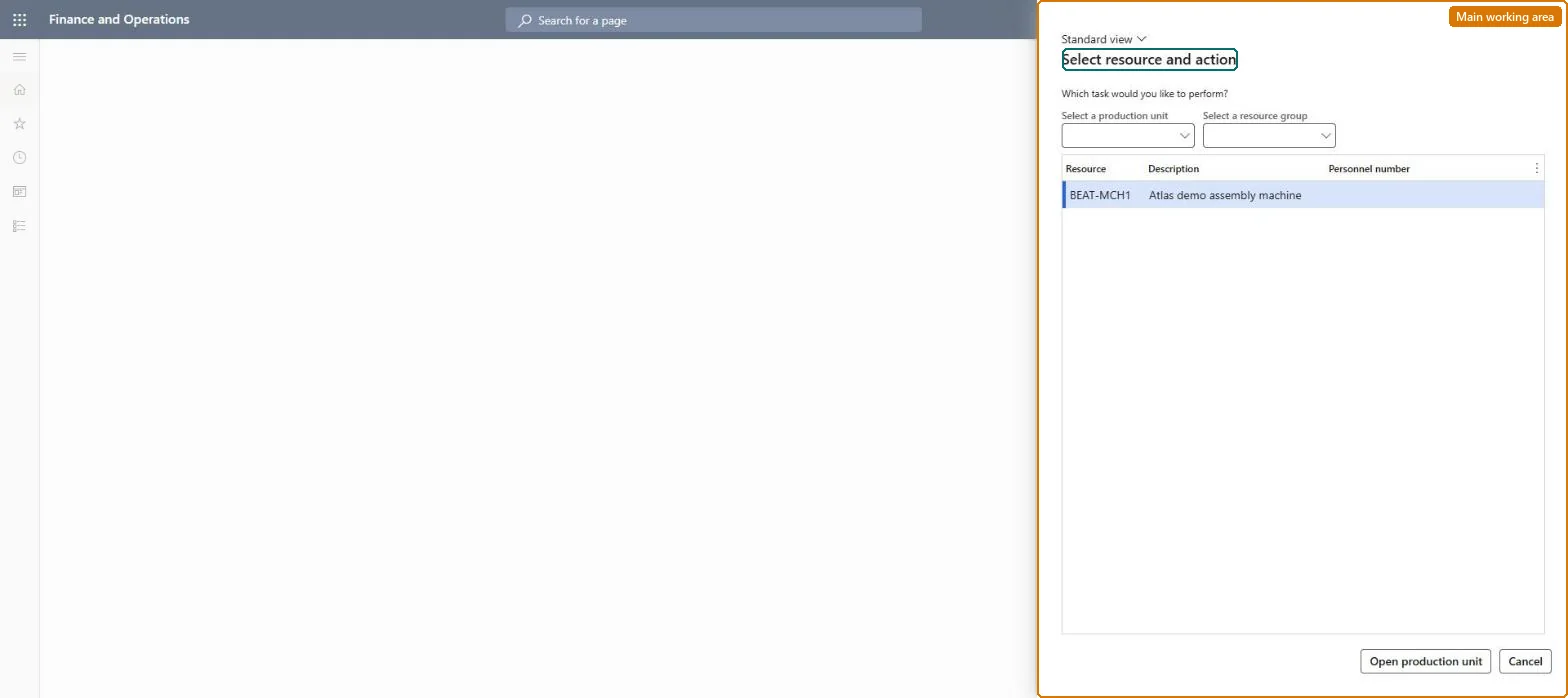
Change feedback page in Dynamics 365
The page in Dynamics 365. page title tab to open what to set or check
Functional consultant · Solution architect

2Where it fits

Business processRun production operations › Report production output
Menu pathProduction control › Periodic tasks › Manufacturing execution › Change feedback
Related pagesEdit job list Microsoft Learn Production floor execution Microsoft Learn
End user · Functional consultant

3How to do it

About the examples: Examples and screenshots in this guide use BEAT, a demo company in a Dynamics 365 test environment. Use your own company's codes and values instead of copying them.

When to run it

When to run itWhen a worker reported wrong quantities or status on a production job and a supervisor must correct it.
How oftenOn demand, whenever wrong feedback is found, before the order is ended.
What the output showsThe corrected good and error quantities and status on the job. If the order totals still look wrong, other jobs on the same order probably have wrong feedback too.

Source: Microsoft Learn

Steps from Microsoft

  1. Go to Production control > Periodic tasks > Manufacturing execution > Change feedback.
  2. In Select resource and action, select and open the resource whose job feedback must be corrected.
  3. Select Change interval if the job was reported in another period.
  4. Select the job with wrong feedback and use Update feedback to correct the Good quantity, Error quantity or status.
  5. Save, then review the job's reported quantities against what was actually produced.

Source: Microsoft Learn

Fields on the page

FieldWhat it means
WorkerThe worker who reported the feedback on the job.Microsoft Learn
Quantity requestedThe planned quantity for the operation.Microsoft Learn
Good quantityThe good quantity reported on the job.Microsoft Learn
Error quantityThe error quantity reported on the job.Microsoft Learn
StatusThe current status of the production job.Microsoft Learn
Personnel numberThe worker currently working on the job.Microsoft Learn
Solution architect

4Design impact

Can it be undoneYes, by correcting again: Open the job again and update the feedback to the right values. Microsoft Learn
If you change it laterCorrects the feedback on production jobs, which updates the quantities reported for the production order. Microsoft Learn
Technical architect

5Technical

Menu itemJmgChangeFeedback Checked in Dynamics 365
FormJmgMESRequestActionDialog Checked in Dynamics 365
Roles to set it up and use itTo set it up or change itProduction supervisor ProdProductionSupervisorShop supervisor JmgShopSupervisorGive people one of these roles. On this system, 2 roles can open this page.Checked in Dynamics 365
Developer

6Developer

Open it by URLhttps://<your-environment>/?mi=JmgChangeFeedback
Everyone

7Sources