A periodic batch page that creates or updates event kanbans for pegging events, such as sales lines, kanban lines and minimum-stock replenishment, for kanban rules whose event setting is Batch.
Production controlPeriodic tasksKanban job batch processing
action:ReqEventProcessBatchKanban
Business process
Create Kanbans in Dynamics 365 Supply Chain Management
Menu item
action:ReqEventProcessBatchKanban
Show what matters for
PAGE GUIDEWhat the page does and how to use it7 sections. Choose a role to highlight what matters to you.
Everyone
1What it is and why
What it is
A periodic batch page that creates or updates event kanbans for pegging events, such as sales lines, kanban lines and minimum-stock replenishment, for kanban rules whose event setting is Batch.
What you do here
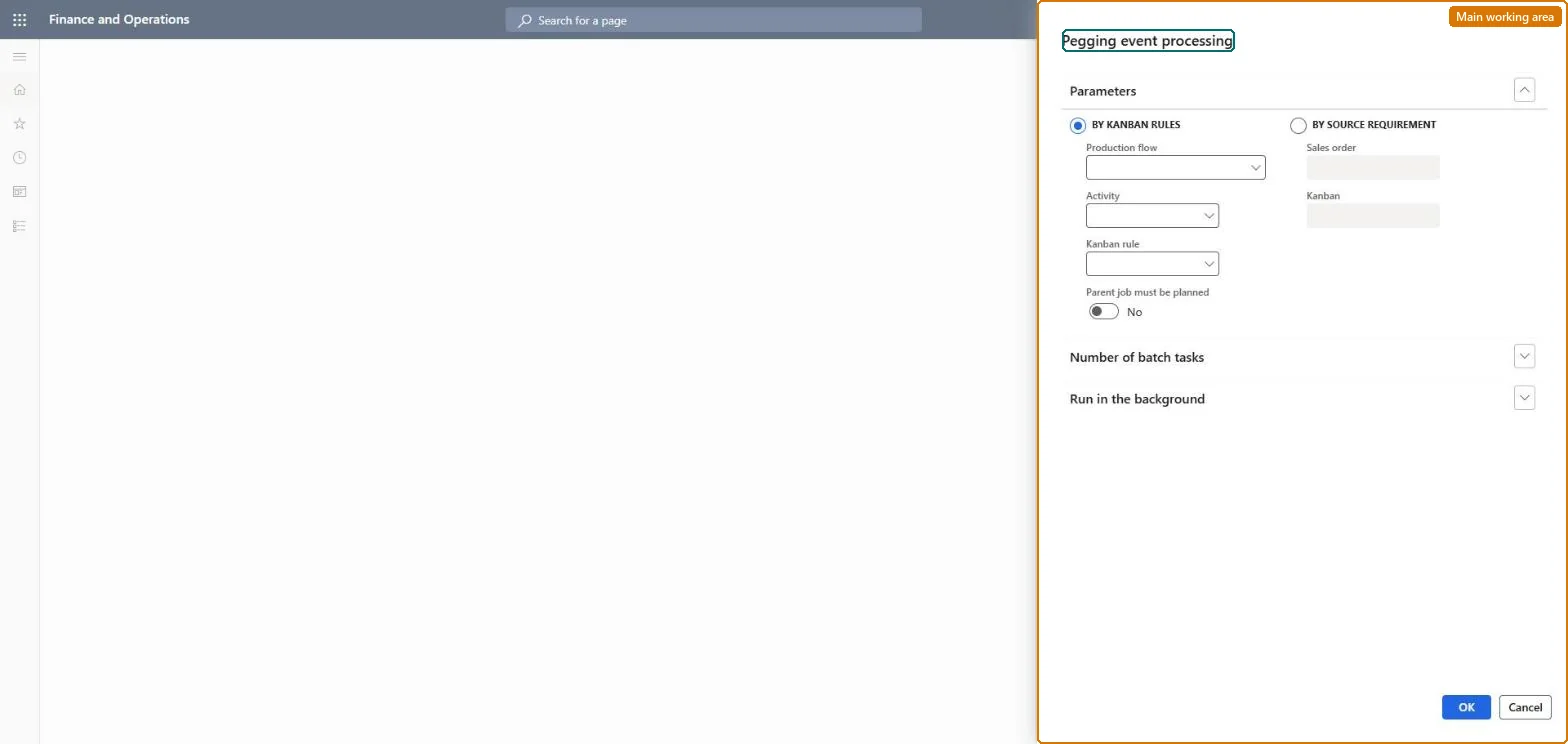
Use this page to generate the kanbans that event kanban rules require, either for all rules or limited to a production flow, activity, kanban rule or a single source requirement, and to run it on a schedule with several parallel batch tasks.
Example
For example, with a withdrawal rule whose Stock replenishment event is Batch and an item coverage minimum of 200 pieces, running this job creates a transfer kanban when on-hand inventory falls below the minimum.
The page in Dynamics 365. page title tab to open what to set or check
About the examples: Examples and screenshots in this guide use BEAT, a demo company in a Dynamics 365 test environment. Use your own company's codes and values instead of copying them.
When to run it
When to run it
When event kanban rules have their event setting on Batch, for example a stock replenishment event that should create kanbans when stock drops below the minimum.
How often
As a recurring batch job, often enough that minimum stock and sales line events are covered in time.
Batch settings
Run it as a recurring batch job and raise the Number of batch tasks when many event rules must be processed.
What the output shows
New or updated event kanbans pegged to their source requirements, such as sales lines, kanban lines or minimum stock. No kanban means the rule's event setting isn't Batch or no event was triggered.
Go to Production control > Periodic tasks > Kanban job batch processing > Pegging event processing.
Limit the run By kanban rules to one production flow, rules ending with an activity, or a single kanban rule, or leave it open to process all event rules.
Use By source requirement to process only one sales order or one kanban and the events pegged to it.
Set the Number of batch tasks to spread the processing over parallel tasks when it runs in batch.
Open the kanban rule and look at the Kanbans section for the kanbans that were created.
Yes, by deleting kanbans: Kanbans created by the run can be deleted from the kanban rule if they aren't needed. Microsoft Learn
If you change it later
Creates or updates event kanbans for rules whose event setting is Batch, which creates kanban jobs in the production flow. Microsoft Learn
Technical architect
5Technical
Menu item
action:ReqEventProcessBatchKanbanChecked in Dynamics 365
Form
DialogChecked in Dynamics 365
Roles to set it up and use it
To use itProduction supervisor ProdProductionSupervisorShop supervisor JmgShopSupervisorProduction planner ReqProductionPlannerMaterials manager InventMaterialsManagerSales clerk TradeSalesClerkGive people one of these roles. On this system, 5 roles can run this page.Checked in Dynamics 365