A report that prints the list of materials to pick for each production order, optionally in a delivery note layout and with chosen inventory dimensions.
Consume materials manually through a production picking list journal in Dynamics 365 Supply Chain Management
Menu item
output:ProdPicklist
Show what matters for
PAGE GUIDEWhat the page does and how to use it7 sections. Choose a role to highlight what matters to you.
Everyone
1What it is and why
What it is
A report that prints the list of materials to pick for each production order, optionally in a delivery note layout and with chosen inventory dimensions.
What you do here
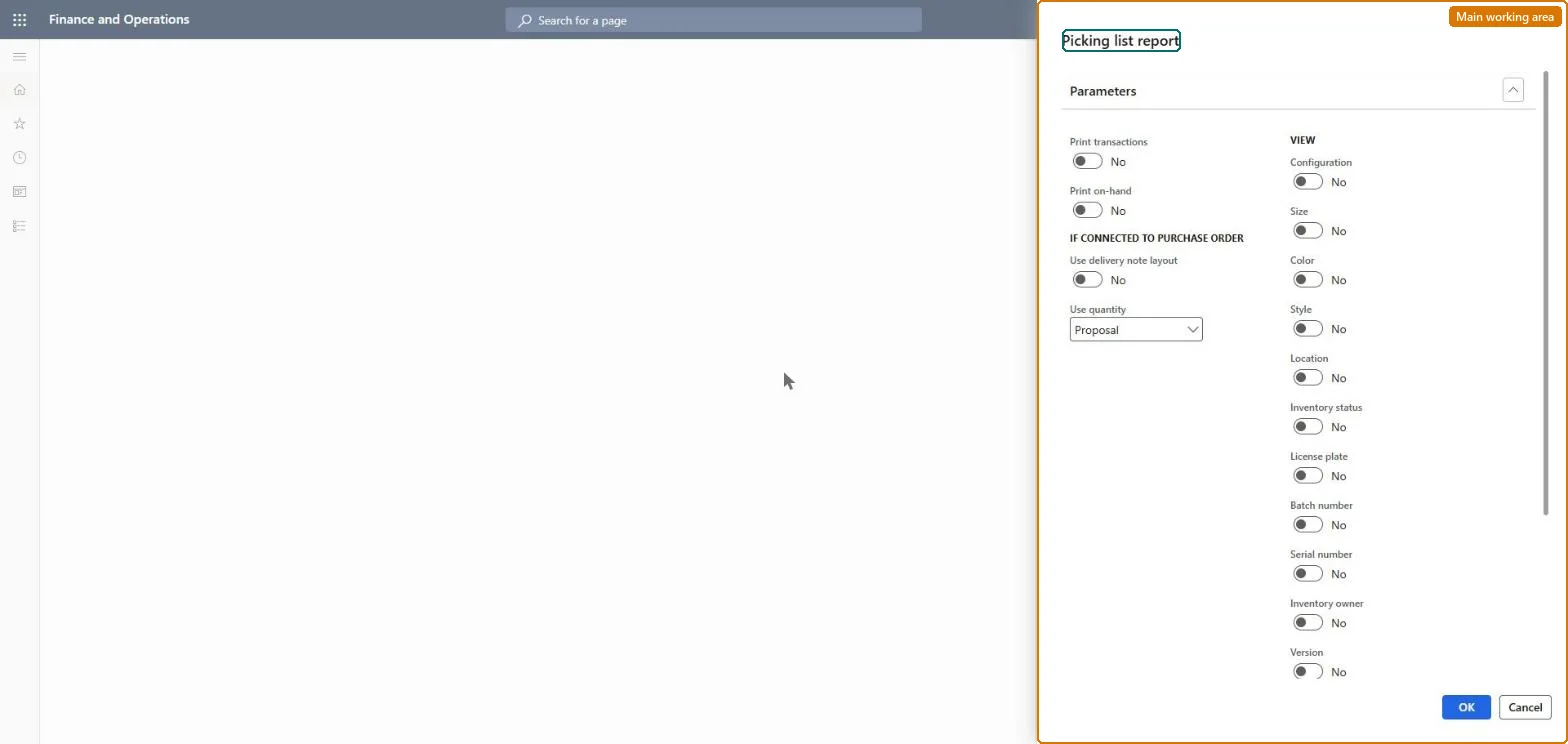
Use this page to print picking lists per production order or per picking list journal, choosing whether to show the proposed or the reported consumption and which inventory dimensions to include.
Example
For example, a warehouse lead prints the picking list for a released production order showing site, warehouse and location so pickers know where to collect each component.
The page in Dynamics 365. page title tab to open what to set or check
About the examples: Examples and screenshots in this guide use BEAT, a demo company in a Dynamics 365 test environment. Use your own company's codes and values instead of copying them.
When to run it
When to run it
When material must be staged for production orders, typically after release and before the order is started.
How often
On demand, for each production order or picking list journal that needs a printed pick document.
What the output shows
One list per production order or picking list journal, with the items, quantities (proposal or consumption) and the inventory dimensions you chose. A quantity that looks wrong usually means the wrong Use quantity choice or an outdated estimate on the order.
Go to Production control > Inquiries and reports > Production > Picking list report.
Set Use quantity to Proposal to print the estimated quantities to pick, or to Consumption to print what was actually reported on the picking list.
Under View, tick the inventory dimensions the pickers need, such as site, warehouse, batch and location.
Turn on Use delivery note layout if the list should also show the connected vendor purchase and transfer orders, and Print transactions to include transactions posted to time and material projects.
In Records to include, filter on Production, Picking list journal or Voucher, then compare the printed quantities with the production BOM lines.
Nothing to undo: The report only prints picking lists; it posts no consumption and changes no journal. Microsoft Learn
Technical architect
5Technical
Menu item
output:ProdPicklistChecked in Dynamics 365
Form
SysOperationTemplateFormChecked in Dynamics 365
Roles to set it up and use it
To use itProduction supervisor ProdProductionSupervisorShop supervisor JmgShopSupervisorMachine operator JmgMachineOperatorGive people one of these roles. On this system, 3 roles can run this page.Checked in Dynamics 365